Surgery on a servo

DSCN8784

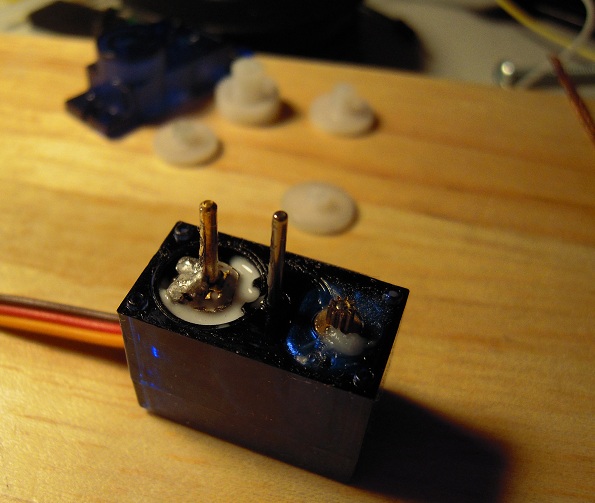
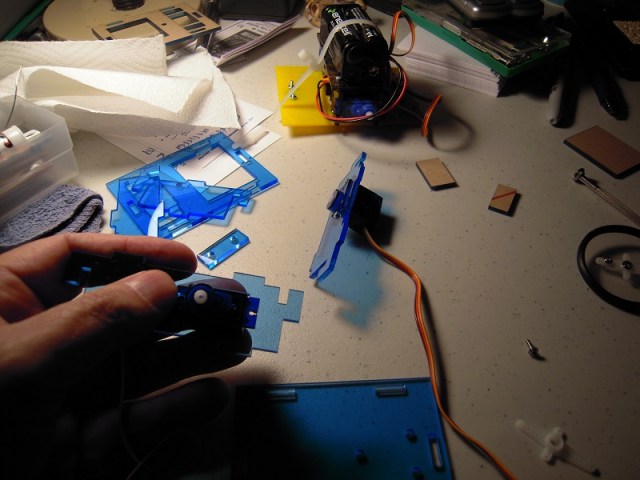
Servo drift occurs when the potentiometer shaft (the one on the left in the photo) turns from the centered position (ie 90 degrees). I tried to prevent servo drift by soldering the pot shaft in place, but apparently all I did was solder it to a piece of metal that rides on the shaft above the pot body. Hence: drifting.

Resoldering didn’t work, so I tried glue this time. It’s cold glue, though, and servo conversion procedures recommend hot glue. Hot glue is a hassle, though. I want to see if cold glue works.

(Photo notes: the glue is the white stuff at the base of the potentiometer shaft. The previous solder is the silvery stuff on top of the metal plate, after efforts to de-solder. The solder which somehow ended up on the shaft easily snapped off. On the right, the grayish goop on the motor gear is a lubricant put there by the factory.)

Posted in Uncategorized | Tagged , , , | Leave a comment

Servo Center Location Test

DSCN8752

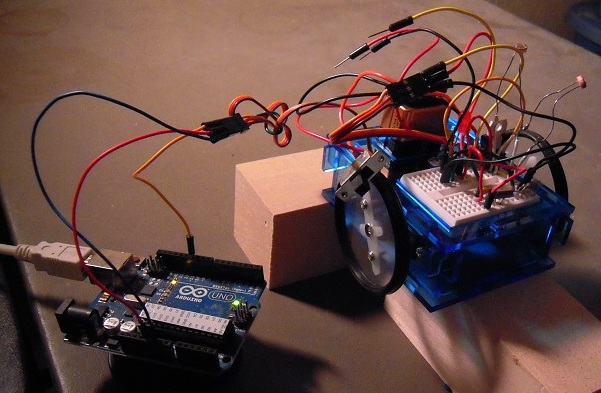
It looks like the climactic scene in a monster movie, Arduino vs. Bot. In reality, this setup enables me to keep the ATMega328 chip on the Arduino while I upload test programs to locate the servo centers.

According to the results, the left servo center has drifted from 90 to 99 degrees while the right center is at 65! Maybe during conversion from fixed to continuous, I should have hot glued the potentiometers instead of soldered.

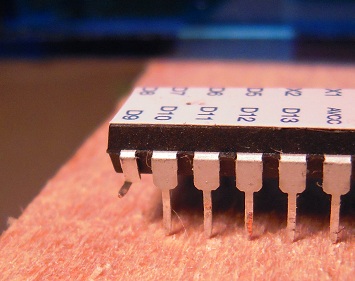
BTW, here we see the tragic story of pin D9, a casualty of moving the ATMega back and forth between Arduino and Bot without enough care:

DSCN8751

Despite the mangled leg, the rest of the microelectronic centipede is limping along just fine, so there’s no reason to replace it just yet. And so the battle goes on . . . .

Posted in Uncategorized | Tagged , , , , , | Leave a comment

Minigris test matrix demo

This demo shows that the mini grisbot (graphical robotic information system) test matrix has been successfully completed, with photocells and servos functioning and integrated.

(And special thanks to Adafruit for the link yesterday.)

Posted in Uncategorized | Tagged , , , , | Leave a comment

Minigris test matrix

DSCN8745

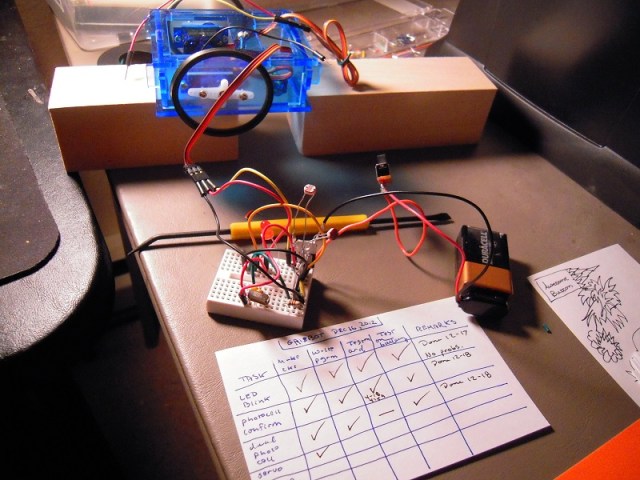
Since minigris did not perform as hoped, I’ve had to go back to basics and rebuild the circuit, testing at each stage. Hence a test matrix, where I build the circuit with a component added, write a test program, test on the Arduino (if necessary), then test the ATMega chip on battery power.

The rows are: LED blink, photocell confirm, dual photo cell, servo, 2 servo, and 2 photo cell plus 2 servo. As you can see from the check offs, I’m about halfway through. So far, everything has worked first time through. I expect that will change.

(At the time of the photo, the ATMega was on the Arduino waiting to be reprogrammed with the servo test program.)

Posted in Uncategorized | Tagged , , , | 1 Comment

AtMega Ohmmeter Designs and Auto-Off Function

I drew up some alternative designs for the casing, like so:

resisty 2

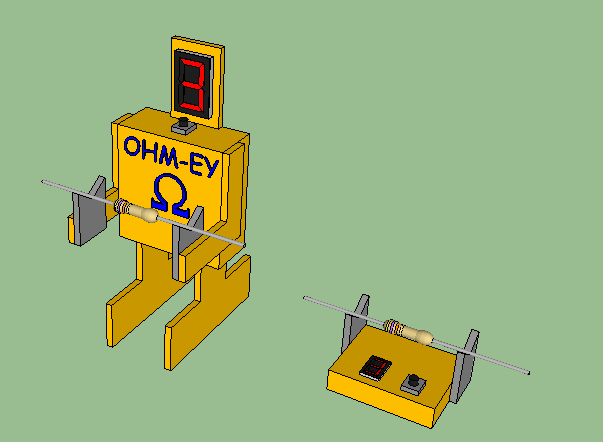
The design on the left is a laser-cut version of the robot case. The box design on the right is the utilitarian model, of course.

Now for the pushbutton circuit and the auto-off function:

resisty push button

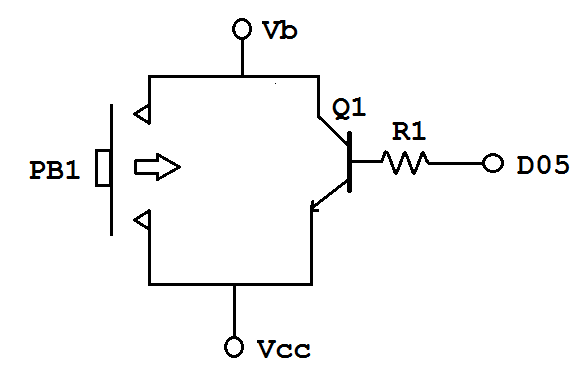
When the user presses push button PB1, it allows battery power Vb to pass down to Vcc, which inputs voltage to the microcontroller and powers the microcontroller. When the microcontroller powers on, it notes the time (= tstart) and sets pin D5 in digital output mode to HIGH. This turns on transistor Q1, providing a circuit path from Vcc to Vb so that the microcontroller continues to be powered after the user releases the push button.

The microcontroller program then performs the ohmmeter measurement and display functions as described in the previous entry. While the functions are executing, the microcontroller also checks the time and compares it to the initial time tstart. When the present time is, say, thirty seconds past tstart, the program sets pin D5 to LOW, which causes transistor Q1 to turn off, which causes the circuit between Vb and Vcc to break, which causes the ohmmeter to turn off automatically.

An improvement on this might be to have the ohmmeter also turn off automatically after it has displayed the reading three times.

Another improvement would be to figure out how to activate the circuit without the need for a pushbutton.

Posted in Uncategorized | Tagged , , , | Leave a comment

ATMega Ohmmeter

As I get older, it’s harder to read the color bands on resistors, and frankly, sometimes it’s hard to tell the oranges from the yellows and reds, the greens from the blues, and even the browns from the blacks. Taking out a multimeter, setting the controls, and fumbling with the probes and resistor leads is annoying.

So I thought, what if there was a little ohmmeter where you take a resistor, lay it on a cradle, and a display instantly tells you the value?

I did a search and found that several people have done Arduino Ohmmeter projects, but the cost of a dedicated Arduino board boosts the cost over $30. What I want to do is take the ‘naked ATMega’ off the Ardruino and make an ohmmeter that would cost less than ten dollars.

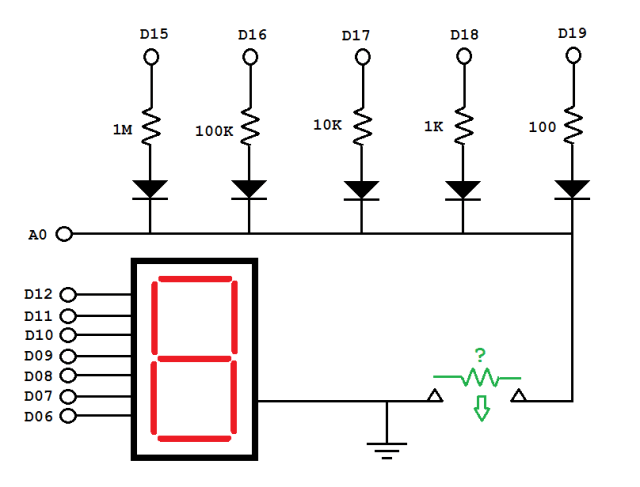
Realizing that analog input pins can be programmed as digital output pins (ie, D15 = A1, D16 = A2, etc.), I made the following schematic:
resisty

Here’s how it works. The resistor is placed across the terminals on the lower right. I envision a cradle for the resistor, and a pushbutton (not shown) activates the circuit. The microcontroller then puts a voltage on D15 which passes through the one mega ohm resistor, the diode, and then the unknown resistor. The voltage is read at A0.

If the reading at A0 is below 100 (on a scale of 0-1000 units corresponding to 0-5 volts), D15 switches off and D16 switches on. Now the voltage divider is through a 100K resistor. If the reading at A0 is still below 100, we switch to D17 and a 10K resistor, and so on, until we get a reading above 100 or until we get to D19.

At that point, using a formula that I need to work out (which may involve dealing with the internal resistance at A0), the microcontroller calculates the unknown resistance.

To save money, the output is a single 7-segment LED display. I figure the display will flash three numbers in sequence and mimic the bands on a resistor: first digit is first significant number, second is second, third is how many zeros. Thus if you see 4 followed by 7 followed by 2, it means 4700 ohms. To avoid confusion, zero zeroes is represented by ‘-‘ instead of a zero.

So here is the user experience:

1. User places resistor on cradle.
2. User presses button to activate.
3. 7-seg display flashes digit 1 for one second, digit 2 for one second, digit 3 for one second, followed by 3 second pause, then repeats twice.
4. Device automatically shuts off.
5. User removes resistor from cradle.

For a ‘cuteness factor,’ maybe this could be made into a little robot figurine.

resisty robot 1

Posted in Uncategorized | Tagged , | 2 Comments

Minigris wiring revisions

gris schematic 07f

Well, I did notice that the servos were going to nine volts rather than five on yesterday’s schematic, so I fixed that. Also deleted the connection to AREF per this. But I couldn’t even get the LED to light up when I did a test of the fully assembled system. My presentation at SRS on Saturday morning was a ‘static demo,’ alas.

And in case you’re wondering, yes, I did check the battery and voltage regulator. Tomorrow I’m going to take the circuit apart completely and then build it up from the bare ATMega328 chip and support components (voltage regulator, crystal, caps, etc.). I’ll see if I can get that LED to blink, then integrate the photocells and servos. The components have worked separately in the past, and I’m confident that they can work together too.

Posted in Uncategorized | Tagged , , | 1 Comment

Mini gris on a mini breadboard

gris schematic 07c

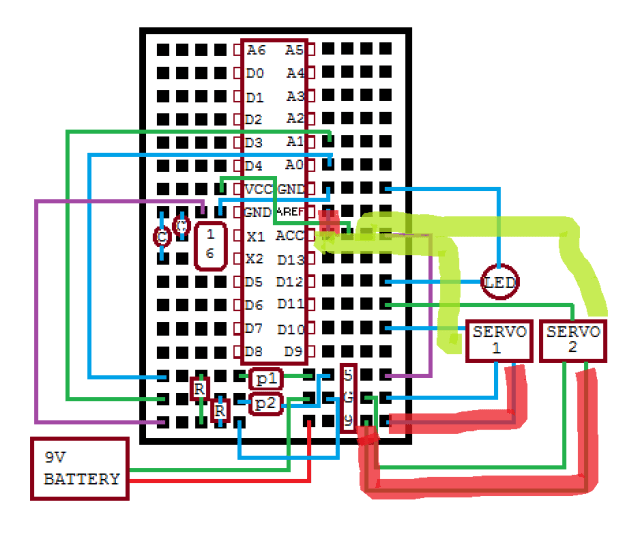
Here is the wiring diagram for the mini gris mini breadboard. As soon as I post it, I’ll realize there’s something wrong. So we may as well get it over with.

Posted in Uncategorized | Tagged , , , , , | Leave a comment

Minigris Assembly Begins

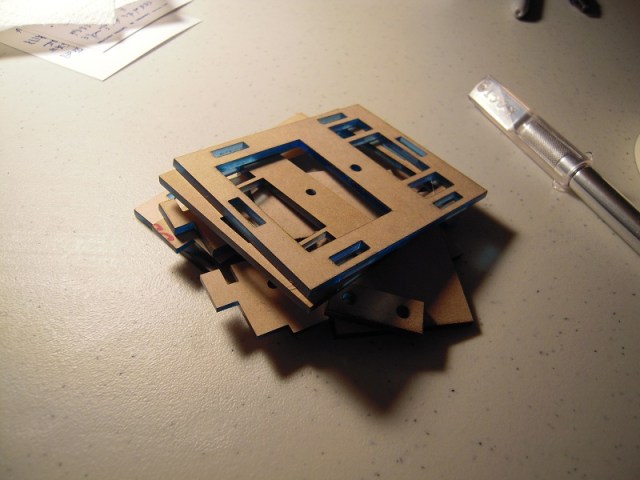
I went to Metrix this afternoon (Thursday) and got the acrylic cut, and then I rushed home and attempted to assemble the robot. Here are the pieces with the protective wrapping still on them:

DSCN8501

Ten minutes later, I’m still peeling off the wrapping:

DSCN8502

Whew, glad that’s done. Twenty minutes into the game, it was onto the servos:

DSCN8503

This is where that assembly illustration that I made earlier came in useful (30 min.):

DSCN8504

After forty minutes, it’s fully assembled:

DSCN8507

Well, except for the wires. I have to figure out how to rearrange the wires to free up space on the breadboard to attach both the servos and the photocells. As I contemplate how to untangle that, I realize that my demo at SRS on Saturday may only be a static display . . . .

Posted in Uncategorized | Tagged , , | Leave a comment

Grisbot test rig

DSCN8374

When I finished assembling this test rig on late Tuesday night, I sat back and stared and realized that maybe I’ve actually accomplished something. Such a weird feeling!

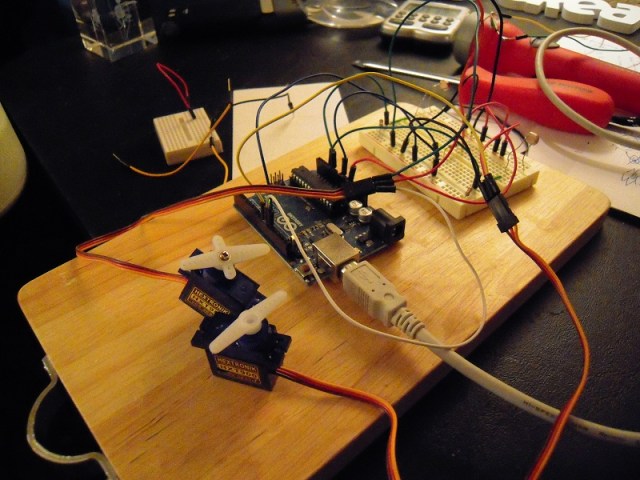
The test rig is mounted on a small kitchen chopping board that I got at Goodwill and normally use for soldering on top of so that I don’t get solder on the work table. Now it’s been pressed into service as a test rig platform.

Going from lower left to upper right: micro servos, Arduino, photocells.

I’ll test it this morning and if it passes, the cutting of the acrylic will occur at Metrix by afternoon and by Saturday I’ll be doing a demo at the Seattle Robotics Society meeting.

Happy 1728!

Posted in Uncategorized | Tagged , , , | Leave a comment