Servo Chatter

When I initialize my robot, the starboard (right-hand) servo chatters at the neutral position. As you can see from the video, for some reason this affects only the starboard servo and not the port (left-hand) servo. I think the reason has something to do with the manual adjustment not being centered.

Anyhow, rather than carefully tweak the servos manually, there is another way to avoid needless chattering. And that is to modify the servo attachment commands in the Arduino sketch.

What I was doing before was placing the servo attachment commands in the setup function, like so:

void setup(){

myservo1.attach(11);
myservo1.write(90);

myservo2.attach(10);
myservo2.write(90);

The solution is to place the servo attachment commands in the loop() function just before the action function and then place servo detach commands immediately thereafter, like so:

void loop(){

if (rmode == 1) {
servo_on();
act_mode2();
servo_off();
rmode = 0;

. . . where servo_on() attaches the servos as before and servo_off detaches like so:

void servo_off(){

myservo1.detach();
myservo2.detach();

}

By attaching the servos just before they’re used and detaching them immediately thereafter, I am minimizing the time the servos can chatter. In other words, servos can only chatter when they’re attached.

Note that when using the servo detach() command, the pin number is not expressed. That’s because the servo object remembers which pin it was assigned to by the attach() command. If you put a pin number in the detach() parens, you won’t just be making extra work for yourself, you’ll generate a compiler error message (as I learned to my puzzlement for several minutes).
Posted in Uncategorized | Tagged , , | Leave a comment

Arduino reading screen flashes

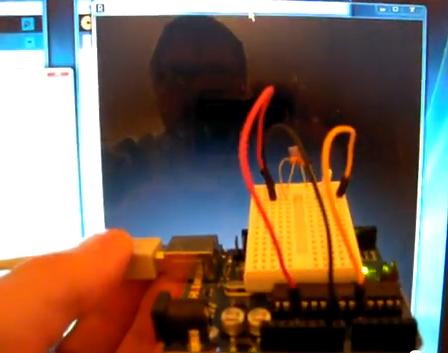
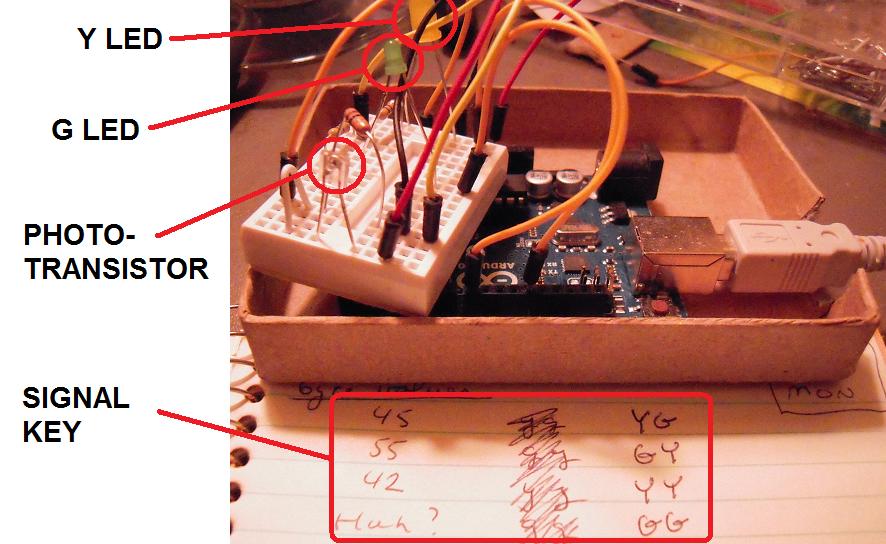
I’ve upgraded the hardware to include two LEDs in addition to the phototransistor. Based on the reading of the screen flashes, the LEDs flash according to the key shown.

Here’s a video of the system in action:

This is at a screen frame rate of 60 Hz, for a transmission rate (with trigger and null bits) of 6 bytes per second. For GIRC, that’s enough to convey 1.5 segment turn-and-move segment commands per second from the computer to the robot. A file of 15 commands, which is probably on the large side, would only take ten seconds.

This brings me closer to dispensing with the USB/Serial cable, and if I can do that, I can take the ATMega328 microcontroller off the Arduino. That will reduce the cost of my robotics kit by about $25.

Posted in Uncategorized | Tagged , , , | Leave a comment

Adventure in Over-Engineering

To take a break from working on my main project, I decided to do a mini-project.

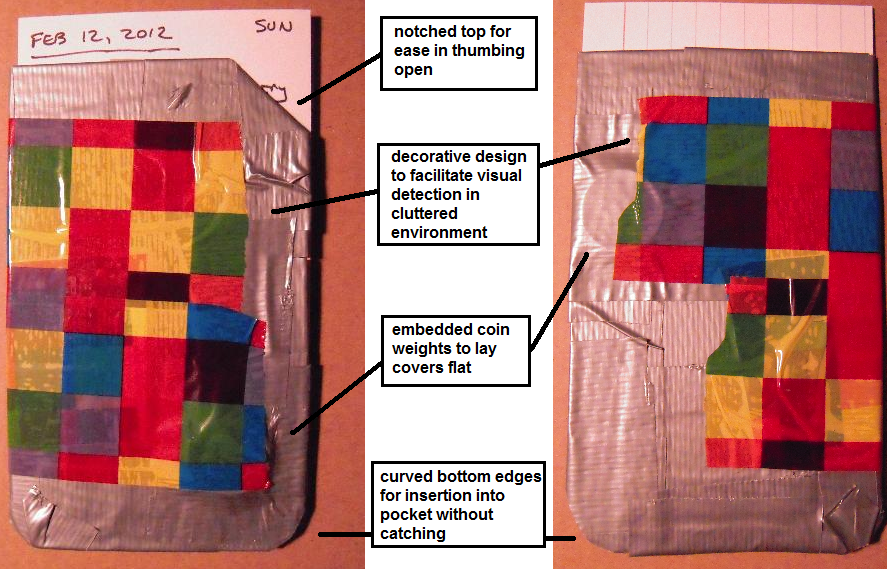
The problem: I keep losing my daily do lists in all the clutter of my life. So I thought, I needed a do list holder. And there’s no project, big or small, that can’t be over-engineered. Of course, it will involve lots of duct tape.

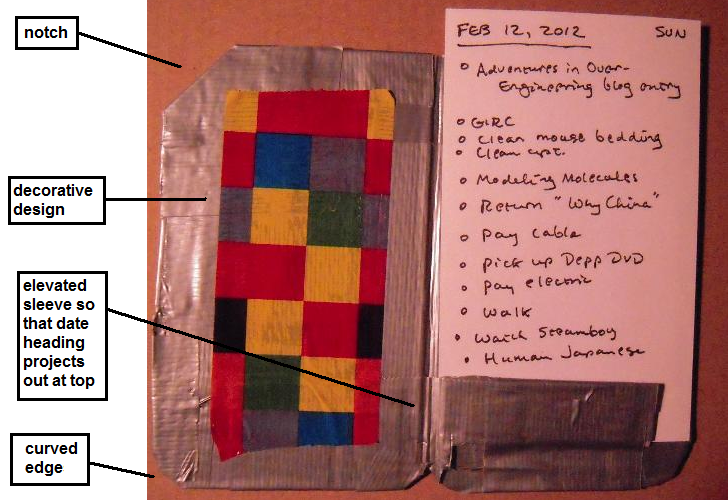
This is what I ended up with:

Now you may think, “It doesn’t look pretty.” But cheap ugliness is what I was aiming for as a design aesthetic. And the ‘decorative tape’ was on clearance at the arts and crafts store. And besides, it’s a prototype. That’s my story and I’m sticking to it.

At any rate, I no longer have the excuse of misplacing my do list to detain me from doing it.

Posted in Uncategorized | Tagged , , | Leave a comment

Arduino Phototransistor Signal Protocol

I’ve designed a signal protocol for the Arduino to convert phototransistor readings from the laptop screen into bytes of data. Here’s what I came up with today:

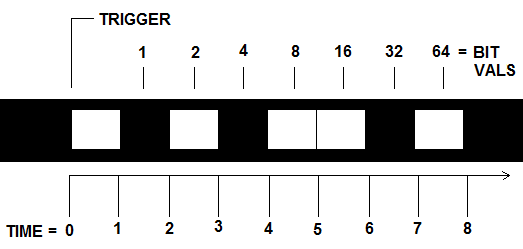
In the illustration, the white boxes in the black strip are light pulses on the screen which are shown as spread out across a time line. (Note that units of time have yet to be assigned.)

When the phototransistor signal goes high, it triggers (starts) the byte-reading cycle. By definition here, the start of the trigger pulse is t = 0. Thus the time line shown here is just for reading a single byte. (I’ll work on reading multiple bytes once I master reading a single byte.)

At time t = 1.5, the phototransistor voltage is read at Arduino pin A0. If the value is LOW, then the bit has a value of 0. If it is HIGH, you guessed it, the bit has a value of 1.

At time t = 2.5, the phototransistor is sampled again. If it is LOW, then the bit has a value of 0. If it is HIGH, now we’re assigning a value of 2.

And so on. After t = 7.5, all the bit values are added up to give a byte value from 0 to 127. And that tells me what my control code is.

After the last bit value is read, there is a delay of a quarter second, and then the trigger for the next byte can be sent. The reason for the delay is that I want each byte-reading to be started by a “clean” trigger because I don’t want to mess up the bit-reading frames, which I fear could rapidly get out of synch otherwise.

I’ve been having trouble with the Arduino IDE serial monitor (or maybe, it’s been having trouble with me), but I hope to test this protocol tomorrow.

Posted in Uncategorized | Tagged , , | 2 Comments

Arduino reads screen flashes with phototransistor

This is the first test of the communication system as described in the previous entry.

The flashes are one millisecond, followed by a one second delay. The serial monitor informs me that the microcontroller is able to count them.

Here’s a screen capture:

(In case it’s not self-explanatory: the Arduino code and the serial monitor are on the left, the Processing code and the flashing rectangle sketch that sends the signal to the phototransistor are on the right.)

The screen refresh rate for Processing is 60 Hz, or about five bytes per second. For GIRC, that’s about a line segment per second. I guess that’s okay . . . for now.

Posted in Uncategorized | Tagged , , , , | Leave a comment

Computer/Arduino Communication Via Phototransistor

Here’s the basic idea: I’ll send commands to the Arduino by flashing a rectangle on the screen and having a phototransistor on the Arduino read the light level.

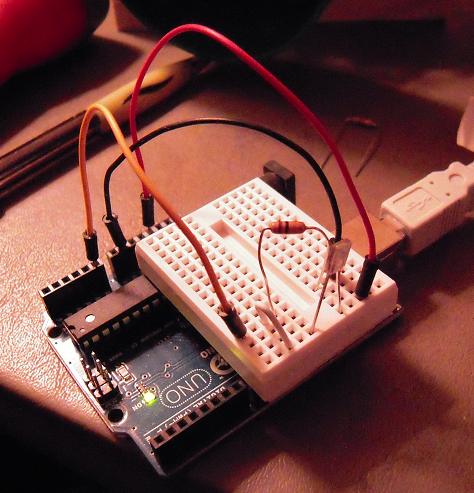
The above photo shows the test bed set-up. This is very similar to the circuit found in Getting Started with Arduino, except that I’m using a phototransistor instead of an LDR. The optimal resistor appears to be 10K ohms, as in the book.

If I can communicate via phototransistor, then I don’t need the USB/serial cable for communications. And if I can get rid of that, then I don’t need a serial-ttl cable or the Arduino platform. I can just stick an Atmel microcontroller on my robot and have the phototransistor read user commands right off the screen. This will save a lot of money.

As for how well it works — well, that’s why I built a test bed, to find out.

Posted in Uncategorized | Tagged , , , , , , | 1 Comment

Time to Clean Out My Spam Filter

I have a new hobby, collecting spam bot comments. Yes, I’m mystified too.

Bear in mind that spam bots attack blogs because they want their comment published with its embedded link that will help the spammer promote his product. Since spam is scattered as widely as possible, spam comments are as general as possible and typically lack references to the actual content of the blog entry. But that doesn’t mean they don’t get creative in their endeavors to entice you the blogger to publish their comment, and it’s the extremes they’ll go to that I find so appealing, even amusing.

Here, I’ll show you:

Someone actually went to the trouble of learning a computer language, programming a spam bot, paying for the servers and other infrastructure necessary to spread its message across the internet, learning administrative and network protocols. What they did not do, obviously, is bother to learn coherent English.

Ask yourself what kind of person seriously expects a human audience to read past even the first sentence of this:

I was going to obscure the links in these images, but I don’t think that’s really necessary here, the author has done more than enough obscuring on his own to ensure that nobody in his right mind is going to click on his links:

I would feel complimented by this one, but I bet he says this to all the (ten billion or so) bloggers he spams:

(On the other hand, I’m not sure where he’s going at the end!)

Some of the spam bot programmers have concluded that being positive is what catches them, so they try to simulate a realistic comment by inserting criticism:

Rife? Mye misspeling ins’t rief!

Okay, this one I am going to block out the link, but please note, this is from a website purporting to be about ‘smoking while pregnant’ and is all but accusing me of plagiarism for photographing my own cluttered work table in my own cluttered apartment:

This one has me almost wondering if it is spam:

— Yes, and I’ll have my followers contact your followers, and hey, maybe they can have lunch together.

Now this guy thinks he’s a comedian:

This guy takes a new tack, which instead of offering to be helpful, preys on the natural human tendency to be helpful:

(Presumably, your reward for ‘helping’ him will be even more spam. Joy!)

Once again, accusations of plagiarism are sure to rile up the blogger and elicit publication with an angry retort — NOT:

Now, haven’t we all heard of Jamorama?:

Sadly, tragically, my favorite spam post got deleted from overflow. It began with, “Not your best post, unfortunately,” and concluded with, “Perhaps you should try some Norwegian carrot cake!” And since I lost the comment, I may never have the opportunity to partake of the wily Norwegian carrot in its pastry form.

But at least I still have my second-place favorite comment:

What does this even mean? Probably it’s one of those obscene acronyms that the kids are into these days. But since it doesn’t show up on The Google, I’ll just leave it as it lays, and walk away.

I find ‘spambotiana’ to be entertaining, yet at the same time it is almost saddening to think of the countless dollars and work-hours expended all to be flushed away by my clicking of the ‘Delete Permanently’ command. Which I have just done — in anticipation of more entertainment to be sent my way in the days ahead by the seeming legions of spammers out there who are too clever by half to ever make an honest living.

Posted in Uncategorized | Tagged | Leave a comment

Robot Chassis with Plastic Ball Caster

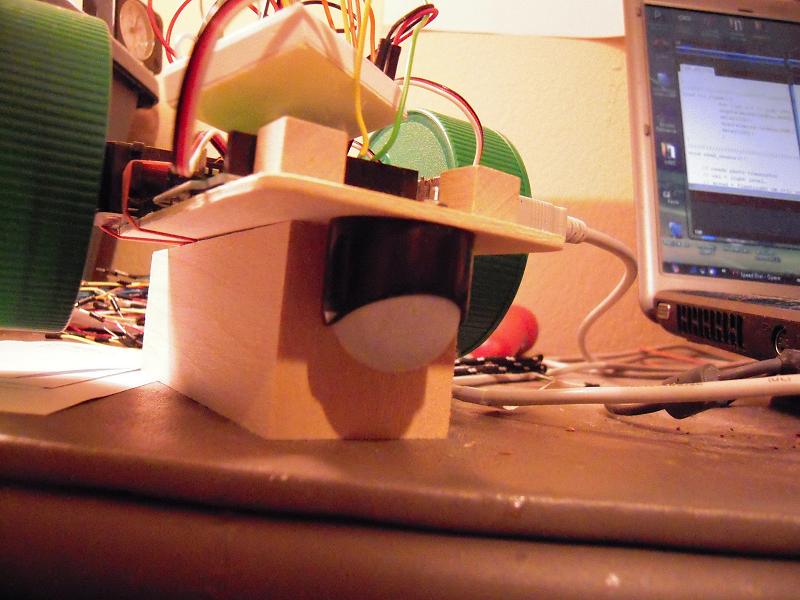
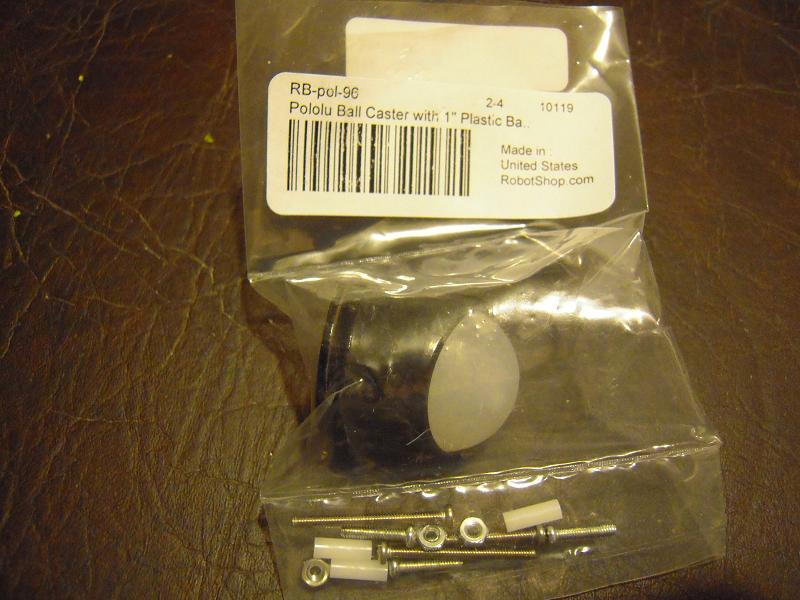
This is the 1″ plastic ball caster that I ordered from Robotshop. The white ball pops out of the black holder, which has three bolt holes to secure it to the robot chasis.

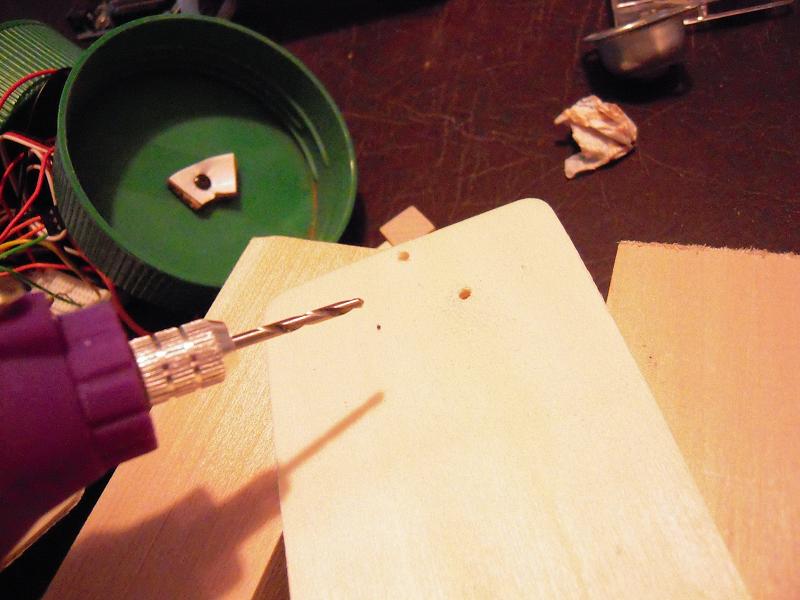
I positioned the holder on the wooden platform and used a razor pen to mark the drill hole locations. Then I used my little battery operated craft drill from Michaels like so:

The bolts then went through the holder holes and the platform holes, and I fastened with the nuts so that it looked like this:

And this is what the completed mod looks like from below:

Moving from the wheel-caster chassis to the ball-caster chassis required removing and reinserting all the wires, a pain. But I tested with the square path program and it’s working. How well? Not as well as I had hoped. I think the wheels are a bit wobbly. I’ll see about getting plastic washers for them.

Now the main task is to have the Arduino convert the control codes back to turn angles and distances.

Posted in Uncategorized | Tagged , , , , | Leave a comment

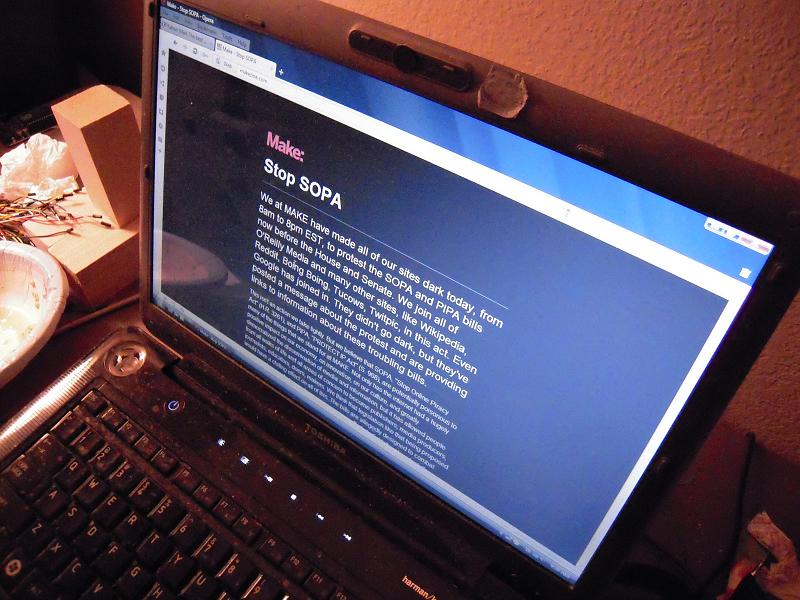
Going Dark

Posted in Uncategorized | Tagged , | Leave a comment

Casters for a Small Robot

Poor little cheapbot is undergoing surgery this week. The purpose is to change the caster wheel, but in the end the whole chassis will be replaced.

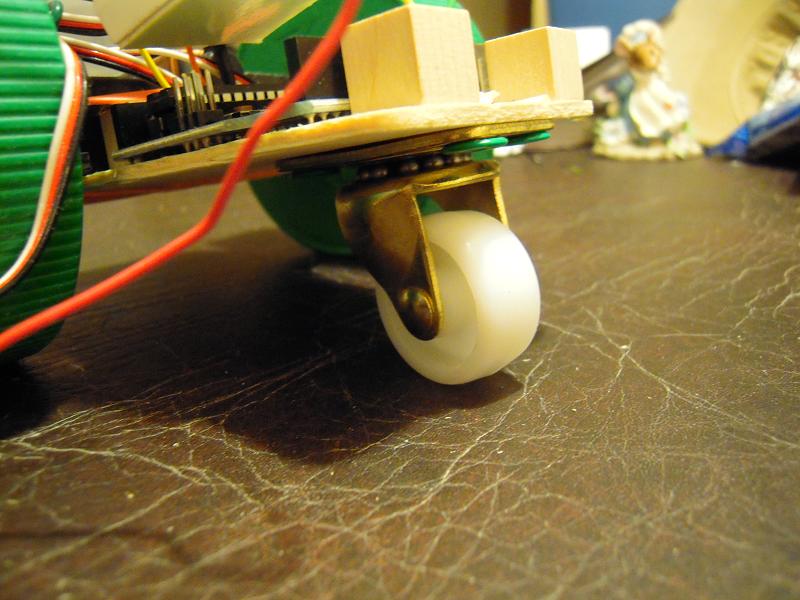
Because I’m trying to build my ‘cheapbot’ robot out of readily available parts, I went to various retail stores looking for small casters. The best I could find at the time was this one at Ace Hardware:

If you’ve viewed my videos, you may have seen that this wheel tends to stick when the robot is turning. So I purchased some small, dedicated-robot ball casters online. I bought steel and plastic ball casters.

I tested out the steel caster, and it seems to stick too. So now my hopes are on the plastic caster:

Unlike the steel caster, which could easily be thumbtacked to a prototype wooden chassis, the plastic ball will require drilling in order to be affixed to its chassis. So that’s where I’m heading next.

Posted in Uncategorized | Tagged , , , , , | Leave a comment