Custom slider controls in Scratch

scratch screenshot 03

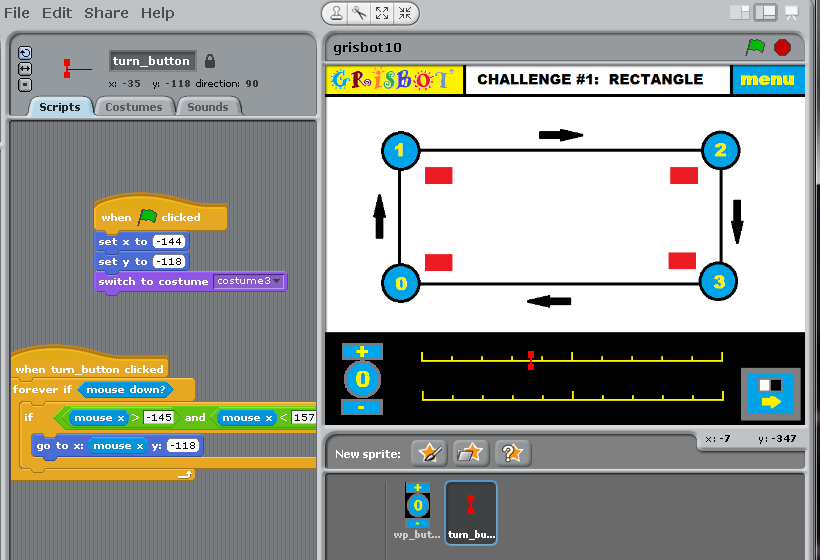
To acquire user input for the Scratch version of Grisbot’s computer interface, I’m using slider controls. In the above example, I’ve made a ‘slider icon’ in the form of a red ‘I.’ Position the mouse over the icon and hold the mouse down, and the icon moves with the mouse position along the scale. The icon position correlates to a servo timing value which will be saved in a variable for transmission to the robot.

Posted in Uncategorized | Tagged , , , , | Leave a comment

Making a GUI for a program in Scratch

scratch screenshot 01

The above screen shot shows the IDE (Integrated Development Environment) for Scratch.

On the left, the Scratch IDE displays a palette of programming blocks. In the middle are the programming blocks I attached to the sprite I created for incrementing the waypoint selection. (For the most part, you don’t ‘write’ Scratch code, you just drag and drop it.)

At the upper right is the screen as the program user will see it, and lower right is the collection of ‘stages’ and ‘sprites’ thus far.

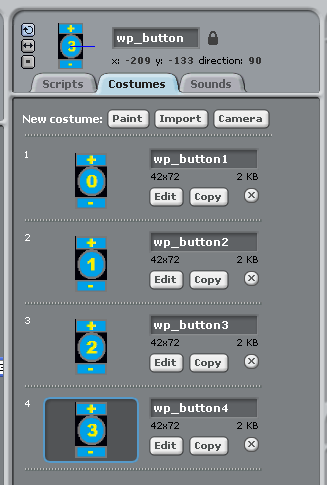
Focusing on the middle: these program blocks change sprite ‘costumes.’ A sprite in fact is basically a collection of costumes, which are basically just images that the user creates. Here are the costumes I made for the waypoint button sprite:

scratch screenshot 02

I’ve written (that is, dragged and dropped) the program code attached to the waypoint button sprite so that if the user clicks on the upper half of the sprite area, the waypoint costumes increment from 0, 1, 2, 3, and then 0 again. Likewise, if the user clicks on the lower half of the sprite area, the waypoint button costumes decrement.

By including a waypoint variable in the code, I can track which waypoint we’re on and display the servo input data accordingly. But that’s a topic for another day, perhaps.

Why does Scratch work this way? Well, because it’s designed to interest kids in programming, and the kind of programming that kids like most is game programming, and game programming requires animation, and animation requires moving and changing character images. Hence, my program adapts a paradigm for game animation into a graphical user interface. With mixed success.

Scratch may be an easy-to-use program language, but it’s taking me a while to learn how to use it. I think it’s because I have to unlearn assumptions from other programming languages in order to grasp concepts used in Scratch.

Posted in Uncategorized | Leave a comment

Grisbot in Scratch Challenge Screen

The first thing you have to do when creating a program is draw the user interface. This is actually pretty simple in Scratch, because you can simply draw an interface in a painting program and then load the graphics file as the background for your Scratch program.

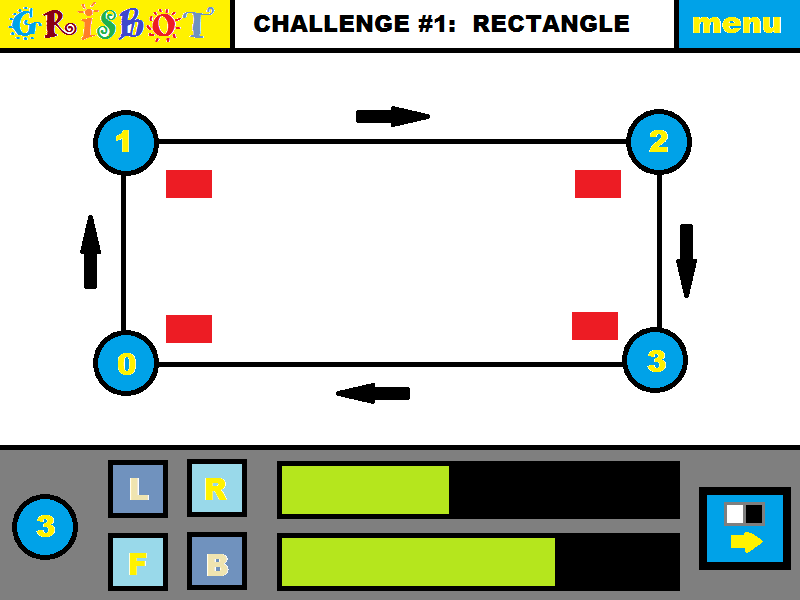
Here is the main screen, the Challenge Screen:

gris screen 01

The Challenges are increasingly difficult paths that the user must program the robot to navigate through. (Note that this is different from my previous Processing-based GRIS program, in that now the path is pre-drawn.)

Rather than create the path, the user clicks on each waypoint of the pre-drawn path. Status information for the selected waypoint then appears at the bottom of the screen. The user selects the L/R (Left/Right) and F/B (Forward/Backward) buttons, then clicks on the green-on-black servo timing bars as desired. The green bar stretches to the click point, and the position of the click on the bar translates into a servo timing value.

As shown here, the user has selected Waypoint 3, and has chosen appropriate servo timing values. Since this is the last waypoint, now it’s time to click the button at the lower right and go to the communications screen, where the data for turns and moves will be sent to the robot as flashes of light. Then the user sets the robot down on the course (at Waypoint Zero, natch!) and away we go.

Which servo timing values are correct? Well, finding that out is the goal of the challenge. It may take several trial and error runs to get it right. I anticipate up to ten pre-drawn challenges, and users will have the option of making their own challenges too.

My hope is that younger kids will be interested in playing the game, mid-age kids will enjoy building the robot kit, and older kids will want to hack the robot with their own software and hardware modifications.

What if it turns out that I can’t send the light signals using Scratch? Well, then maybe I can write the program as a sketch in Processing that would run inside a web browser.

Posted in Uncategorized | Leave a comment

Having a Product

One day Steve Jobs was given a presentation by Apple engineers on the status of a major project. He listened, frowned, and replied, “We still don’t have a product.”

That’s the issue that has been haunting me the past couple of years. I have a robot, now I have a kit. But do I have a product?

A product is not just a collection of parts. It’s not just a collection of parts that function well together. A product is something that people want to buy.

A while back I honed my soldering skills with a ‘eurosiren’ kit. It was very informative, as far as learning to solder goes. But when I was done, I turned it on for about two seconds and then turned it off and put it away.

A soldering kit qualifies as a product, but I don’t think the same concept of a kit-for-the-sake-of-learning-by-making is going to work for little Grisbot. That eurosiren soldering kit only cost $15. Will users be satisfied spending $25 (or more) to build a robot that merely follows a preset path? I don’t know, for that price point I think people expect a greater level of functionality when they get done with it.

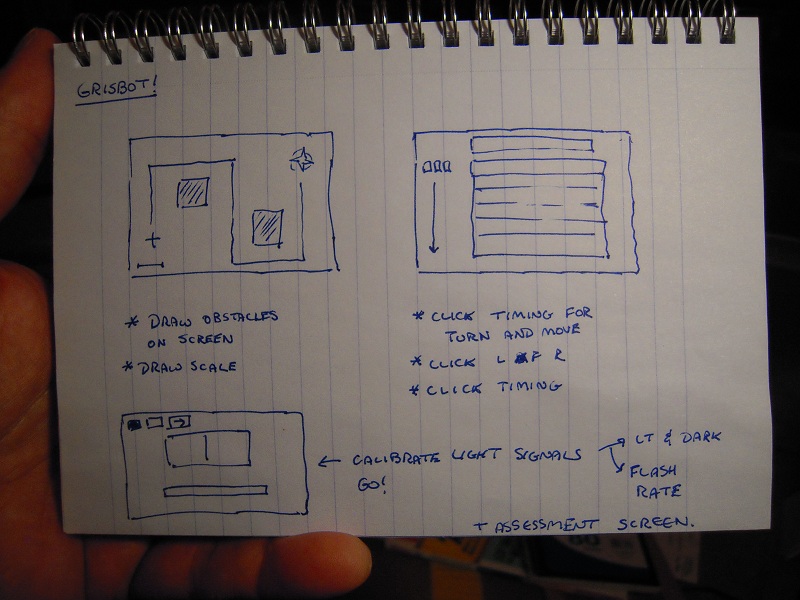
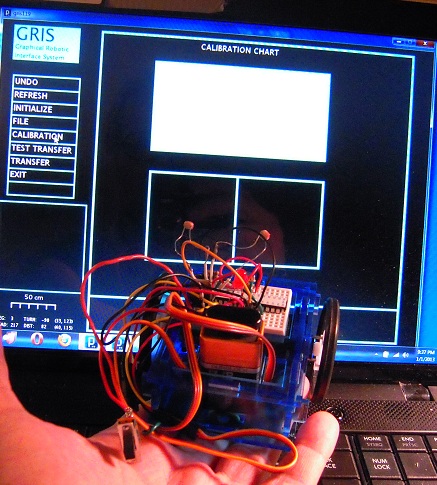
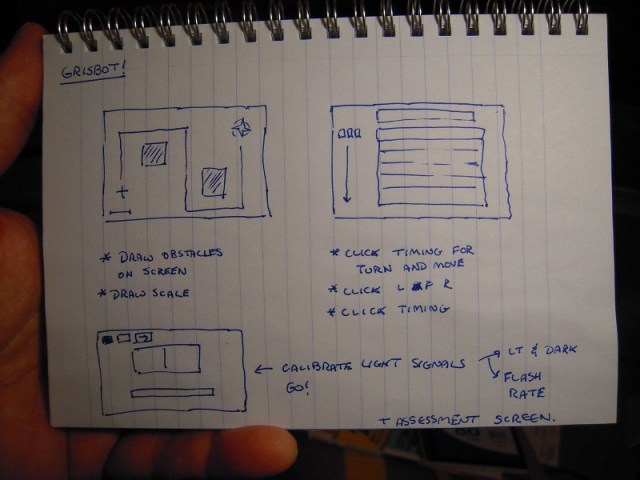
So today I was thinking, “Maybe I could make it into a game.” The idea is to draw obstacles on the screen, then make an obstacle course on a table (or hard floor). Presumably, the obstacles would be something like, but not necessarily, lego bricks. But merely drawing the path on the screen wouldn’t be enough. The robot has to be calibrated for turns and moves as well.

So I sketched out a multi-screen computer interface like so:
DSCN9768

Per the game aspect, points would be assigned according to the complexity of the course and how many tries it takes to program the robot correctly to complete the course. The computer-based program would communicate with the robot through screen flashes. It should be written in something easily accessible, like Scratch or the browser-based version of Processing. As for the microcontroller-based program, that would take a revision of what I have now, but not a big one.

If I can come up with a couple more gamelike elements, say like hooking a ‘prize’ and returning it to base, I might just indeed have a product.

* * *

So what happened to my intent to make a calibration routine? Well, manual trial-and-error calibration is going to be part of the game now.

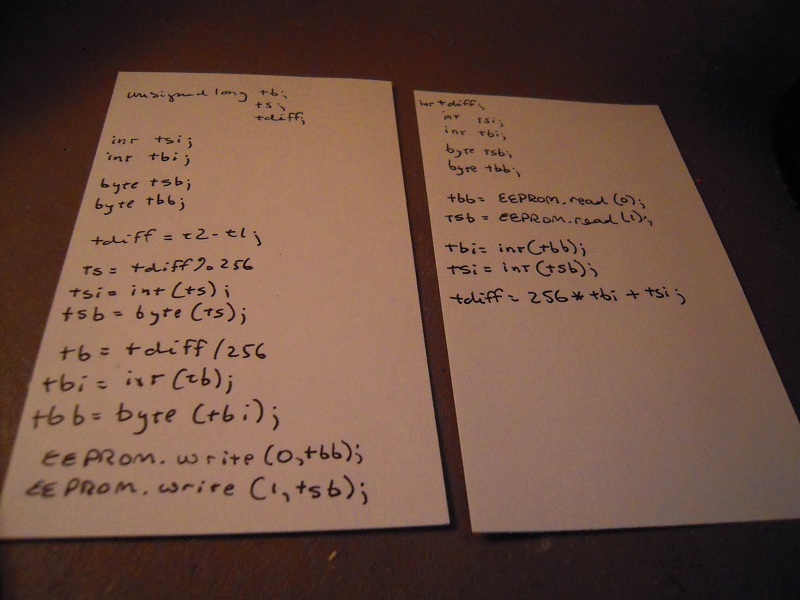
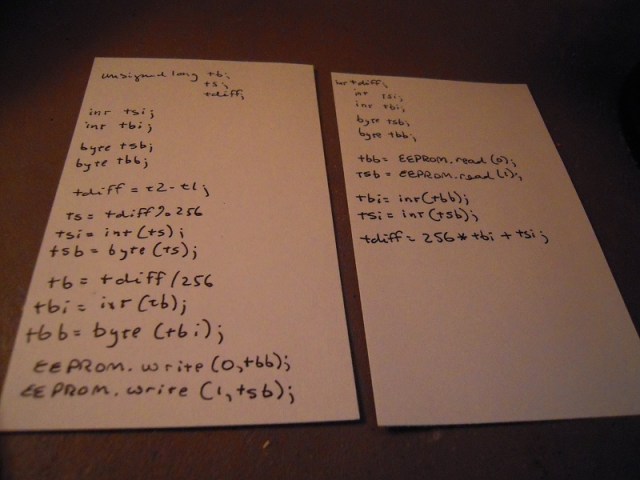
But just to let you know, I did do some programming on how to stuff calibration values into EEPROM so that they can be automatically retrieved and don’t have to be entered manually each time the robot is turned off and on. The main problem is converting variable types from unsigned long (for time measurements) into bytes (for EEPROM storage).

Here is the preliminary program I drafted, which I may yet get around to debugging and using:
DSCN9769

The tricky thing is to make sure the read/write commands don’t burn out EEPROM. The ATMega328 EEPROM is good for 100,000 cycles, which can last decades if you’re using the commands only once per program run, or it can last seconds if you accidentally include them in an infinite loop.

But I’m off on a new tangent, so maybe I won’t have to worry about that for now.

Posted in Uncategorized | Tagged , , | Leave a comment

Programming ATMega328 with Arduino platform

DSCN9628

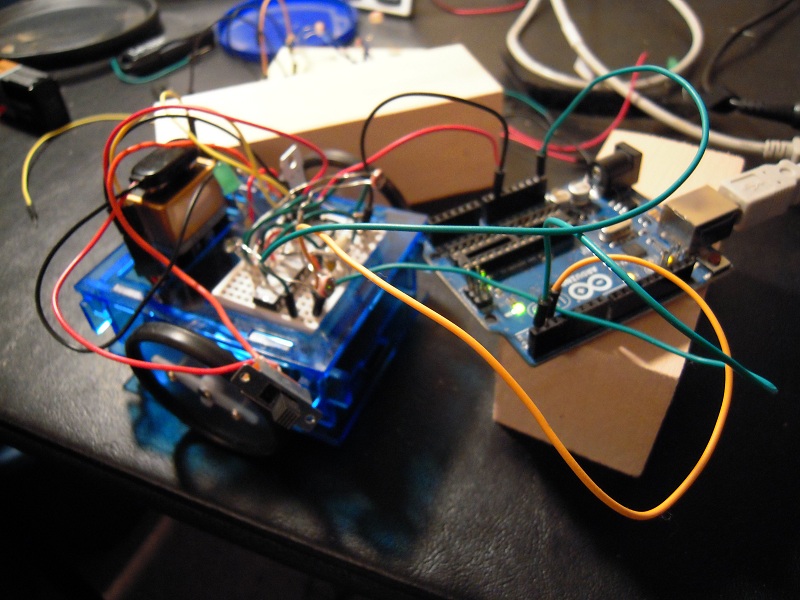
In theory, it’s possible to program the ATMega328 while it’s off the Arduino platform. Simply connect the Rx, Tx, GND, 5V and reset pins, and you’re in business. Well, it didn’t work for me and in the process I realized that connecting and disconnecting all those wires isn’t going to speed up the transfer process compared to simply moving the chip itself.

The picture shows the 5V line disconnected because otherwise the robot would be moving in accordance to its previous programming. I’m wondering if the servos are interfering with the data transfer process here.

Anyhow, there’s a lot of software troubleshooting left to go and I’m thinking that I need to revise the robot so that it can cradle an Arduino instead of just the ATMega. Once I get done with all the programming for the Arduino, maybe then I can go back to just using the chip.

BTW, the demo at the Seattle Robotics Society meeting seemed to go well, and a couple people came by and expressed interest. So I may have sales next month. That is, if I have a viable product by then.

Posted in Uncategorized | Tagged , , | Leave a comment

Rewiring the robot

BEFORE:

DSCN9019a

AFTER:

DSCN9506

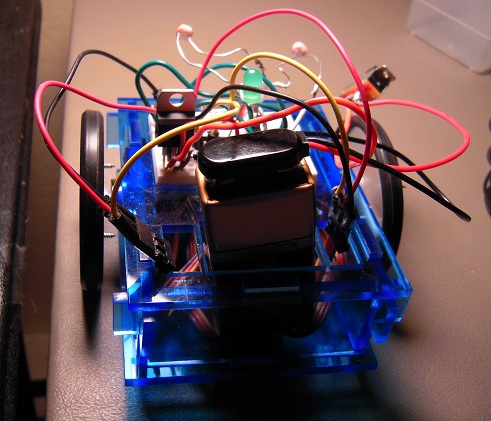
The robot simply stopped working. I had to strip everything down to the breadboard, then build back up again. Now it seems to be working once more.

Posted in Uncategorized | Tagged , , | Leave a comment

Assembly line for robots

DSCN9490a

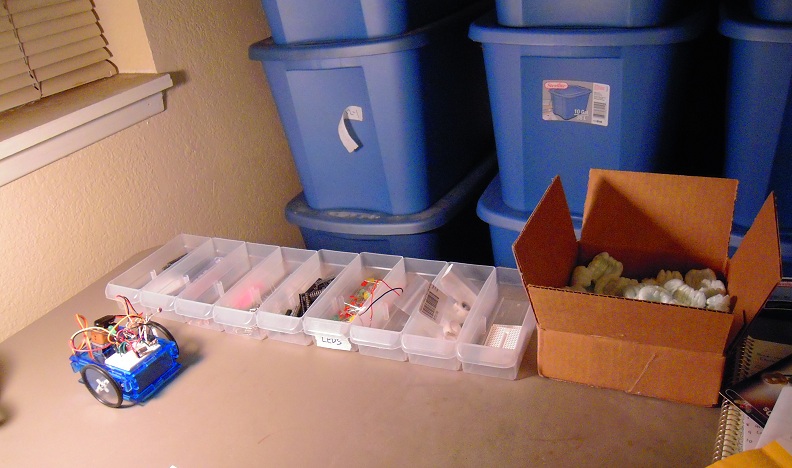
We hear all the time about robots on the assembly line. Well, here is an assembly line for robots.

As my experience as a temp taught me, every assembly line begins with bins full of parts. In this case, the ATMegas, voltage regulators, photoresistors, etc., that go into making my robot.

This picture is really ‘for illustration purposes only’ because I’m still working out what I need. For example, I don’t have the new servos I ordered, and when they come I’ll have to set up a work station to convert them to continuous rotation.

No place for the acrylic parts yet. I still have to wheel and deal to find a decent price for laser cutting. A personal laser cutter is a bit pricey, but thinkin’ ’bout it.

As the rat’s nest of wires hints, the robot design is far from finalized, and the steering pulls right and I don’t know what I’m going to do about that. But when it’s ready to go, I’ll have an assembly line ready around the same time.

Posted in Uncategorized | Tagged , , | Leave a comment

Amazon ships me a 99.6% empty box

DSCN9469

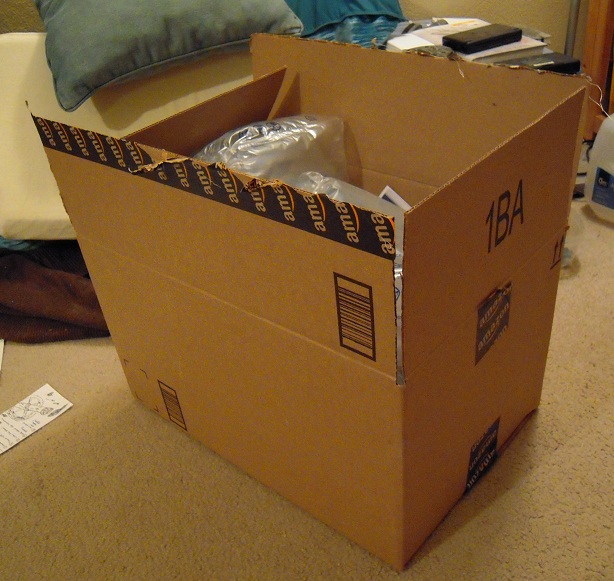
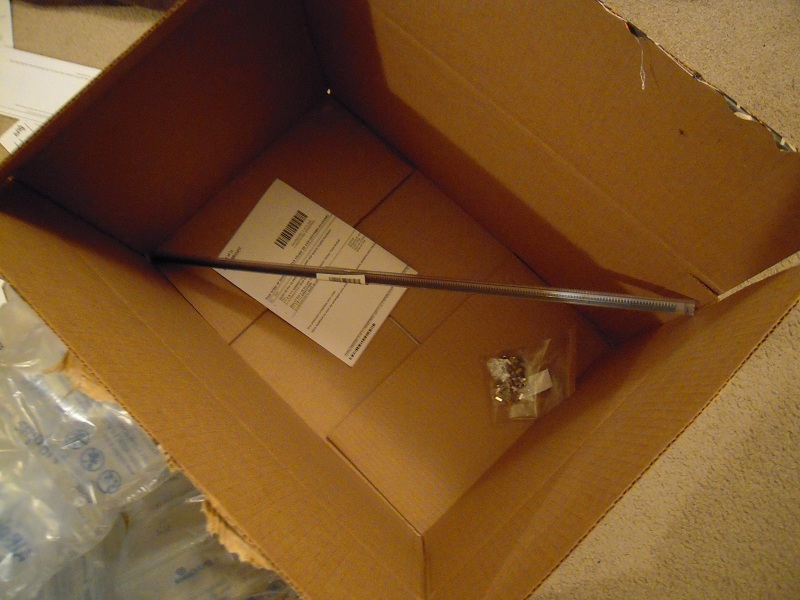
Wow, Amazon sure shipped me a big box today! Funny, I don’t remember ordering anything that big. Let’s take a look inside . . . .

DSCN9470

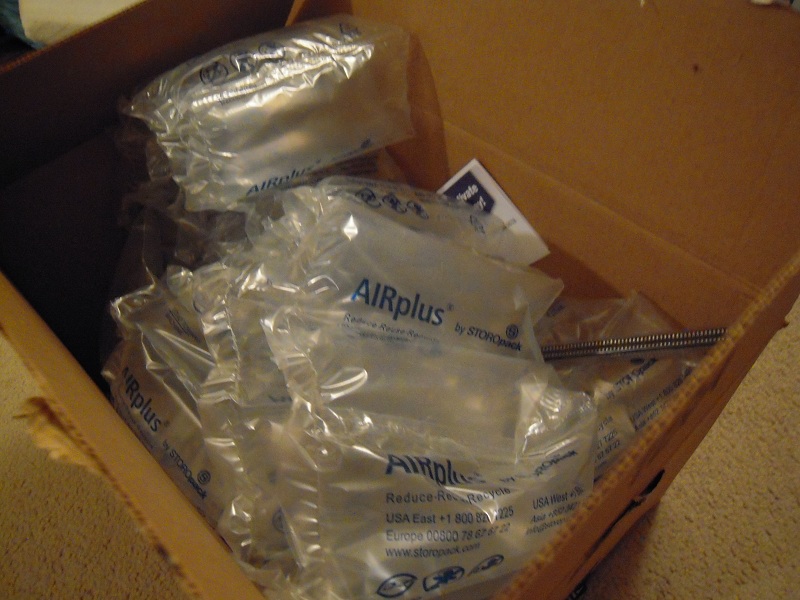
Well, there appears to be a lot of filler material. So I’ll take that out . . . .

DSCN9471

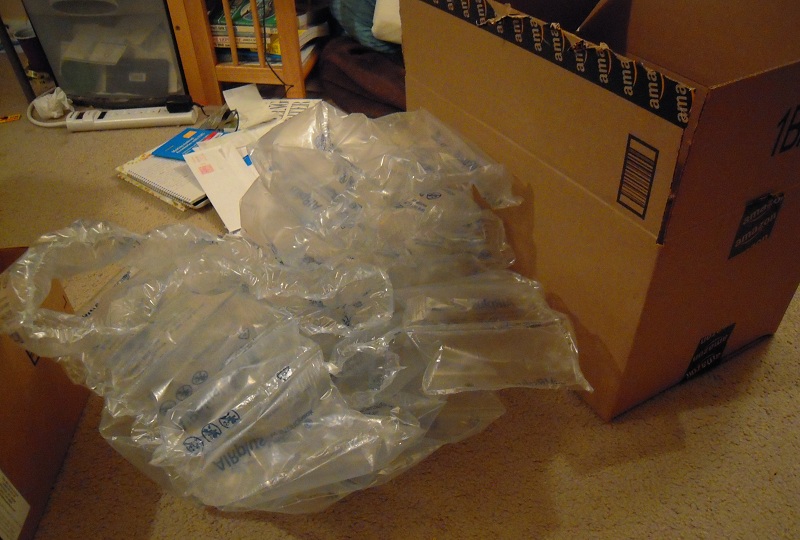
A LOT of filler material. It seems a shame that there is absolutely nothing I can do to put this stuff to use, so I’ll just have to throw it away. But at least it was necessary to protect all the contents, right? Right . . . .

DSCN9473

And these are the contents. Apparently Amazon doesn’t have shipping tubes long enough for one of the two items, so they stuck it diagonally into a box big enough to fit. Never mind that 99.6% of the interior was empty. (Yes, I measured and calculated).

And this is the shipping cost relative to the whole order:

DSCN9474

Well, maybe I can find a good use for the box. It cost me enough.

Posted in Uncategorized | Tagged , , | Leave a comment

Using LEDs as Test Servos

I fully intended that I would complete all software testing before I removed the ATMega chip from the Arduino even once. However, as I test the software, I’ve had to swap out the ATMega chip from the robot back to the Arduino prototyping platform many times.

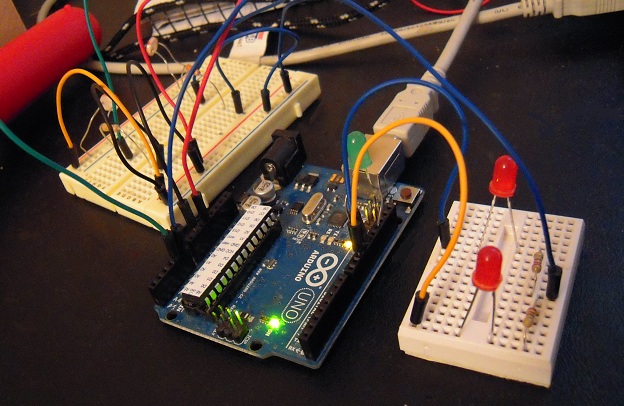
I’ve gotten tired of returning the chip to the robot only to discover that the servos still weren’t turning, then having to move the chip back to the Arduino so I could reprogram it. So I set up this test rig attached to the Arduino, to take the place of the robot during on-board testing of the chip software:

DSCN9451

On the left are photoresistors, and on the right are two LEDs in place of servos. The LEDs are attached to the same pins that the servos attach to when the chip is on the robot, therefore when the command goes to the pins to turn on the servos, the LEDs light up instead. This tells me whether the programming is turning the servos on and off at the correct times.

Since the pins are PWM (pulse width modulation), changing the servo speed causes the intensity of the lights to vary too. It isn’t proportional, but an explanation as to why that’s the case would take too long and will have to be outside the scope of this blog entry.

Posted in Uncategorized | Tagged , , , | Leave a comment

Programming the servo calibration procedure

DSCN9249

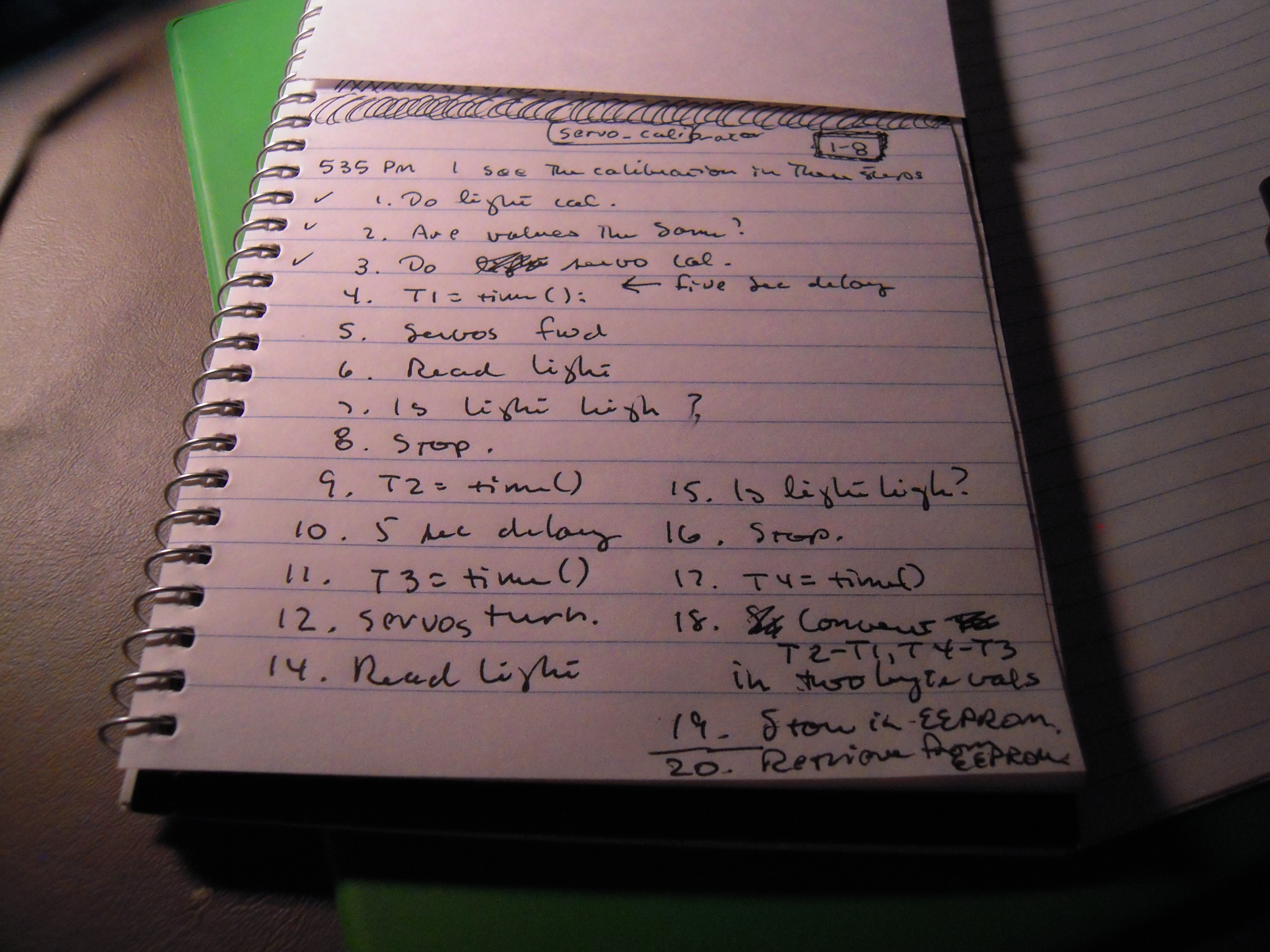
Sub program, sub routine, function, procedure — it seems like every programming language has a different name for ‘blocks of code.’ Well, now I need to write a block of code for the servo calibration procedure. So first I drafted the above procedure.

Then I modified the light calibration and main programs (functions, procedures, etc.) and created a servo_calibration() procedure. Here’s what part of that looks like:

  // activate the servos 
  myservo1.attach(11);
  myservo2.attach(10); 
 
  // servos move forward 
  myservo1.write(0);
  myservo2.write(180);
  
  t1 = millis();

  servo_calibration1:  
  
  v = analogRead(0); 

  if (v<700){
    goto servo_calibration1;
  }  
  
  t2 = millis();
  

The photo shows check marks to 3 but I’m actually down to step 17. Just have to do EEPROM and I’ll be on my way to ‘field testing.’

(NOTE: this configuration initiation procedure is different than the one I came up with a couple days ago. I’ll show how it works when I get it running.)

Posted in Uncategorized | Tagged , , , , | Leave a comment