Crenelating laser-cut acrylic robot casings

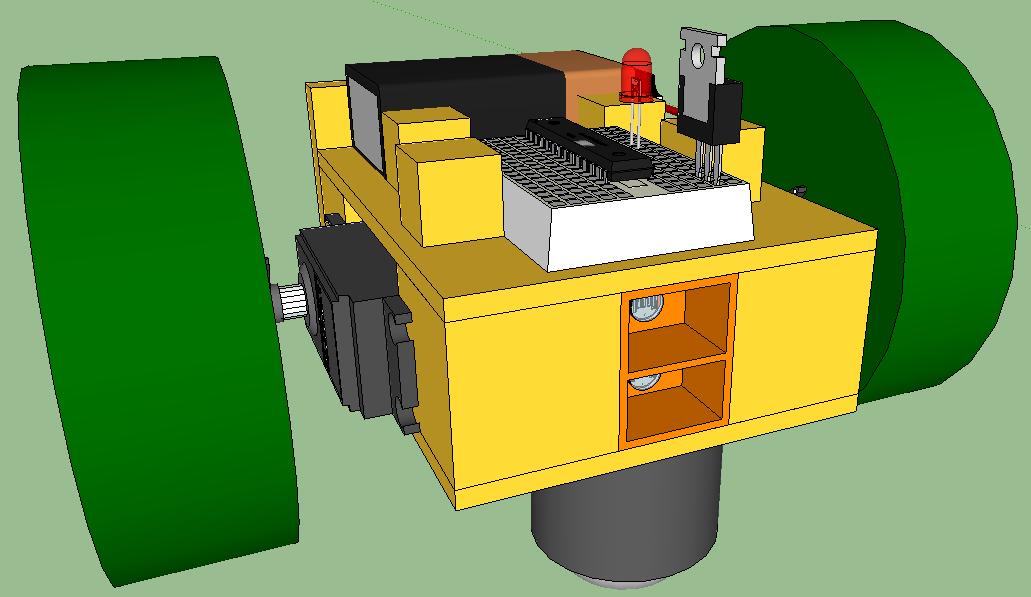
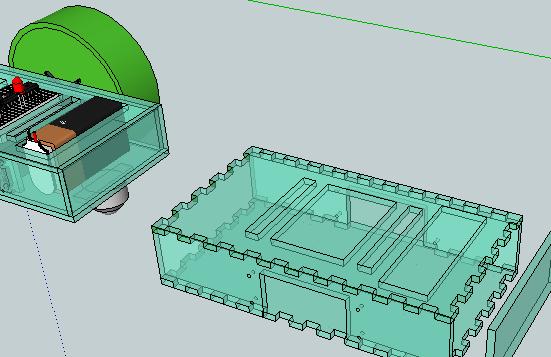
How do you get two pieces of laser-cut acrylic to join at right angles? One solution is to glue them together using crenelations at the edges to increase the joint strength.

Crenelations are what they call the pattern on top of European castle walls. Crenels are the cuts, merlons are the teeth, and if you want to learn more, see wikipedia here. (I note that wikipedia spells crenelation with two L’s, but the WordPress spell-checker prefers only one.)

There’s information about how to glue crenelated laser-cut acrylic boxes together with acetone at the Curious Inventor Blog.

As you can see in the above illustration, I’m adapting my Sketchup design of an acrylic robot casing to add crenelations so that it can be glued. I’m still partial to just bolting the sides together, but I wanted to explore the options.

And yes, I had fun thinking up the title for this entry.

Posted in Uncategorized | Tagged , , , , , , , | Leave a comment

Grisbot in Acrylic

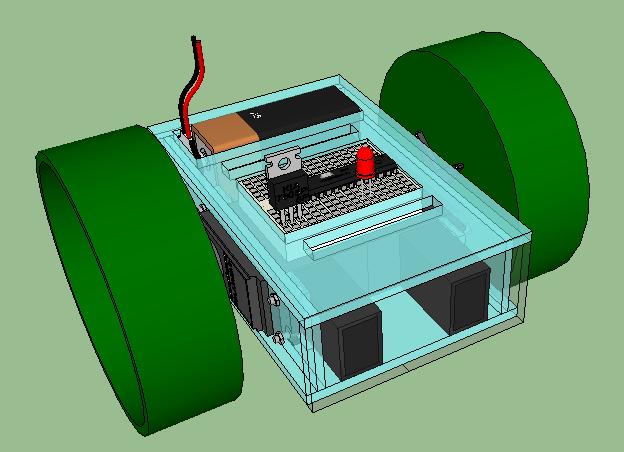
Here’s Grisbot in baby-blue acrylic. I was hoping to laser-cut it tonight at StudentRND but after getting into the design work I realize that I probably won’t be ready until next week at the earliest. At any rate, at least I can show it off in Sketchup.

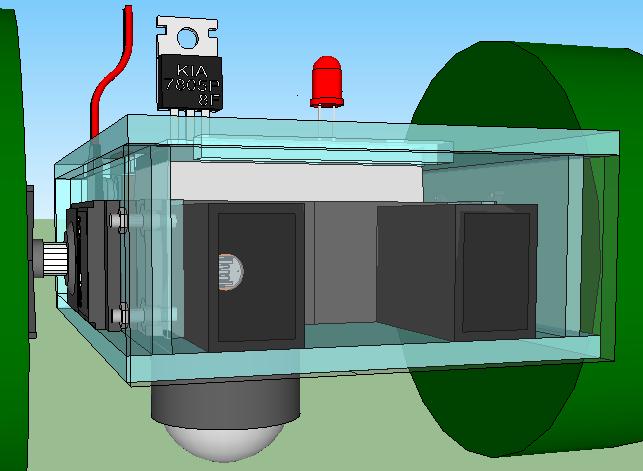
A frontal view. The front side will be clear but is tinted gray here so that it can seen. Notice the empty space in the middle. Maybe I can expand the cowlings for the photosensors.

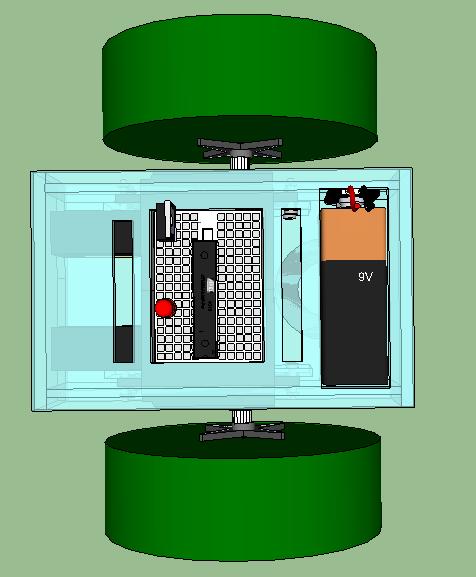
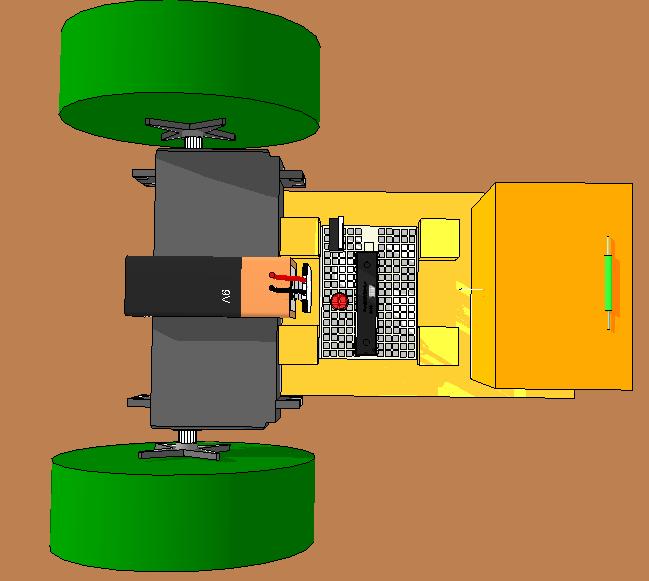
Overhead view shows the many openings that will have to be cut. And I still haven’t put in the tabs and brace holes!

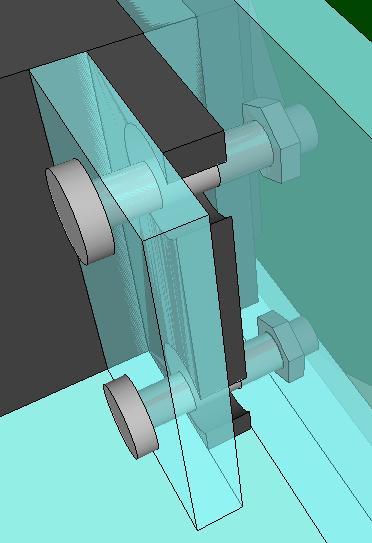
Here is my “plan” for securing the servos to the chassis. I have no experience assembling things, and perhaps it shows. The bolt heads by the way are curved and 4-ply but I didn’t see the value in going into that level of detail.

I think I need to add L-shaped braces between the bottom and the sides here too. Tomorrow.

Posted in Uncategorized | Tagged , , , | Leave a comment

Grisbot II design

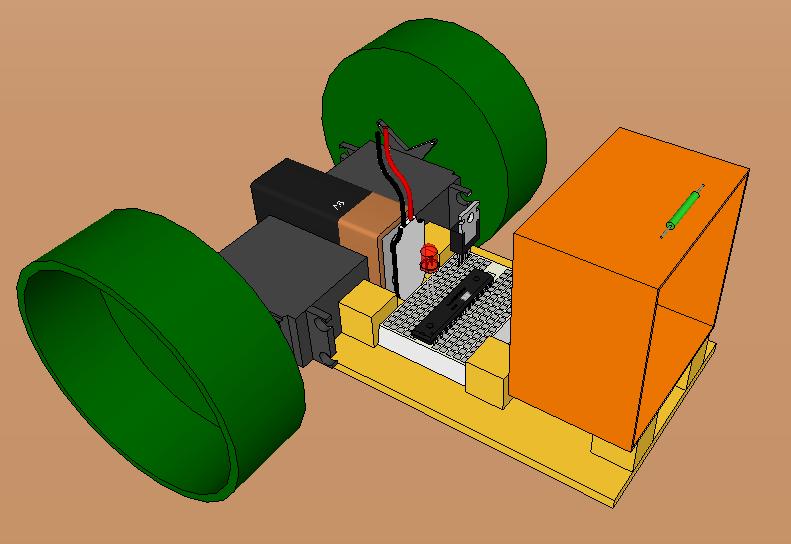
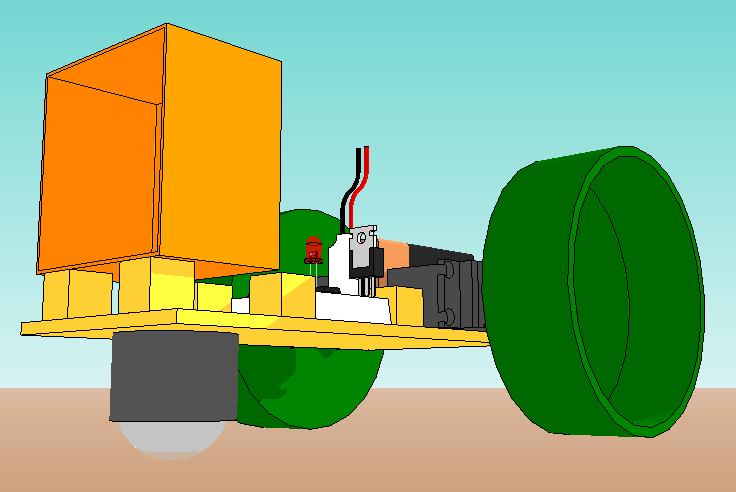
This is a double-decker design which:

(1) secures the servos to the chassis (with bolts/screws not shown)

(2) renders the breadboard more accessible

(3) uses dual sensors

This one probably won’t be built, but it’s on the way to something that will be.

(NOT SHOWN: reed switch mounted at top, far end.)

Posted in Uncategorized | Tagged , , , | Leave a comment

Grisbot in sketchup version 2.0

All the nicely drawn components are, of course, downloaded from Google Sketchup 3D Warehouse. Thank you, Public Domain!

Posted in Uncategorized | Tagged , , | Leave a comment

Dual Sensor Communications Protocol

Photoresistors are cheap, and the ATMega328 chip has spare analog pins, so why not use a dual sensor configuration for the GRISbot communications protocol?

Here’s what the sensor cowling looks like with two photoresistors (aka LDRs) inside:

Likewise the screen would flash separate signals to each sensor, like so:

(NOTE: In real life, the cowling would be pressed against the screen to avoid ambient light seepage.)

And this is an example of how the protocol would work:

The lines labeled ‘screen’ show the flashes on the screen with respect to time. The lines labeled ‘sensor’ show the voltage transients recorded by the chip in response (and note that they lag and are not instantaneous). The line labeled ‘data’ shows the data recorded by the microcontroller program.

Sensor A is the sensor that receives data, but data is recorded only when B is high. A’s value is then only read once, and then B has to go low in order to reset the trigger. Here’s the data diagram:

The advantage of this system is that it is completely non-time-dependent. Processing can slow the frame rate all it wants, and the microcontroller will still read the correct data.

Another reason to go with this system is that I may want two sensors anyway for triangulation purposes. More on that as it develops, if it does.

Posted in Uncategorized | Tagged , , , , , | Leave a comment

Protocol Layers for GRIS Communications

Years ago, I tried to read a book on telecommunications protocols. I didn’t get very far before learning that there were such things as ‘protocol layers’ that made the subject a lot more complex than simply translating voltages (or light flashes) into bits. I stopped reading because in the back of my mind, I couldn’t believe that the subject was really that complicated.

Well, now I’m learning that even my simple screen-to-photoresistor GRIS communications may require more than one layer of protocol too.

Originally, I had a single layer which assumed that screen flashes were sharp and synchronized, like so:
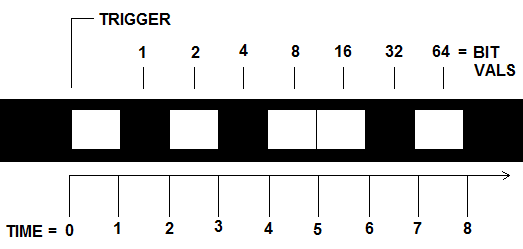
But then I encountered a major problem. For while the Processing computer language has a command to set the maximum frame rate, there’s no control over the minimum frame rate. This lack of timing precision is okay so long as the visual display is for human eyeballs, but wreaks havoc with a communications protocol based on time-interval synchronization. And it turns out that anything that consumes computing resources (such as merely running a browser in the background) will slow down the frame rate.

So I had to come up with a communications protocol that would allow for asynchronous communications. Since the microcontroller reads the photoresistor with a precision of better than one percent, why not use a tri-tone system to distinguish data transitions?

But then, since photoresistors are notoriously slow, what would keep a transition from high to zero being interpreted as a low value?

I realize I’m not explaining this well verbally, so here’s a diagram of an example signal with the three (so far) communications protocols applied (NOTE: time is the horizontal axis):
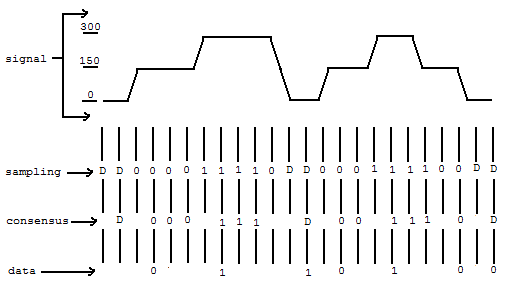
The top layer shows the signal as read by the microcontroller. The analog input is capable of reading from 0 to 1023, but I’m limiting the reading to gray tones between 0 and 300 because a full illumination transition for the photoresistor (aka Cadmium Sulfide Light Dependent Resistor) is undesirably slower.

The microcontroller sampling rate is set so that it is much faster than the screen frame rate but slower than the photoresistor transition rate. When switching from a high to zero reading or from zero to high, the sampling layer contains transient readings that must be filtered out or else they will be interpreted as low readings.

Hence the consensus layer, which requires a sampling reading to be repeated before it is recorded.

Now, the data layer is a bit tricky. I have three values — 1, 0, and D for ‘ditto.’ Because communications are asynchronous, repeated readings in the consensus layer have to be ignored. So how do you represent a 11 or 00? Well, that’s where D for Ditto comes in. If a D is encountered in the consensus layer, it is assumed to repeat the previous 1 or 0.

Here’s a little conversion chart which explains how the microcontroller interprets the consensus layer to create the data layer:
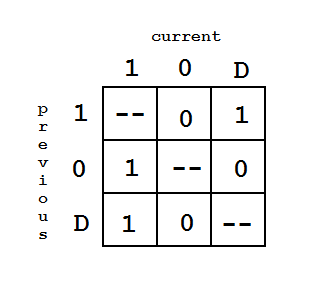
Have I managed to explain it? Probably not. Probably I’m not even applying the communications protocol terminology correctly. My blog is basically me talking to myself and attempting to thrash out ideas and should be read for entertainment purposes only.

Anyhow, what this system means in practice is that so long as the frame rate is slower than the sampling rate and the photoresistor switching speed is faster than the sampling rate, I should be able to accurately transmit data.

Now I just need to figure out how to write the computer and microcontroller programs for this. And uh, see if it works.

Posted in Uncategorized | Tagged , , , | Leave a comment

GRIS bot photos

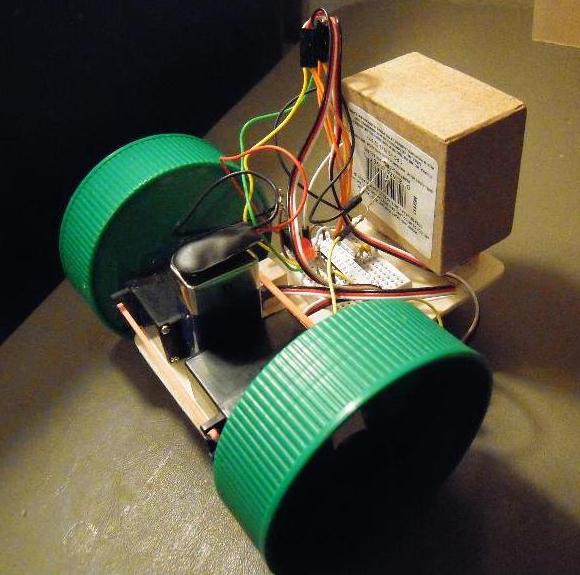
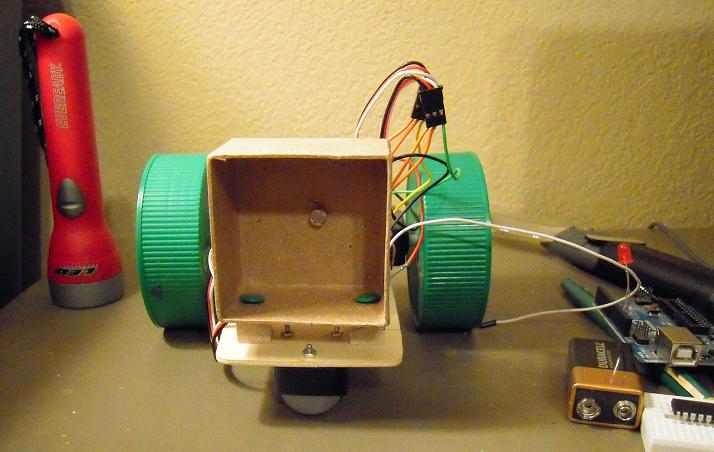
Here she is, the integrated prototype. Note the cowling is fastened on the back and that the breadboard has just the ATMega328, not the whole entire Arduino board.

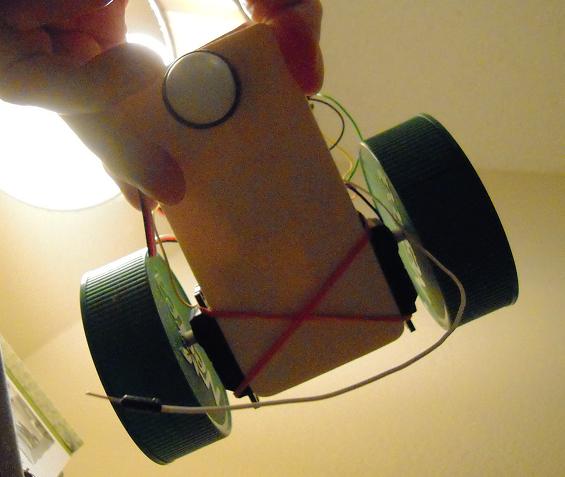
An overhead view showing the arrangement of the servos, wheels, breadboard, and photoresistor cowling.

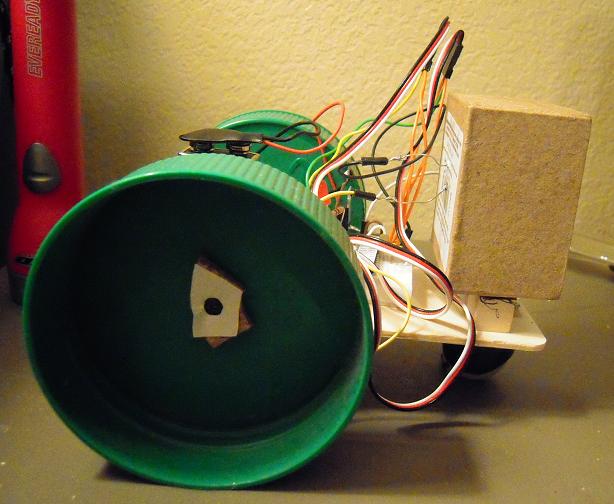
Side view. Why did I use cladding rather than the horn that is typically provided in the servo package? Don’t remember, in a hurry I guess and didn’t want to do the extra drilling. I would do it differently now.

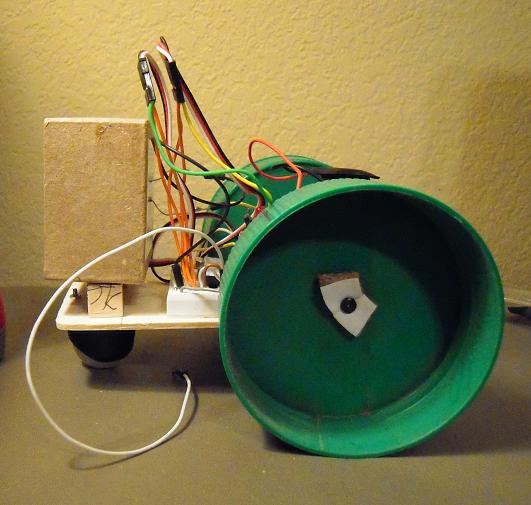
From the other side. The loose jumper wire is for turning the robot on and off in lieu of a switch. Switches are surprisingly expensive.

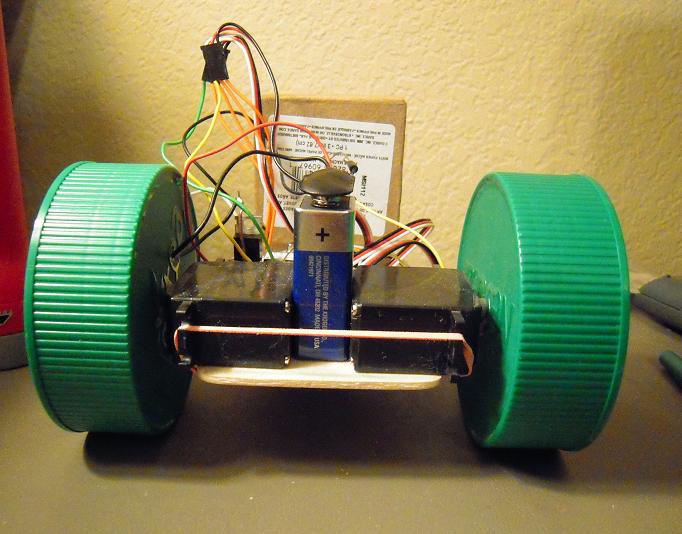
Frontal view. You wouldn’t want to meet this in a dark alley, if you were a mouse!

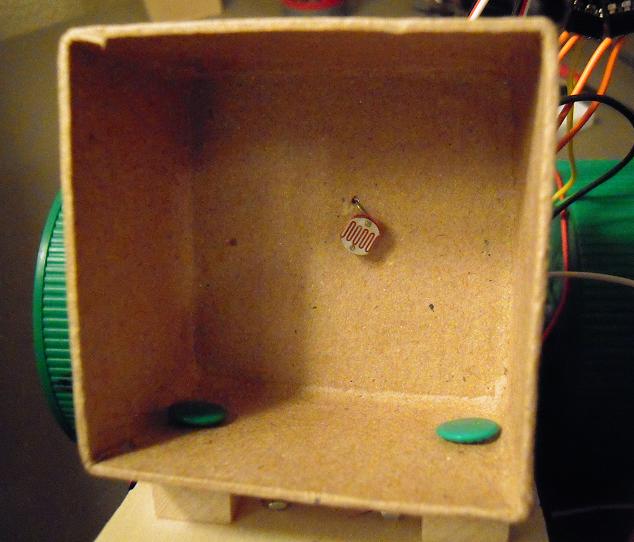
Photoresistor (aka LDR) inside the cardboard box cowling, which shields the readings from ambient light (sort of).

Close up of the cowling interior. Note the high-tech thumb tacks used to attach the cowling to the chassis. Elmer’s Glue did not work, which is strange considering that we’re talking about joining cardboard and wood.

Underbelly view, showing the plastic caster. That thing is nice but expensive and unfortunately I’ll have to leave it out in production models. I’d like to have brackets instead of rubber bands to hold down the servos, but they’ve been surprisingly effective.

(Click on image to enlarge.)

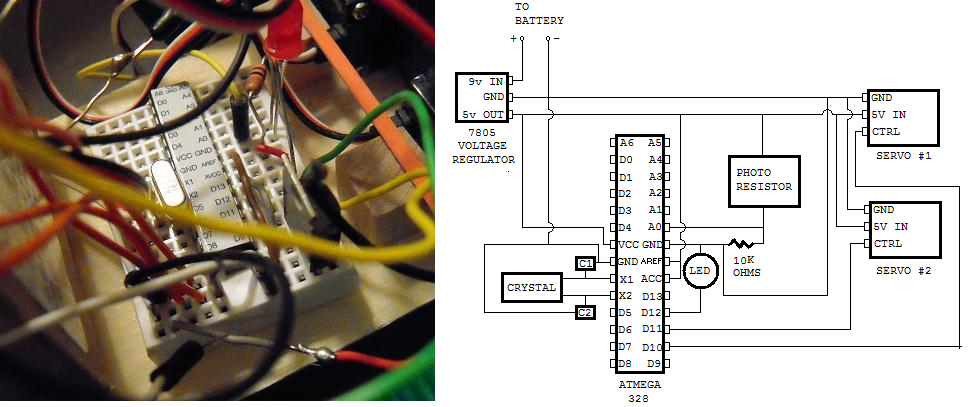
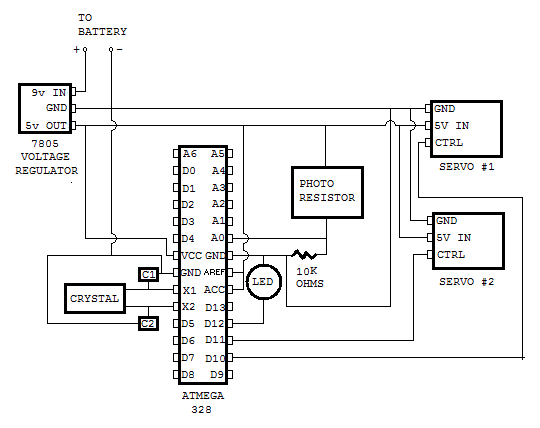
A close-up of the breadboard with the schematic for reference. As is commonplace in the electronics world, the position of the components in reality doesn’t always agree with the placement on the schematic, but the wiring is correct (I think).

(Note the sticker on the ATMega328 with the Arduino pinouts identified. This chip was purchased stand-alone, in other words it did not come mounted on an Arduino but did have the Arduino boatloader pre-installed, and the very useful sticker came with it.)

And now, in case you want to do a comparison between myth and reality, you can check out my preliminary sketchup designs here.

Posted in Uncategorized | Tagged , , , , , , , , | Leave a comment

GRIS bot circuit diagram

I’ve been working on this thing for months now, and it seems rather odd that only today did I think to make a circuit diagram. I think this is correct.

I’ll get around to posting a photo soon too and maybe even make some kind of collage to compare diagram to physical layout.

Posted in Uncategorized | Tagged , , , | Leave a comment

Using a digital photo frame as a linear clock

A reader writes:

I have two mentally disabled daughters who are severely OCD. They can’t wait for anything. I’ve been looking for a simple linear clock showing 24 hours (or at least 16). I would put pictures of them waking up and going to bed (a.m.and p.m.) at the usual hours. Then I would mount pictures which show their daily activities, placed above the designated hours.The hours would have three dots (quarter hours) between their numbers. When the girls ask “When is lunch?” I’d say “How many dots left?” Ideally, the clock would make a “ping” sound when it reachs an event.
Seen such?

I haven’t, but maybe a digital photo frame and some basic computer drawing skills could do the job.

First, get a digital photo frame that can rotate photos non-randomly on a 15 minute delay.

(I’m not all that familiar with photo frames so I can’t tell you which brands and models do what. You might be able to find out from on-line manuals.)

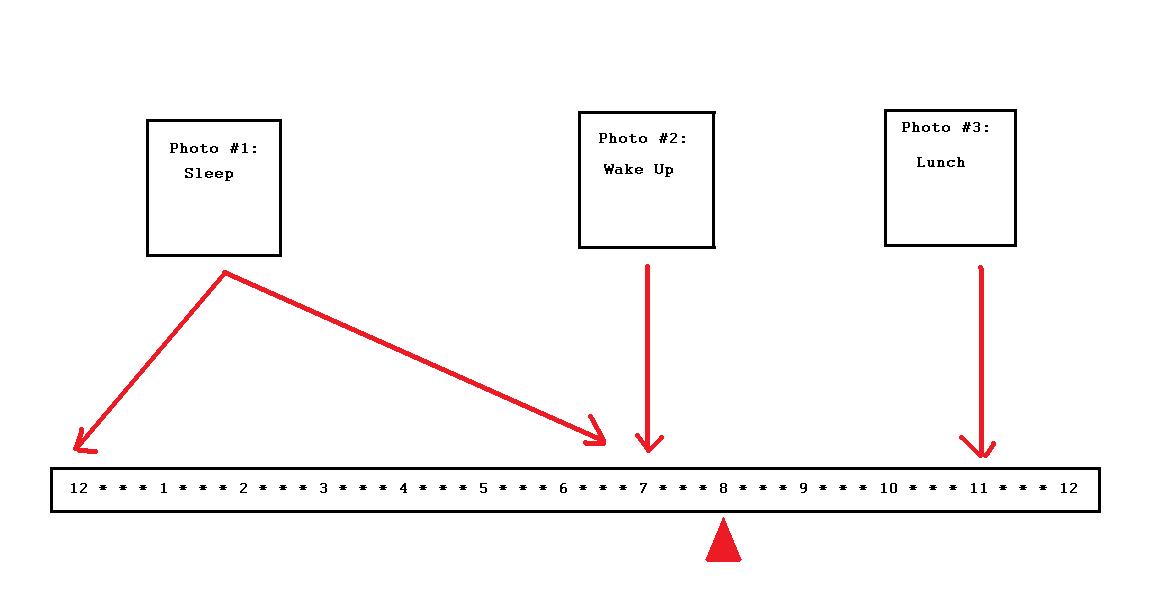
Then use a basic computer drawing program (such as Microsoft Paint) to draw a picture that includes photographs and a time bar, like so:

(Click to enlarge image. Note that for the sake of simplicity, I’m only showing 12 hours on the linear clock.)

The above picture would be saved under the file name 0800.jpg.

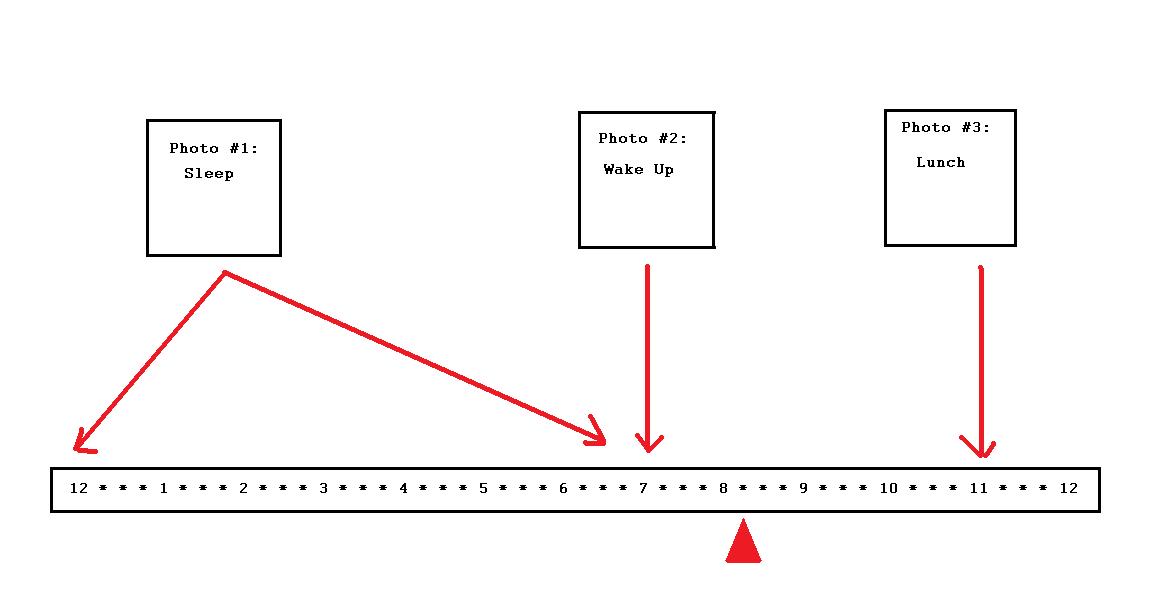
Now move the arrow indicator to the 8:15 mark, like so:

This picture would be saved under the file name 0815.jpg.

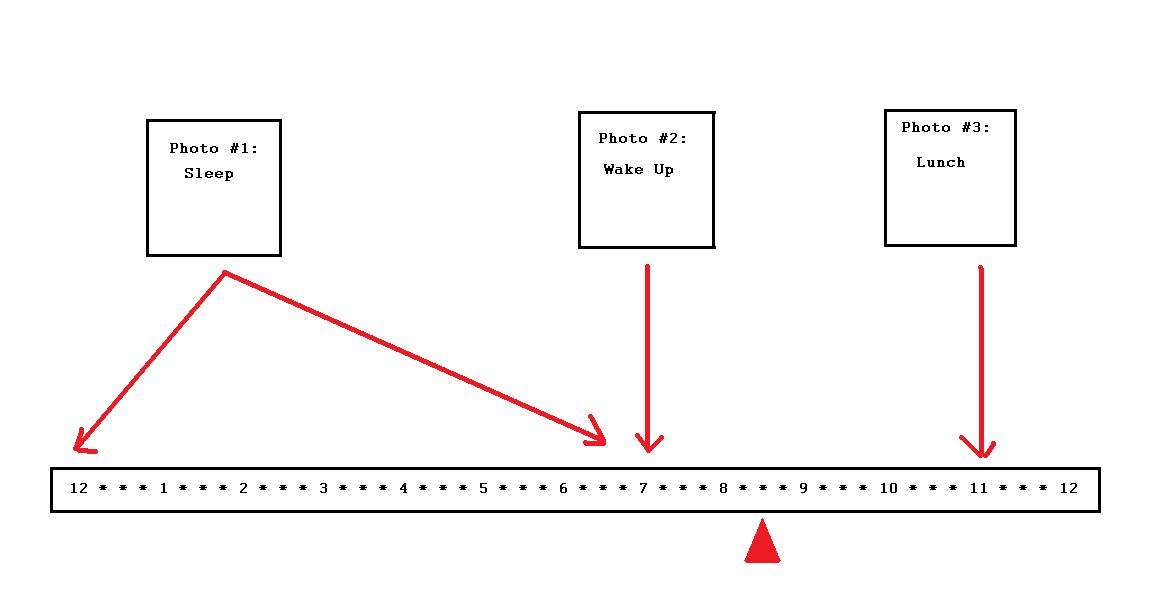
Move the arrow indicator to 8:30, like so:

And, of course, this picture would be saved under 0830.jpg.

You would need to make 96 pictures for the full day, but since each picture involves merely moving the arrow and saving under a new file name, making all the pictures is probably something that can be done in less than an hour.

Of course, what I’m showing here is only one concept. You may want to spend more time and be more creative with the time pictures if you find it to be fun. For example, instead of an arrow indicator, you could use a cartoon character who points to the time.

I hope this helps. Sorry, I can’t help with the ping.

Posted in Uncategorized | Tagged , | 1 Comment

GRIS Calibration Flow Chart

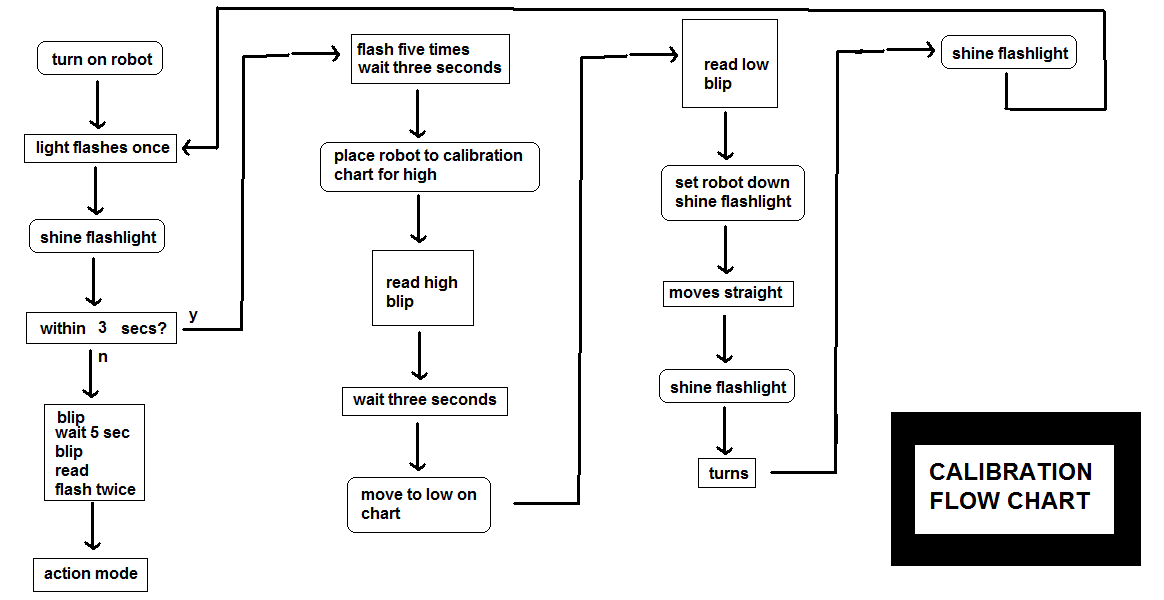
I spent an hour working on this chart tonight. It shows the calibration procedure program flow. I don’t expect anyone to follow it, this is basically for my own edification when I (attempt to) write the code tomorrow.

I sure hope it seems simpler to the user. Note that boxes with rounded corners are user actions, boxes with sharp corners are robot actions.

Basically, here’s what you have to do in order to calibrate the robot:

1. Select CALIBRATION on the program in order to call up the chart.
2. Turn the robot on.
3. Within three seconds, shine a flashlight on the sensor.
4. Hold the sensor up to the light square.
5. When LED blips, move to dark square.
6. When LED blips again, place on floor.
7. Shine flashlight to start robot moving.
8. When robot moves 1 meter, shine flashlight again.
9. When robot turns 360 degrees, shine flashlight again.

The robot will signal that it is calibrated by flashing once. You may turn off or start reading path data.

Posted in Uncategorized | Tagged , , , | Leave a comment