Grisbot One-Click Screen Flash Communications Demo

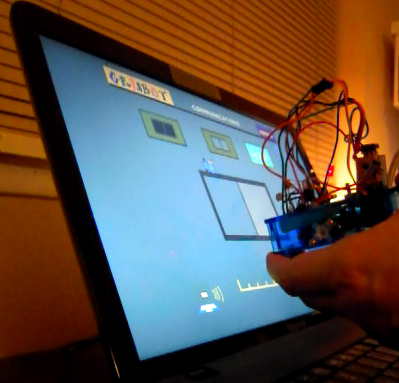
Instead of needing three buttons clicked in order to ‘flash’ data, Grisbot now needs only one click. The only ‘tricky’ part is that when the robot’s LED blinks, you have to click at the same time.
Posted in Uncategorized | Tagged , , , | Leave a comment

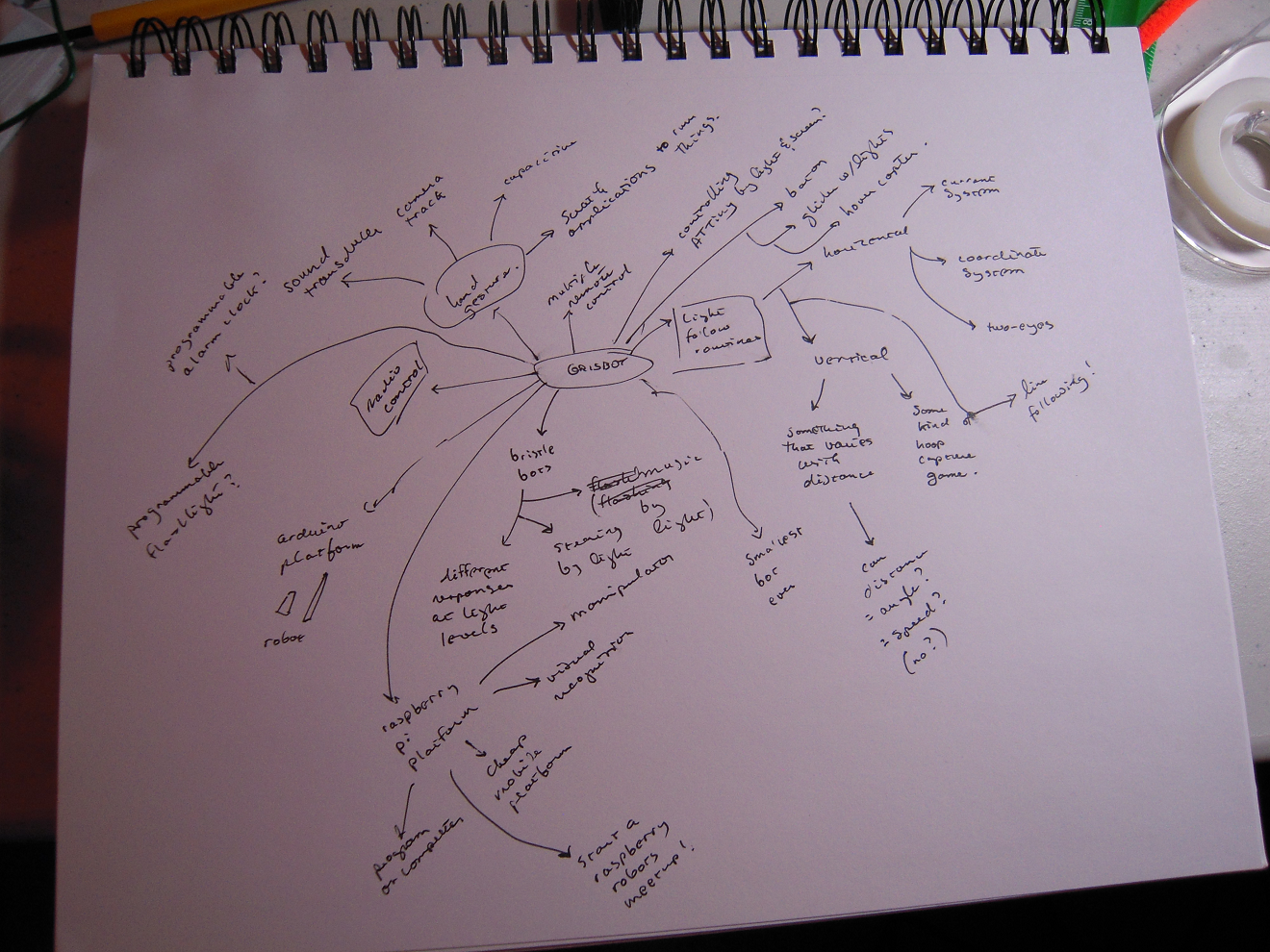
Grisbot Idea Map

grisbot idea map

Based very closely on Mind Maps, the idea map is probably self-explanatory. I think up an idea for something grisbot could do, then another idea occurs to me, and I write that down with an arrow showing the lineage of inspiration.

As you can see, I ended up with some very un-grisbot ideas like a programmable alarm clock (which no doubt occurred to me at the time because I was randomly remembering that somebody is making a ‘programmable flashlight.’)

Anyhow, I decided it was time to quit and go back to working on my Scratch interface for the ‘above light’ procedure (or whatever I’m calling it at the moment). And that’s where I’ll be Friday afternoon . . . in the Land of Ideas.

Posted in Uncategorized | Tagged , , , | Leave a comment

Hardware for Light Above Procedure

When I was at Big-Brained Superheroes on Monday, I noticed that the kids were aiming the flashlight at the robot from above. So why not have a light-following procedure that responds to light shined from above?

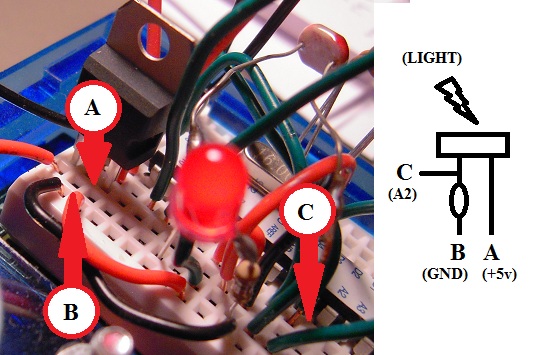
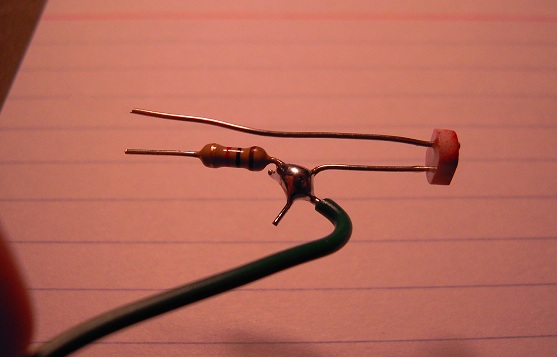
After some somewhat sloppy soldering (keep telling yourself it’s only a prototype), I implemented this breadboard-hole-conserving design for a third photocell which will be aimed upward:

photocell3

It will fit into the breadboard like so:

bb

Tomorrow, I’ll try to get done with the computer/robot software to implement the light-above procedure. Demo to come.

Posted in Uncategorized | Tagged , , | 1 Comment

Grisbot One-Click Transfer

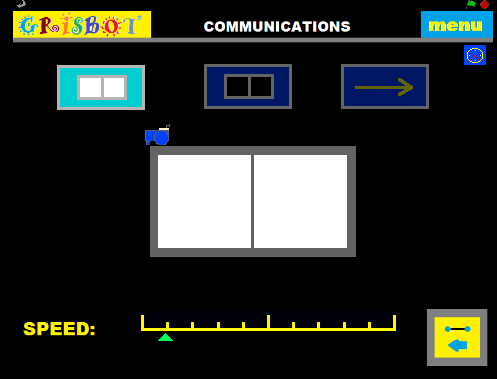
I have been going with three buttons for the transmit procedure because I needed to calibrate light and dark rectangles before I could read the data. That made it cumbersome and confusing to use the transmit procedure.

Here’s how the old data transmit procedure went:

zzz2

1. Click the hi-cal button.
2. Turn the robot on and hold it up to the screen.
3. The LED blinks once, then twice.
4. Click the lo-cal button.
5. The LED blinks once, then twice, then once again.
6. Click the Transmit button and wait.
7. If the LED blinks twice, it’s a successful transfer.

I would have liked to have had everything done with a single click, but I knew that would require time synchronization between the robot and computer while reading the hi and lo cal rectangles, and I had troubles in the past with time synchronization.

But then . . . I realized that my troubles with robot-computer time-synchronization for data transmission involved mere milliseconds. In the calibration procedure, however, I was dealing with full seconds. The robot and computer surely can’t get out of time synchronization by a full second in only a couple seconds unless their relative velocity to one another is greater than 87% of the speed of light, in which case I have bigger problems.

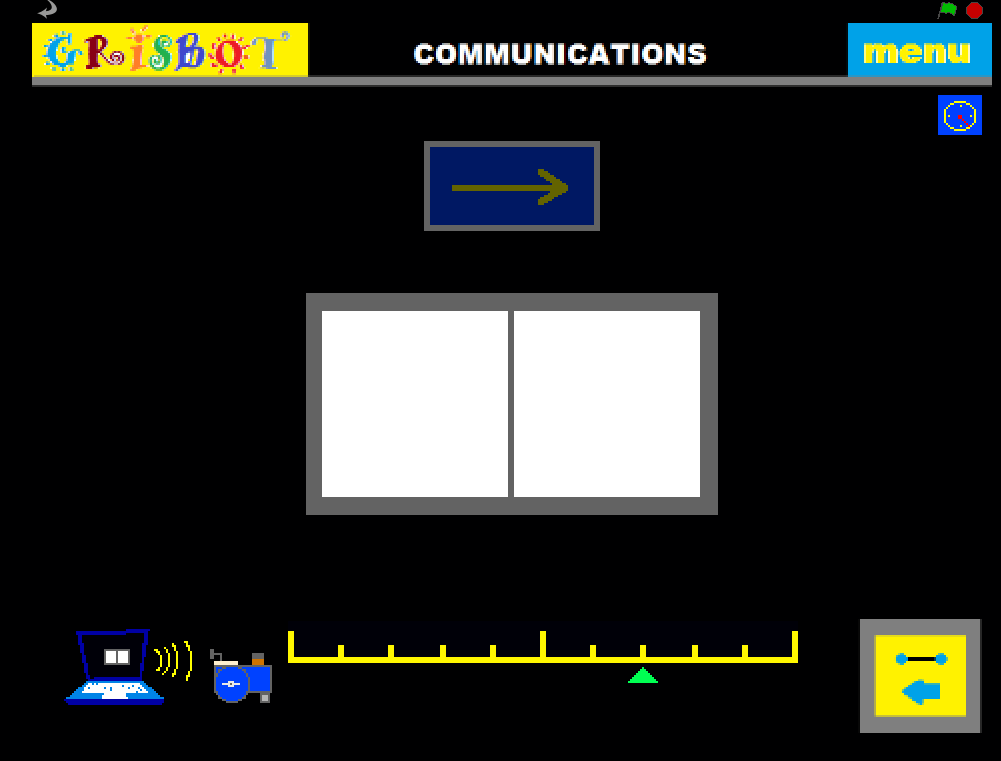
So here’s how the new procedure goes:

one_click

1. Turn the robot on and hold it up to the screen.
2. The LED blinks once.
3. Click the Transmit button and wait.
4. If the LED blinks twice, it’s a successful transfer.

Instead of having to watch nine LED blinks and click three times, the user need only watch for three blinks and click once.

So simple a 57-year old can do it!

Posted in Uncategorized | Tagged , , | Leave a comment

Grisbot goes into the light

At the Big-Brained Superheroes Club.

Posted in Uncategorized | Tagged , , | Leave a comment

Batteries: A Cautionary Tale

screen trans

On Saturday, I took grisbot to the Seattle Robotics Society meeting and showed a demo video of the light-follow mode. After the main presentation, I got out grissy and tried to set up a real-time demo in case someone wanted to come by and talk.

Well, after all these months, suddenly the robot decided not to work. Every time I tried to transmit data from the screen to the robot, I would get a solid flash on the LED — the signal for a data transfer error.

And as luck would have it, somebody did come by to watch. But I had nothing to show him except one failure after another to do the most basic function of the robot. Is there a jinx or what?

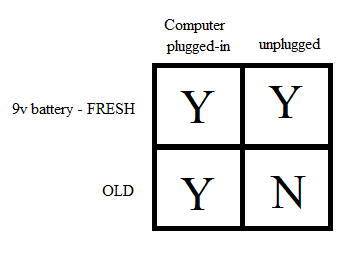
Tonight, back home, I tested out a theory, and discovered the following:

battery vs plug

To put in words: the data transfers fine unless I’m using an old battery and have the computer unplugged. Then I learned the hard way.

And at that, while I have identified the physical cause of my problem (ie, old battery plus computer on battery power), I still don’t know the systemic cause (ie, why that causes transfer error).

On Saturday morning, I had left the apartment and realized in the car that I had forgotten to take a back-up 9v battery with me. I stopped to buy stuff at a store but forgot to buy a back-up battery. I stood outside in the parking lot and thought about it but decided not to go back. Nah, what are the odds?

So, Boeing, you have my sympathy.

Posted in Uncategorized | Tagged , | Leave a comment

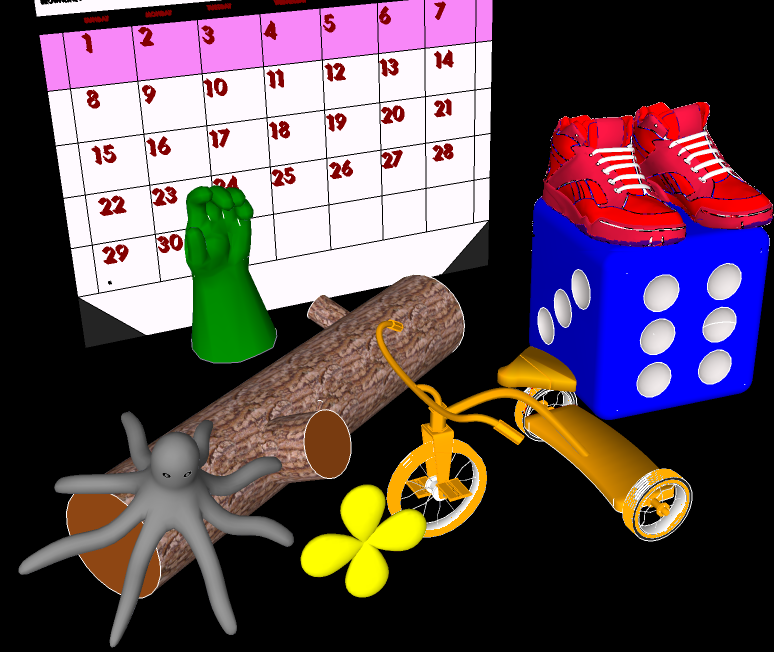
A Picture of Resistance

is futile 02

(Images downloaded from Sketchup Warehouse. CREDITS: Log by Ferrari, shoes by best-lemming, tricycle by Taylor, clover leaf by Super Builder, gloves by MorBius, die by syicreations, calendar by HARBURCOMPUTERS, octopus by [green])

Posted in Uncategorized | Tagged | Leave a comment

Grisbot Light Follow Test 2

In the following test, I have incorporated the light follow sketch into the general grisbot sketch. In other words, by using the graphical user interface written in Scratch, the user can either program the robot for following paths or for following light — without having to use the Arduino platform to download the respective sketches into the microcontroller.

According to the Arduino IDE, my program has so far used only a quarter of the capacity of the ATMega328 chip, so there is plenty of room for more procedures.

Posted in Uncategorized | Tagged , , | Leave a comment

Grisbot Light Follow Screen

In addition to the obstacle challenges, I’ve added a control screen to the GRIS program for light-follow mode. To get there, you click on the little flashlight icon at the top of the screen.

flash grisbot screen

In case my artistic abilities aren’t clear enough: the screen portrays a pair of robot photo cells staring into a flashlight beam. The dark portion of the beam indicates that the robot is in non-triggered mode, where it searches (ie, turns), and the light portion of the beam indicates that the robot is in triggered mode where it moves toward the light.

(How the robot responds in non-triggered versus triggered mode was demonstrated in the video in yesterday’s blog entry, Grisbot Light Follow Test #1.)

Instead of turn and distance values, the scales at the bottom of the screen determine the photocell light levels at which the robot transitions between states. Note that the transition light level can be set at different points depending on whether you’re going from non-triggered to triggered state, or from triggered to non-triggered. This prevents ‘chatter’ or ‘bounce’ between states, and is much like how thermostats and relief valves are designed and like how microcontrollers are programmed to receive input from push buttons.

Why not just have fixed transition points? Well, because of changes in ambient light and the brightness of the flashlight beam, and also just to experiment (aka fool around) to see how the robot behaves differently as the set points vary.

I’m not satisfied with the way I’ve portrayed things here, and I’m open to suggestions on how to redesign this screen so that it can communicate its purpose to the user more clearly.

I’ve written all the underlying support code for this mode in the Scratch program. Next stop, I program the robot to respond to the flashed data. And I hope that I can get that done for the Seattle Robotics Society Meeting on Saturday.

Posted in Uncategorized | Tagged , , , | Leave a comment

Grisbot Light Follow Test #1

A little different from what I had in mind, but interesting:

1. When there’s low light, robot pauses two seconds, then spins.

2. When there’s high light, robot follows the light.

Only the left photocell is being used here. I’ve thought about making some kind of ‘blinder’ or cowling for the photocells. That would make for less spinning, more forwarding!

Posted in Uncategorized | Tagged , , | Leave a comment