
This gallery contains 11 photos.
This gallery contains 11 photos.
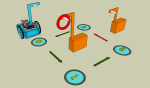
Introducing the new, perhaps improved, L-catcher: Why an L-catcher? Because I think it can be used to not only catch but also release hoops. Here’s an example course for how releasing (aka ‘delivering a hoop’) could work: First we drive … Continue reading
Grisbot not only maneuvers, now it can capture and retrieve objects. At any rate, I’m thinking of making a hoop capture challenge. Roughly, the hook device and the capture operation look like this: Because the hook automatically captures the hoop, … Continue reading
Instead of a conventional status bar to track the progress of the data transmission, I decided it would be more fun to make a ‘progress bug.’ The bug would look like the robot and march across the screen as the … Continue reading
Perhaps I’m trying to fix something that isn’t broke, but I thought I’d try to improve the Grisbot:Scratch interface. Instead of clicking an icon in the corner to go to the specific waypoint data, you now click the waypoint sprite … Continue reading
This communications screen layout is an improvement over the one I used in Processing. The user goes to the comm screen, holds the robot up to the screen and turns it on, and calibrates the high values. Then the user … Continue reading
Suppose you click on one sprite and you want other sprites to move accordingly? I have that problem when I click on the waypoint button and want the turn and move controls for servo timing to show the values selected … Continue reading
One day Steve Jobs was given a presentation by Apple engineers on the status of a major project. He listened, frowned, and replied, “We still don’t have a product.” That’s the issue that has been haunting me the past couple … Continue reading
BEFORE: AFTER: The robot simply stopped working. I had to strip everything down to the breadboard, then build back up again. Now it seems to be working once more.
 Engineer Zero