DNA modeling in Sketchup

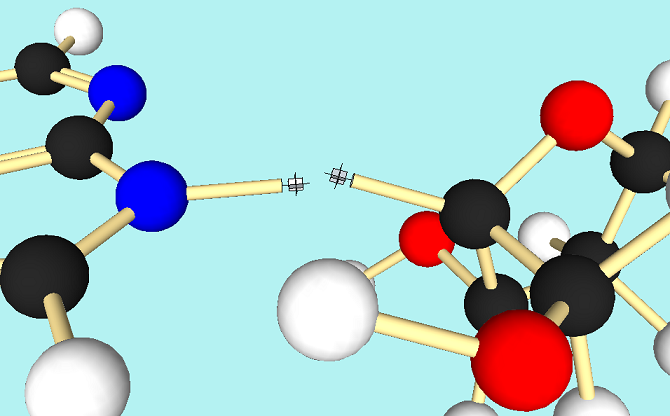
I’ve been working a series of videos called ‘Modeling Molecules,’ the goal of which is to show how to make a ball and stick model of a strand of DNA helix in Sketchup. The above picture shows my progress so far: I’ve got the nucleobases done (left), and now I’m trying to attach a deoxyribose molecule (right). The problem is, how do I line up the molecules so that the bonds are properly oriented in three dimensions?

I’ve got an idea, which I’ll try out tomorrow.

In the meantime, if you’d like to check out the series of videos:

(And yes, I know, Sketchup is no longer owned by Google.)

Posted in Uncategorized | Tagged , , , | Leave a comment

Metrix Robot

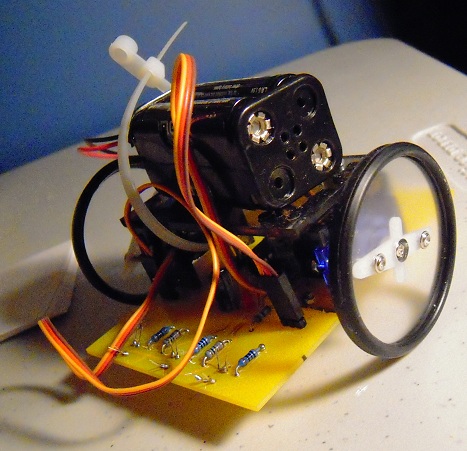
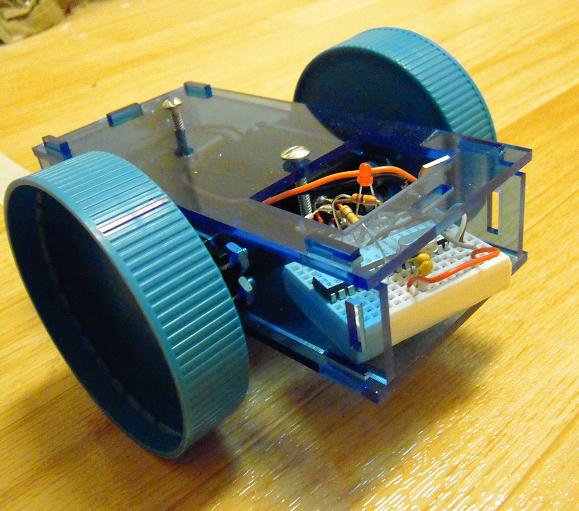
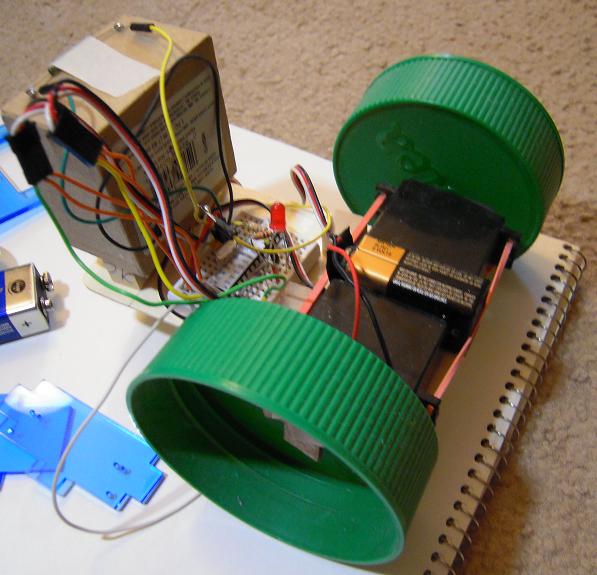
This is the robot that I learned how to make at Metrix Create Space during the robotics class on September 30.

It uses an ATTiny microcontroller and Tower Pro microservos. We learned how to convert the servos from fixed to continuous operation, which I thought was worth the price of the class in itself. The wheels are laser-cut acrylic with automobile thermostat gaskets for the rims.

The yellow board is a custom PCB and there is a very small plastic/nylon ball caster in the back. Facing down in front, beneath the row of resistors, are infrared sensors for line-following.

All in all an interesting design and I learned a lot.

Posted in Uncategorized | Tagged , , , , , | Leave a comment

Dual Sensor Mode in Processing

Here is GRIS in Processing, revised to accommodate dual sensor mode communications between the computer and robot. The square on the left flashes data, while the square on the right flashes the clock signal.

Each data bit lasts two frames. The clock alternates from black (0) to gray (1) for each pair of data bit frames. When the robot microprocessor reads a clock 1, it will record the data sensor value. The clock must reset to a 0 bit before the next data sensor value will be recorded.

Separate data and clock lines are common for serial communications and this system should be very robust compared to my previous attempts to synchronize data transmission between the computer and robot with just a single sensor.

Posted in Uncategorized | Tagged , , , , | Leave a comment

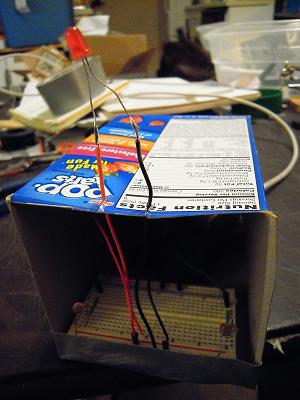
dual sensor test rig photos

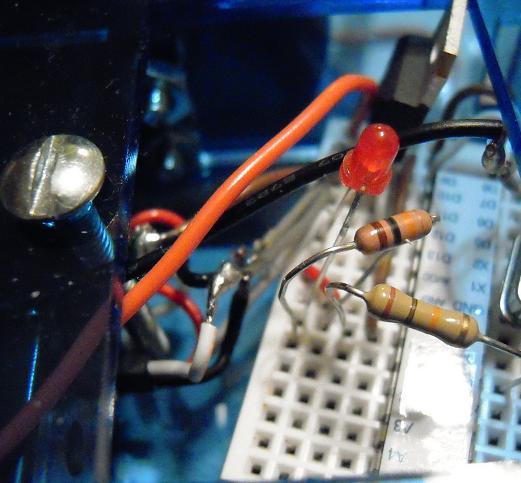
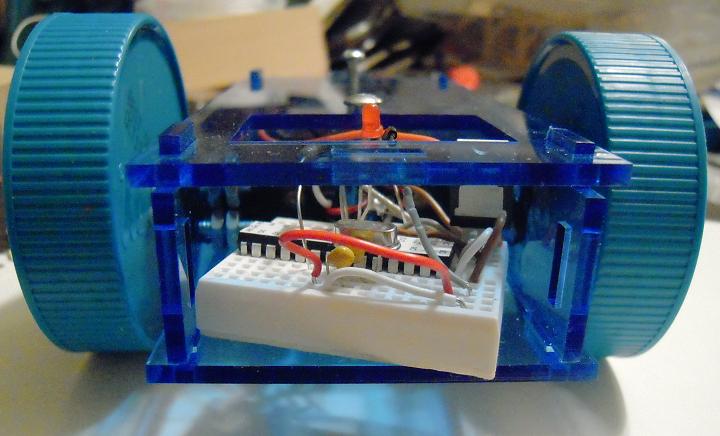
That completes the hardware set-up for the dual sensor test. Now onto the software test phase.

(Psst — the circuit has one glaring flaw, which I have since corrected. Can you spot it in the photos?)

Posted in Uncategorized | Tagged , , , , , | 3 Comments

Dual sensor test rig

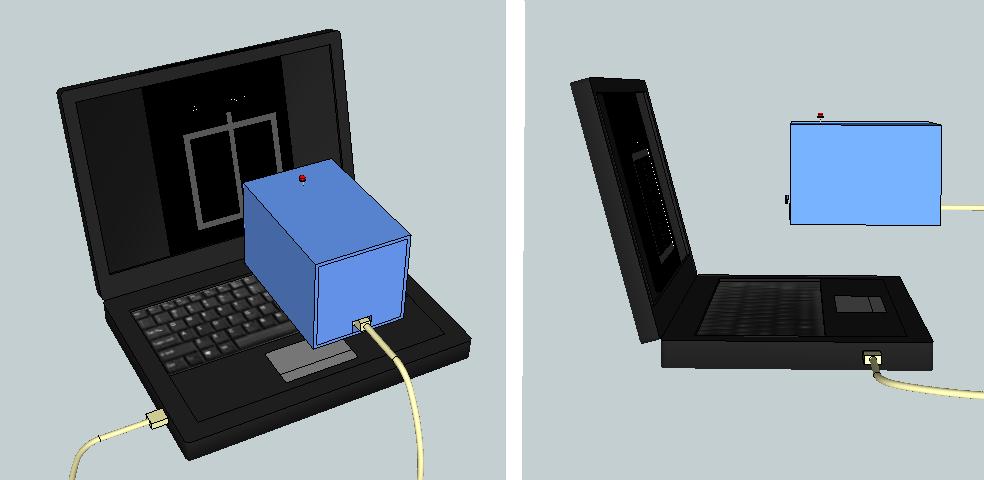
This week I’ll be testing a new screen-reading protocol for Grisbot, involving two sensors. For that I’ll need a test rig. It will be contained in a box — Pop Tarts is the prime candidate — to be held up to the computer screen like so:

(Note, virtually all the models are downloaded from Sketchup Warehouse. Credit due to creators, of course!)

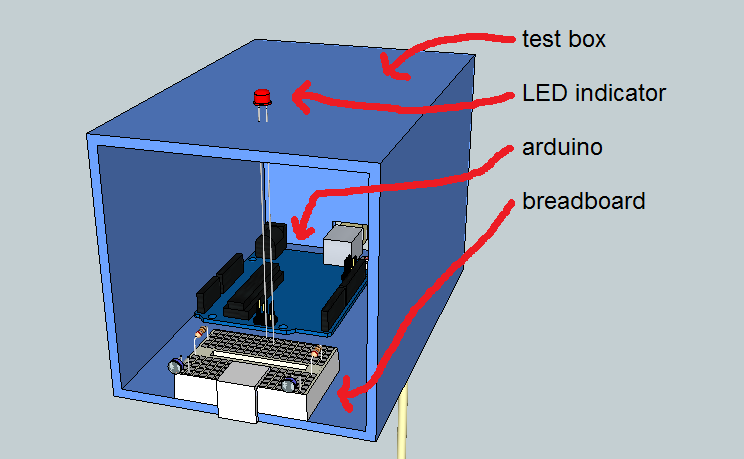
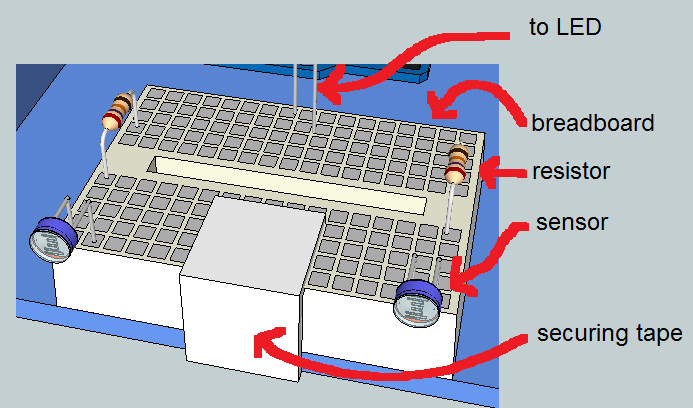
This interior view of the test box shows, sans wires, how the Arduino platform and mini breadboard are arranged:

And here (again sans wires) is the breadboard layout:

(Note, the resistors shown are Sketchup models. Pay no attention to their color bands, the real-world values are 10K.)

I’ll have to solder some long leads onto the LED, but the rest shouldn’t take long. By tomorrow I’ll be testing, I hope.

Posted in Uncategorized | Tagged , , , , , , , | Leave a comment

Robot Revision

Grisbot continues to evolve as I learn more about how everything goes together. According to my count, on the right is Grisbot Design #5 in Sketchup. It’s a little bit shorter, and about an inch wider than before.

I think you can easily see that I’ve gone back to the bigger Iced-Tea Jar (3″) wheels. The breadboard access hole is bigger too. I hope there will be enough space now to handle the servo wires.

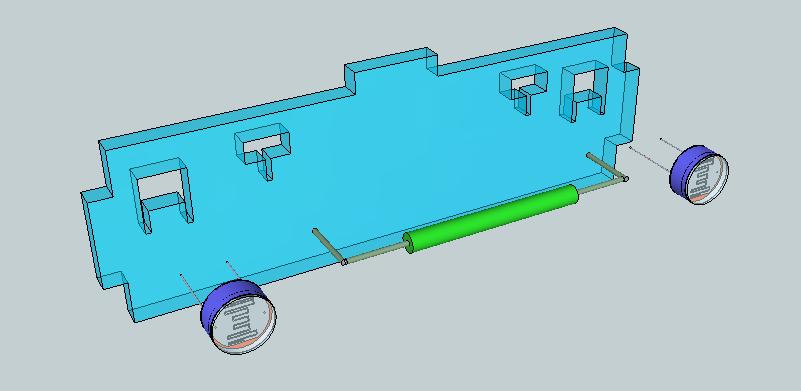
There have been a few innovations in form. Here is the new front grill:

My previous design didn’t take into account that the components have wires soldered to them. Thus their leads would have had to be inserted into the holes from the front, and then the ends of the leads would be soldered to longer wires that would connect to the breadboard. Maybe I’ll go back to that, but it seemed more convenient (at least in test phase) just to solder the components to the wire extensions and then slip them through the bigger holes and lower them into grooves as shown. I hope the picture conveys the idea better than I’m explaining here.

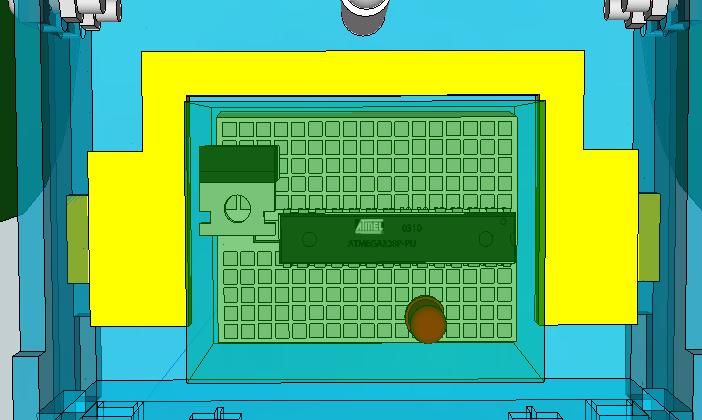
Now let’s look under the hood:

Here, temporarily hi-lighted in yellow, is the ‘breadboard tray.’ This part was necessary to create because the added width allows the breadboard to jostle a bit and the tray will keep it nicely centered. Maybe not so necessary, I suppose.

There are some other interesting revisions inside, but I’ll close with a rear view:

Here you can see that I added 1/4″ standoffs to the caster bolts. This was in order to keep the vehicle level with the return to larger wheels. (Man, for some reason this minor bolt revision was a real headache to do! I think the lesson I learned is that in 3D designing, sometimes it’s better just to redraw a component from scratch than attempt to make even a small modification to it.)

And so the design process continues. Now that I know how to get things laser cut (ie, hand the file over to Adam at StudentRND and let him do it), there’s an almost addictive compulsion to laser-cut after every little tweak, but I can’t afford that. So I’ll hold off on cutting right away, and see if I can think of some more changes to incorporate.

A somewhat semi-profound thought: laser cutting is like “2.5D Printing,” in that you print in two dimensions but assemble in three. Okay, so maybe ‘profound’ isn’t the word, but I intend to meditate on it nonetheless.

Have a nice weekend!

Posted in Uncategorized | Tagged , , , , | Leave a comment

Grisbot in Acrylic, Assembled (sort of)

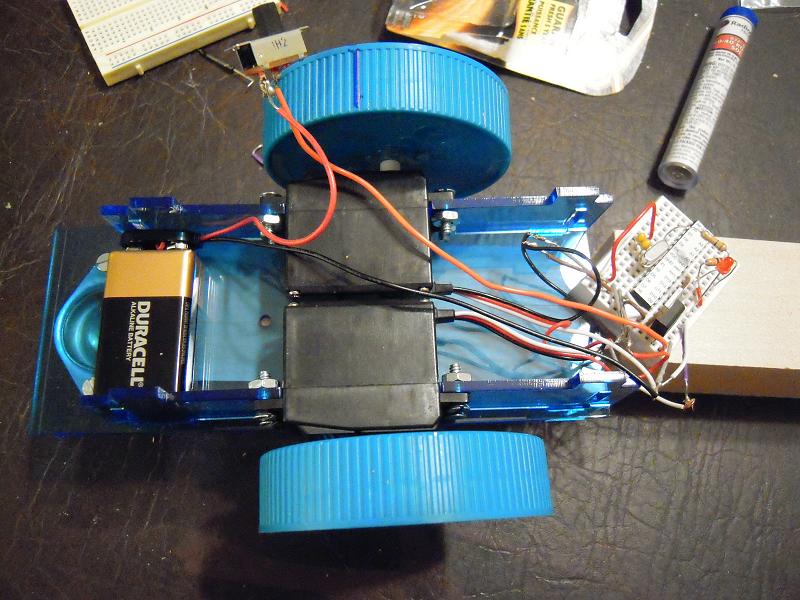
It looks nice in this picture. But there are big problems. I won’t show the video; it’s way too embarrassing (and I’m wondering how I got the robot to turn so precisely a few months ago!).

Even though I trimmed and resoldered the servo wires, it’s still too tight a fit:

Note how the bare connections threaten to press against the bolt, which could create a short-circuit. A little squeezing might also break the solder connections, so I dare not put on the front plate:

I think it’s back to a wooden chassis for now while I redesign the acrylic casing. And it appears that the smaller peanut butter jar lid wheels won’t turn on the carpet, so also it’s back to iced tea jar lids.

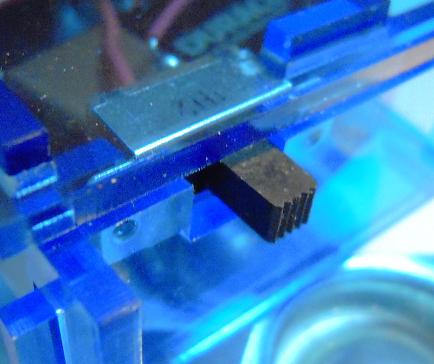
If there’s one happy story, it’s that the switch fits snugly and works great:

Who needs special-ordered bolts and nuts when you can laser-cut acrylic to fit? I even plan to replace the plastic servo horns with acrylic, but more on that later.

Posted in Uncategorized | Tagged , , , , , , | Leave a comment

Shortening Servo Wires (aka ‘Cables’)

My robot looked so nice in Sketchup, but that’s because I omitted the wiring. As you can see from the above photo, the servo wires just don’t fit even though I’ve trimmed them once already. I also had to solder solid wire to the ends because the servo braided wire just doesn’t want to go into the breadboard holes.

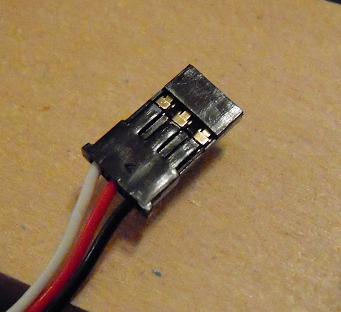
That got me thinking, can I remove the connector at the end of the servo wires, shorten the wires, and then stuff them back into the connector? When I say ‘connector’ I mean this:

Well, I found this discussion here. Using a push pin, I was able to pry back the tabs and pull out the wires. And this is what I found:

I can’t figure out how to remove those metal clippy things. I get the feeling that once they’re on the wire, they’re not meant to be removed. I think you just have to cut the wiring and get new metal clippy things and clip them to the ends of the shortened wires and then insert them into the plastic plug. A lot of work, so I think I’ll just hold off on doing that for the prototype.

For now I’ll just trim the servo wires some more, and maybe solder the two servo ground wires together with a single solid wire that will go to the breadboard. Likewise the high voltages. That should simplify things a bit.

The next time I cut acrylic, the robot will be about half an inch to an inch wider to accommodate all the wires. With acrylic going for about five cents per square inch, that will add about twenty-five cents to the cost of the robot. No biggie, and in the end I’ll have enough room so that I don’t have to cut or solder the servo wires, a big cost-saver in terms of assembly time.

(On an unrelated note, let me humbly confess that I had trouble with the microcontroller because when I programmed my latest robot test sketch in the Arduino IDE, I didn’t set the pinMode to OUTPUT for pin 12 in set_up(). The sketch will still compile but causes some kooky things to happen, like (a) the LED will barely light and (b) the servos don’t run.)

Posted in Uncategorized | Tagged , , , , , , , | 1 Comment

Post Laser Cut Checkfit

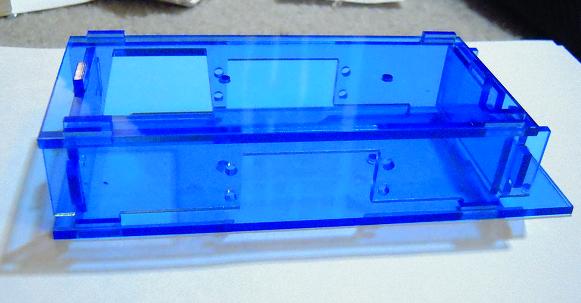
The first laser cutting for Grisbot went smoothly and the blue acrylic is beautiful. Now let’s do a checkfit as the Sketchup design encounters the physical world.

Here are the pieces snapped together:

No problem here. The pieces come together just like a puzzle!

Now let’s tighten the bolts:

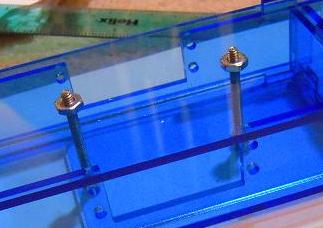
You’ll have to take my word for now, but it’s all very snug and there’s no jiggling of the frame once the nuts are finger-tight.

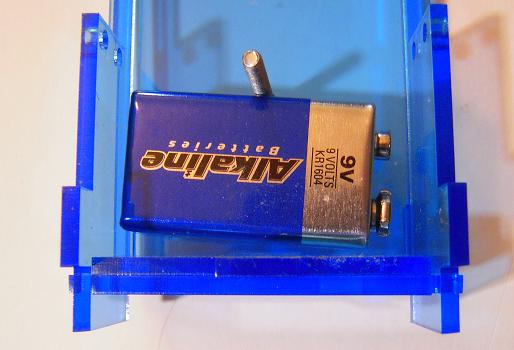
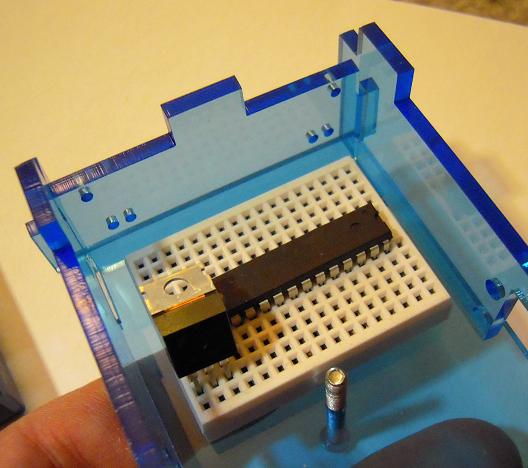
As you can see in the following two photos, battery and breadboard have more than enough room:

(Bolts were inverted for these checks, of course.)

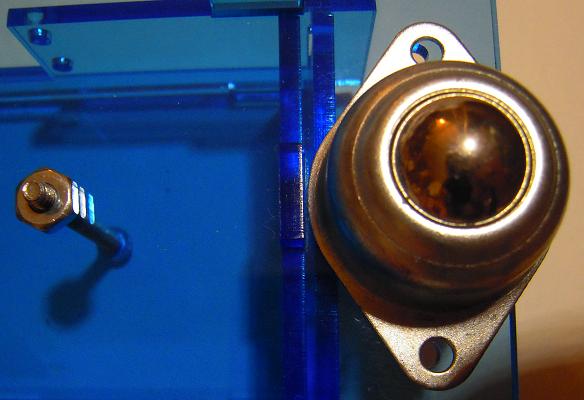
Now a look at the ball caster:

Here we have a problem. My Sketchup model of the caster didn’t have the diamond-shaped base and I’m paying for it. The bottom piece of the robot casing will have to be extended back (ie, to the right in the photo) at least an eighth of an inch so that the bolt holes will align, and maybe add another eighth inch so that the ledge fully covers the base.

Now it’s time to check the servo fit, which is likely to have problems because the servo model I downloaded from Sketchup Warehouse turned out to not have the right dimensions and so I had to make my own servo model based on personal eyeball measurements.

Alas, to obtain the servos, I have to ‘cannibalize’ my beloved Grisbot Prototype #1, so here is a loving last picture:

And now we checkfit the servo, and . . .

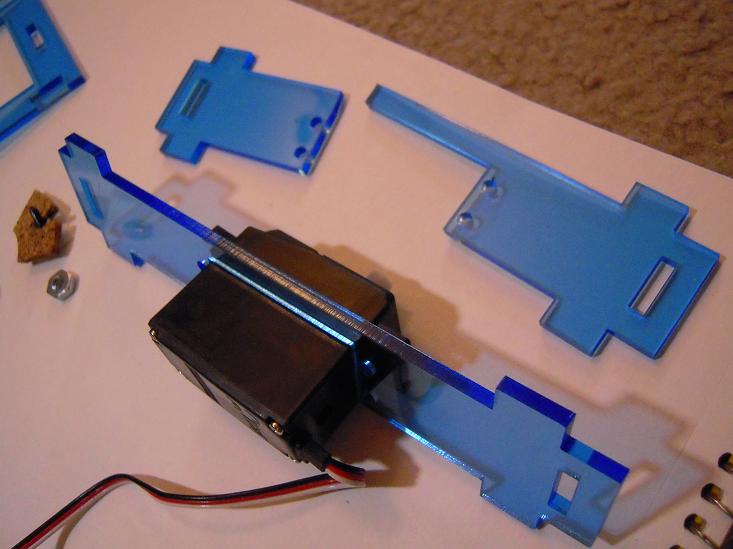
SNAP! Not good. The fit was so tight that one of the acrylic sides broke as I tried to force the servo into position. Maybe a sixteenth of an inch horizontal and vertical widening will reconcile the fit, and I think I’ll have to give a closer look to the bolt hole alignment too.

So, in summary, there are three checkfit fails: the caster and the two servos. To accomodate, I’ll redesign the bottom and side pieces and then it’s back to the laser cutter tomorrow. Results will come on Thursday.

Posted in Uncategorized | Tagged , , , , , , , , | 1 Comment

Grisbot to be laser-cut (a guided tour)

Finally, the Grisbot’s acrylic casing is being laser-cut, possibly even as we speak.

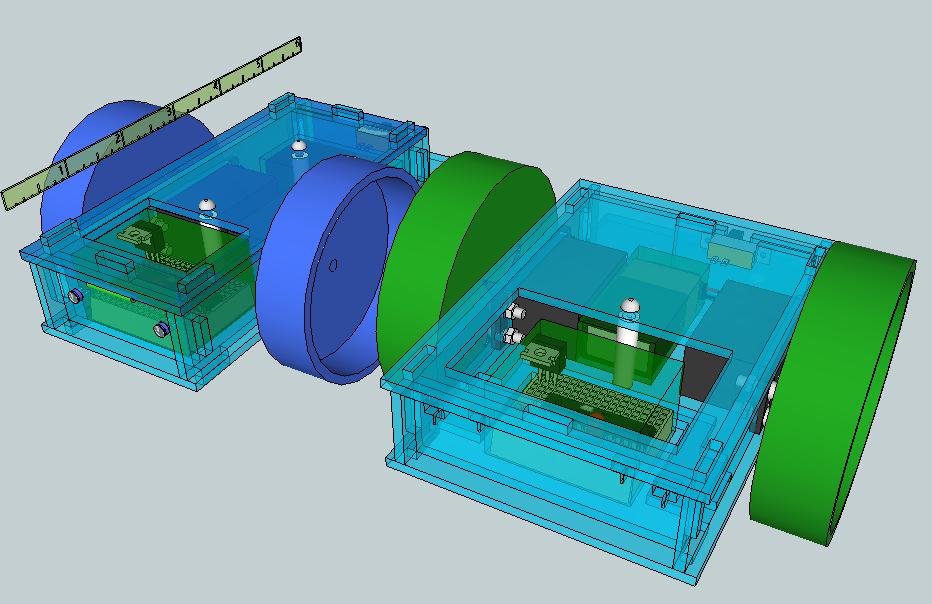
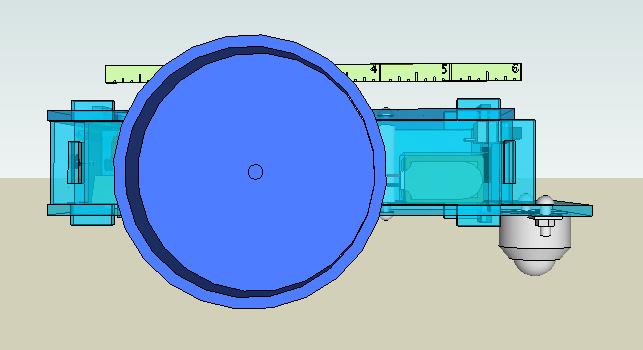
Here is a guided tour in Sketchup of what may actually come to be by the end of this week, starting with the front view:
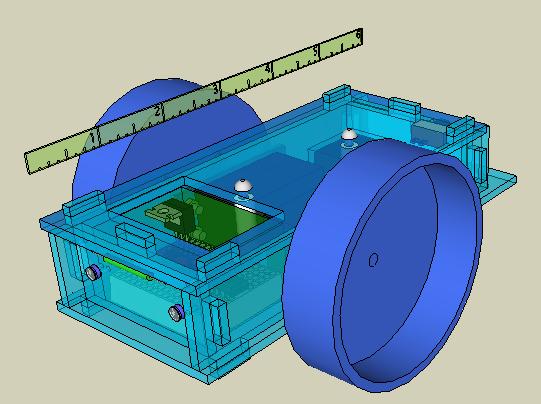
The ruler is for reference — ie, the vehicle is about six inches long. The two standoffs on the centerline secure the pieces together.

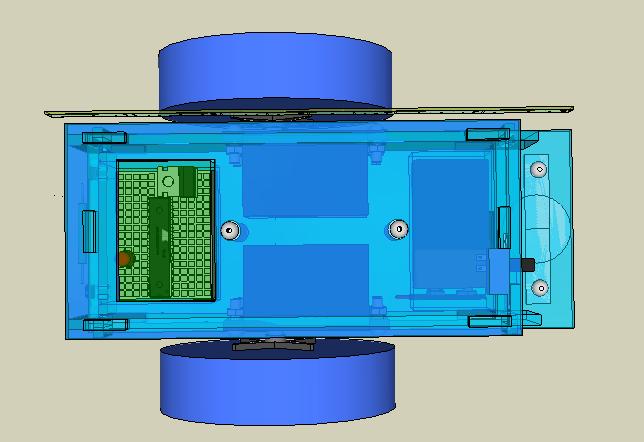
The upper view:

Moving from left to right, we see the layout of the breadboard with microcontroller, the servos and wheels, and the battery as ballast in back with the ball caster in tail-dragger configuration.

Here’s a lower view, showing how the robot rests on its two wheels and ball caster:
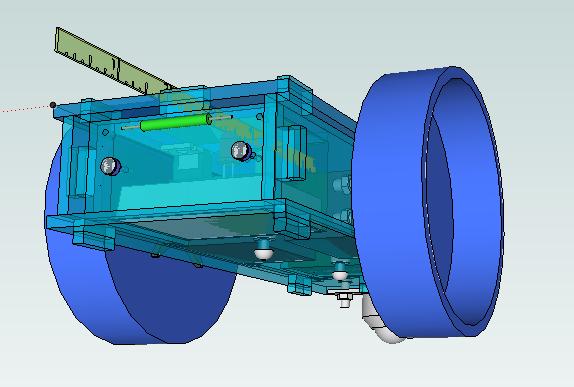
Here’s a closer look at the front grill:
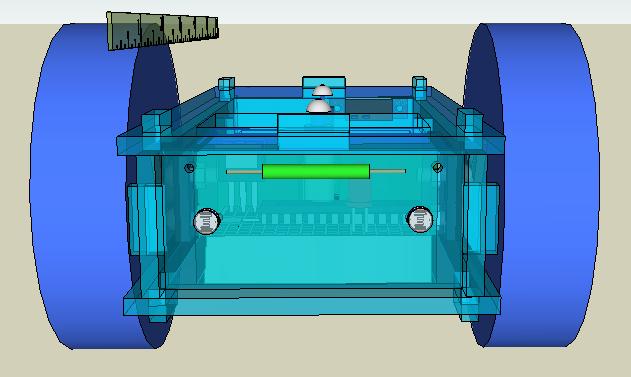
There are two photosensors, one for data and one for the clock pulse. The magnetic reed switch at the top may be moved to the rear or replaced entirely by a manual toggle switch in the future.

The side view of the wheel:
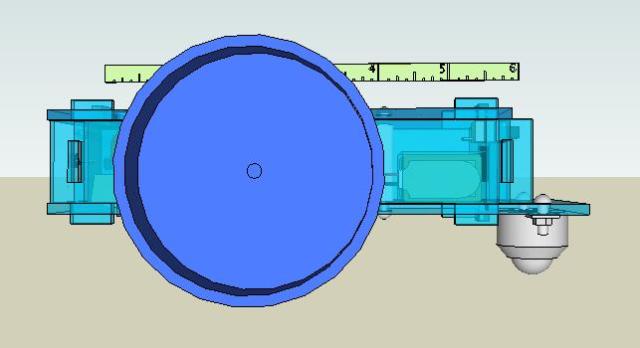
Plastic jar lids are just the right size and are inexpensive, lightweight and durable, have a wide tread for good traction and an injection-mold dimple conveniently placed to locate the drill hole for the servo axle screw.

A rear view:
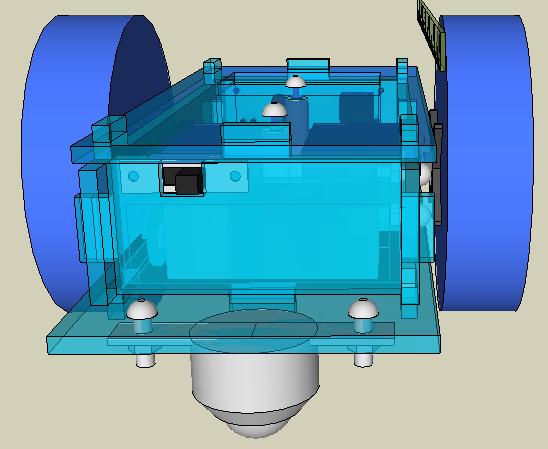
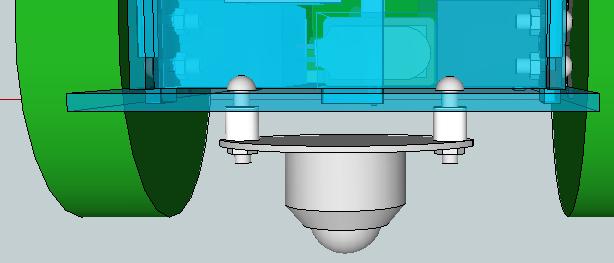
The ball caster is bolted to a protruding lower ledge, which is large enough to accomodate a future trailer hitch. Also there is now an on/off switch.

A close-up of the breadboard:
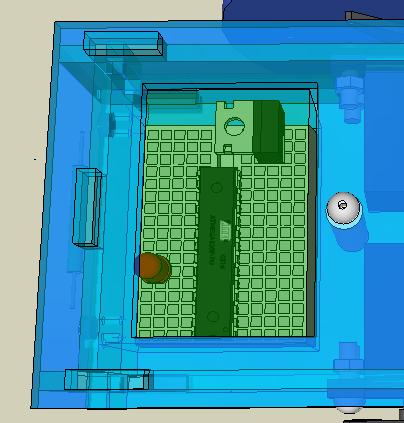
The ATMEGA328P microcontroller, fresh from being programmed atop an Arduino prototyping platform, is placed on the mini bread board. The 7805 voltage regulator has its heat sink bent horizontal to avoid jabbing fingers. The large access hole will be shrunk and/or covered with a hood (I’m thinking of how to do that).

(Note that wires have been omitted for clarity. Also the bread board components have been illustrated as being inside a greenish semi-transparent form box to better determine model fit.)
An expanded view:
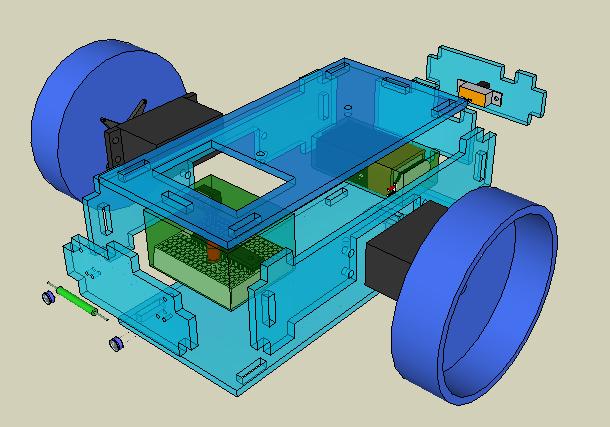
This makes me think of a three dimensional puzzle, which indeed this exercise has been. Note that for clarity, I removed the standoffs and bolts from this illustration. (And again, the breadboard and battery too have been enclosed in imaginary form boxes for modeling purposes.)

An expanded view from the rear:
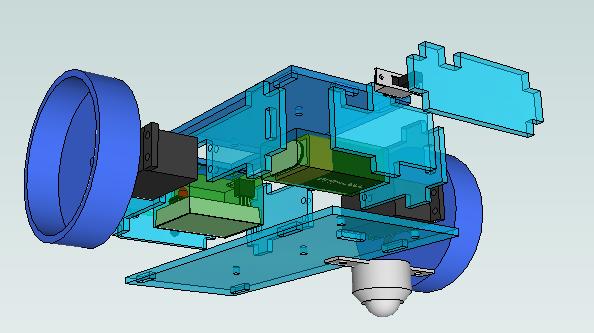
Note that the switch is secured by being sandwiched between two pieces of acrylic. I did that because the switch package from Radio Shack has the securing bolts but not the nuts. Maybe I could special-order them, but a couple extra square inches of acrylic don’t cost much and it was more fun to do it this way.

And finally, here are the surfaces prepared for export to SVG file:
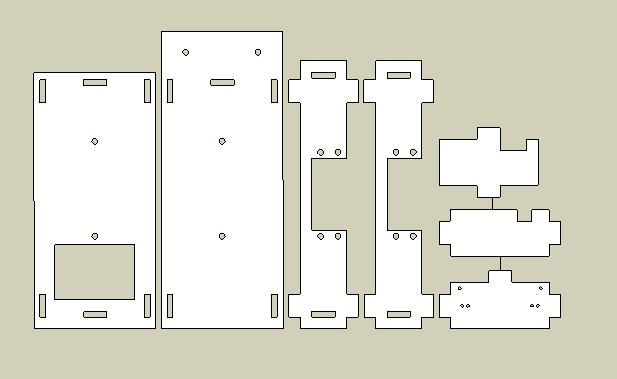
Considering all the little details and potential for errors, I would be surprised if it all comes together tomorrow. But we’re getting closer.

Posted in Uncategorized | Tagged , , , , , , , , , , , | Leave a comment