GRIS Light Calibration

For some time now, the biggest roadblock to implementing my robot has been with screen communications. Now and then the path data transfer procedure works perfectly, other times it doesn’t work at all. I suspect it has something to do with screen illumination intensity and ambient lighting.

Hence, I wanted to make a light calibration procedure. I thought long and hard about this, and visualized creating a special control code for light calibration, and having a sequence of alternating light and dark flashes with the robot then figuring out the average and using that as the break between light and dark flashes signifying 1s and 0s.

Then this simple chart occured to me:

The only required change to the GRIS laptop program was to create a chart procedure. Not very hard: you click on the CALIBRATION menu button to call it up, then click on DONE when you’re finished. Oh yeah, you have to blank and refresh the work space too. But not that big a deal.

The finesse, as we say in robotics, is on the receiving side. I must program the robot to enter calibration mode and read the light intensities of the two squares (the user will be prompted to move the robot from one square to the other). The robot will then take the average. This will be a lot simpler than what I was planning at first.
Posted in Uncategorized | Tagged , , , | Leave a comment

Mintduino Blink Test

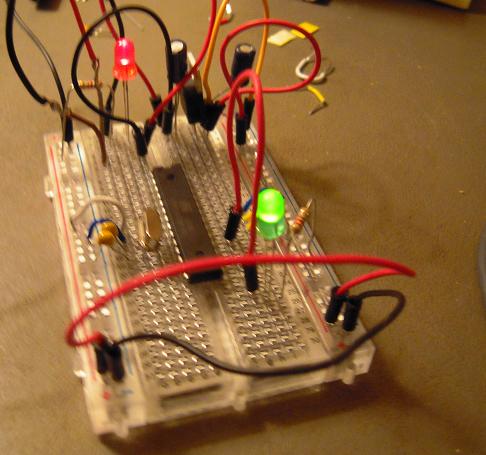
Finished assembling Mintduino. The ATMEGA328 chip not only has the Arduino bootloader, it also has the LED blink sketch pre-installed, so when the battery was attached to the Mintduino, the Green LED started to blink.

Tomorrow: attaching the FTDI cable and programming the Mintduino.

Posted in Uncategorized | Tagged , , , | Leave a comment

Assembling a Mintduino

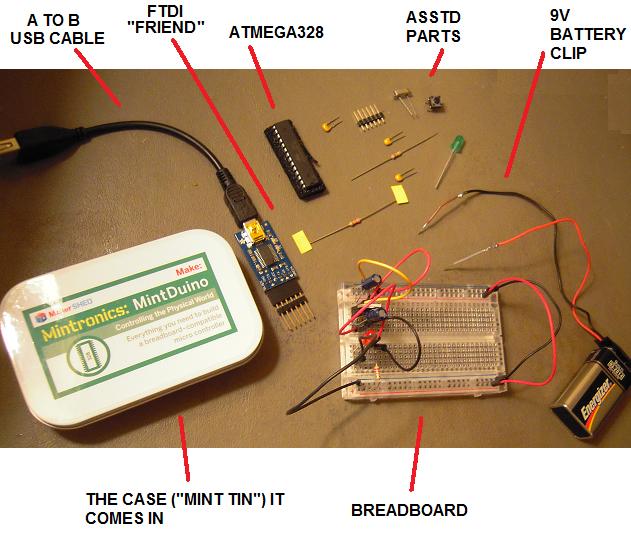
I’ve been assembling a Mintduino, which is a breadboard version of an Arduino. The above photo shows me about midway through the process.

The Mintduino case is a mint tin, hence the name. The case holds the electronic components shown plus the breadboard and the battery clip (battery not included). I soldered short solid leads onto the battery clip leads, since the braids of the clip leads didn’t go into the breadboard holes very well.

The FTDI “Friend” is needed to program the Mintduino from your computer and does not come with the Mintduino package. The A to B USB cable doesn’t come with the Mintduino or the FTDI “Friend” but fortunately I had one laying around. Possibly you do too, they’re quite common.

Once I get the Mintduino up and running, it should be fairly straightforward to pry off the ATMEGA328 chip and see about using it by itself without all the support circuitry of the Arduino prototyping platform. That will be a big step toward making a low-cost robot.

Posted in Uncategorized | Tagged , , , | 1 Comment

LDR Cowling

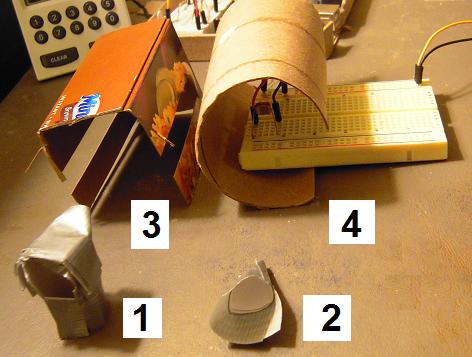
This shows the gradual evolution of cowling solutions for the LDR. The presence of ambient light raises not only the zero level but also the break level between 0 and 1, so it’s been a headache to adjust the arduino programming with the variation of light.

None of these solutions would even consistently work until #4, and of course it’s hardly satisfactory to jumper the LDR to a separate breadboard just so that I can build an adequate cowling around it. I’m hoping that the ambient light shielding problem will go away once I have a robot housing to put the LDR into (see previous entry).

At any rate, I think it’s time to move onto the Mintduino and the ‘Naked Atmel.’

Posted in Uncategorized | Tagged , , , | Leave a comment

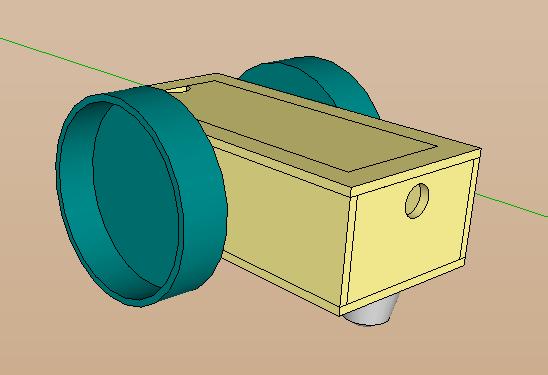
GIRC Robot Preliminary External Design

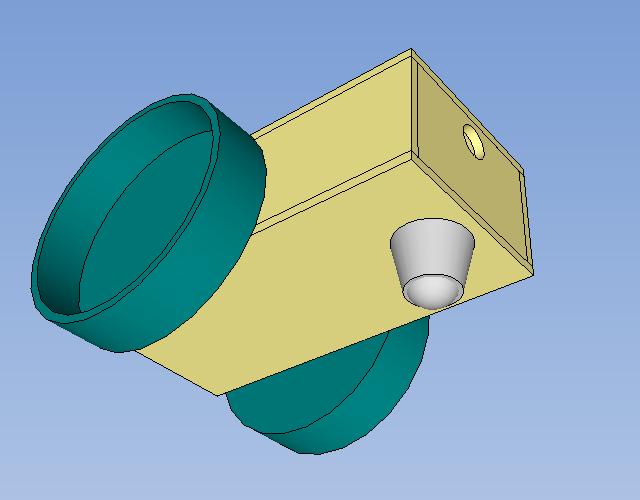
I’m still attempting to integrate the servo command sketch with the flash communication sketch, but I figure it’s time to start thinking about the external design of the robot. I plan to use a laser cutter on thin wood, with tabs and slots so that everything will fit together.

Anyhow, here are some more pictures. Bear in mind that I intend to make the actual robot about half the size of the prototype.

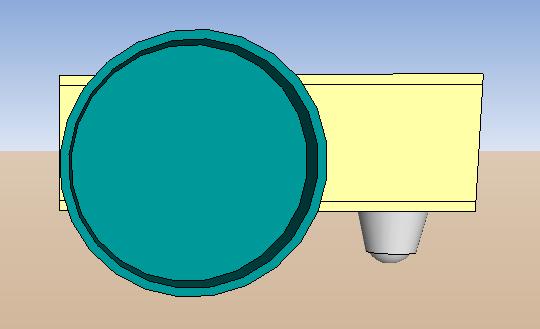
Side view:

There will have to be holes for the wheel axles of course.

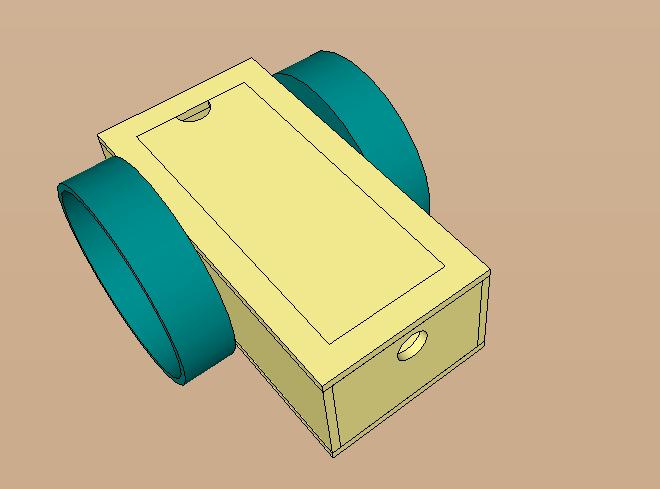
Top View:

The lid and top will have to be cut at an angle or else the lid won’t sit properly. I hope a laser cutter can do that!

Undercarriage:

There will have to be bolt holes for the caster. The hole in the rear is for the LDR to peep through as it reads screen flashes.

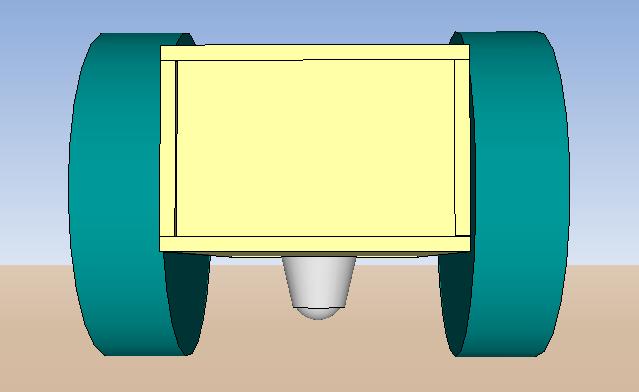
Front view:

Rather barren and impersonal. I’m thinking there should be an access hole to attach sensors and LEDs to the front.

Not shown: the interior with compartments for the servos, battery, and mini breadboard.

Posted in Uncategorized | Tagged , , , | 1 Comment

Modeling Molecules in Google Sketchup (on Youtube)

Those of you who are coming to this blog from my Google Warehouse molecular models may be interested to know that I now have a dedicated Modeling Molecules blog and also have posted instructional videos on Youtube. Information and links are at this Modeling Molecules blog entry.

Posted in Uncategorized | Tagged , , , | 1 Comment

GIRC Screen-Flash Communications

Worst demo ever, but these days I only have two hands. Here I needed three: one for holding the set-up, one for holding the camera, and one for clicking the mouse.

Notice the status bar, also that there is a green LED behind (or in front of) the yellow LED. It flashes multiple times at the end, signaling checksum match. That is, the bytes being transmitted are summed up and a modulus 90 operation is performed, and the result is sent as a final byte in the transmission. On the Arduino side, the bytes received are summed up and a modulus 90 operation is performed, and the result is compared to the result received from the screen-flash transmission. If the two checksums match, the green light flashes and the message was transmitted correctly. If the yellow LED flashes, then we are unhappy, for the message did not transmit correctly.

What a miserable time I have had in transmitting data via screen-flash. I thought I would be able to transmit at 60 Hz, because it worked in the test program. But when I tried to incorporate screen-flash into the GIRC program, the frame rate decided to slow down to 20 Hz. I spent many days wrestling with that, and finally gave up for now.

This is what the new set-up looks like:

The phototransistor has been replaced by an LDR (ie, light dependent resistor). I originally wanted to use an LDR because they’re a lot cheaper than phototransistors, but they’re also a thousand times slower. Even at 60 Hz transmission rate, an LDR was inadequate. At 20 Hz, however, they do work. Not that you would think so from the LDR’s data sheet rise time, but there’s a little trick involved with that.

A cowling has been placed around the LDR to cut out ambient light, which has been a problem. The cowling — or ‘enclosure’ as I also refer to it — is made of note card and duct tape. A kludge indeed. I’m planning to go to a laser cutting place. Then this thing will start to look nice.

Here’s my project schedule on the fly:

Check off Enclosure for today. Tomorrow I hope to Transfer Code from the Arduino test rig program into the robot program. I hope that isn’t a biggie, and so far programming the Arduino has been a lot easier than programming in Processing.

Well, this has been a rambling blog entry, hasn’t it? But the project is alive, and though I missed my deadline of having screen-flash done by this month’s SRS meeting for presentation, I have confidence that I will have not only screen-flash but everything else on the above note card done for presentation in the April meeting.

And I just might have a viable product by June.

Posted in Uncategorized | Tagged , , , , , | Leave a comment

Refrigerator Quiet Ratio

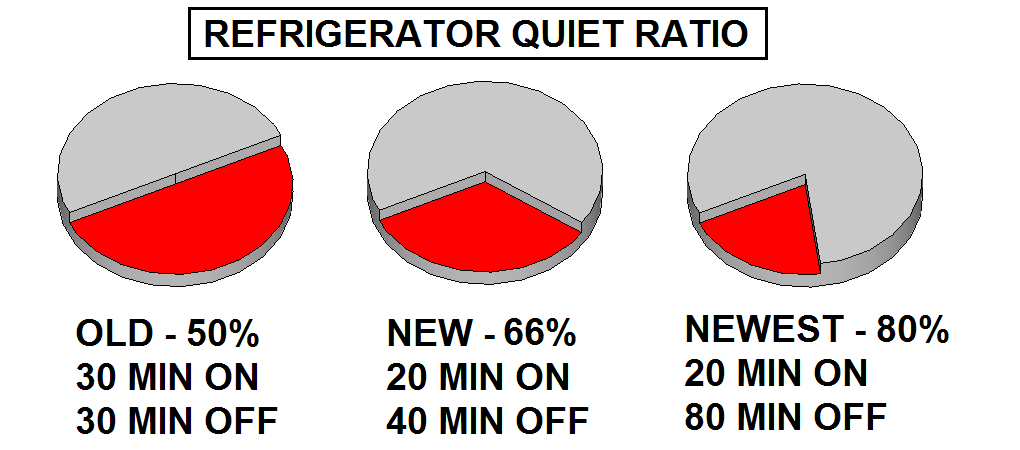
Yesterday I got a replacement refrigerator for the damaged replacement, and it seems to be running quite well. Not only is it quieter than the damaged refrigerator, but it also runs less often at the same internal temperature. Despite my hyper-sensitivity to noise, I think I can live with this.

Posted in Uncategorized | Leave a comment

GIRC Demo

On Saturday I made a brief presentation of GIRC at the monthly meeting of the Seattle Robotics Society. I demonstrated drawing the course and running it, as seen in the video above.

Where to now? I want to program with light. Also I need to calibrate. I’m still iffy about putting encoders on the wheels. We’ll see.

Posted in Uncategorized | Tagged , , , , , | Leave a comment

GIRC Robot Calibration Run

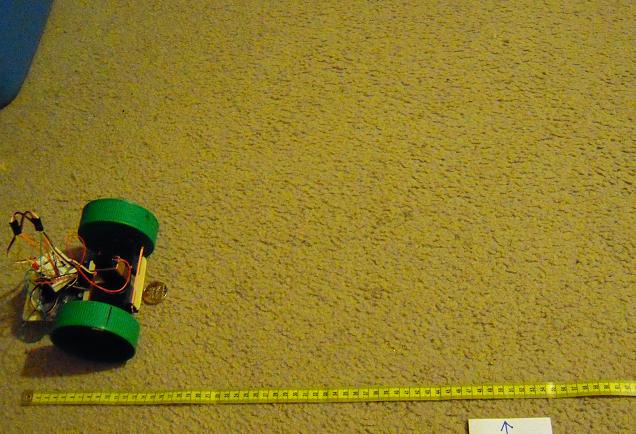
It’s Calibration Run Time here at GIRC Central. First we run GIRC and load in a path file of a square, fifty centimeters on a side, like so:

We click Transfer and program the robot, then set it down on the floor, like so:

I place a tape measure along the path with a mark at fifty centimeters. The coin indicates the initial position of the nose.

And so we run, and this is what we got:

This is probably as close as I need to get for now. It’s time to set up a simple obstacle course.

Posted in Uncategorized | Tagged , , , , | Leave a comment