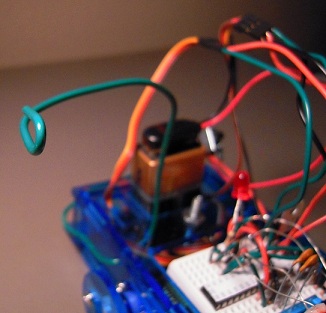
Grisbot Light Follow Test 2

In the following test, I have incorporated the light follow sketch into the general grisbot sketch. In other words, by using the graphical user interface written in Scratch, the user can either program the robot for following paths or for following light — without having to use the Arduino platform to download the respective sketches into the microcontroller.

According to the Arduino IDE, my program has so far used only a quarter of the capacity of the ATMega328 chip, so there is plenty of room for more procedures.

Posted in Uncategorized | Tagged , , | Leave a comment

Grisbot Light Follow Screen

In addition to the obstacle challenges, I’ve added a control screen to the GRIS program for light-follow mode. To get there, you click on the little flashlight icon at the top of the screen.
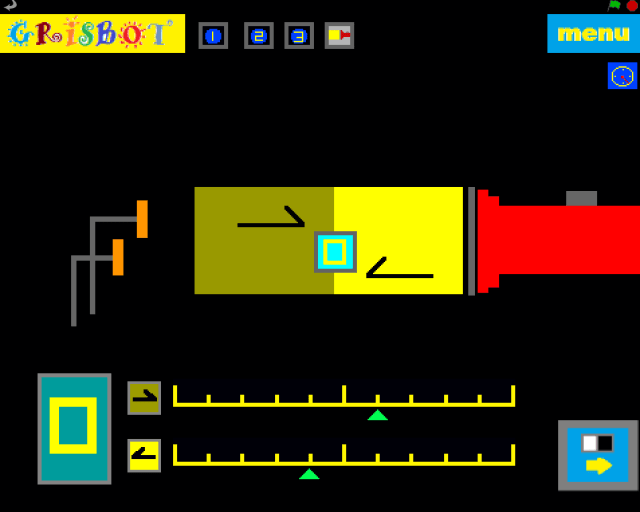
flash grisbot screen

In case my artistic abilities aren’t clear enough: the screen portrays a pair of robot photo cells staring into a flashlight beam. The dark portion of the beam indicates that the robot is in non-triggered mode, where it searches (ie, turns), and the light portion of the beam indicates that the robot is in triggered mode where it moves toward the light.

(How the robot responds in non-triggered versus triggered mode was demonstrated in the video in yesterday’s blog entry, Grisbot Light Follow Test #1.)

Instead of turn and distance values, the scales at the bottom of the screen determine the photocell light levels at which the robot transitions between states. Note that the transition light level can be set at different points depending on whether you’re going from non-triggered to triggered state, or from triggered to non-triggered. This prevents ‘chatter’ or ‘bounce’ between states, and is much like how thermostats and relief valves are designed and like how microcontrollers are programmed to receive input from push buttons.

Why not just have fixed transition points? Well, because of changes in ambient light and the brightness of the flashlight beam, and also just to experiment (aka fool around) to see how the robot behaves differently as the set points vary.

I’m not satisfied with the way I’ve portrayed things here, and I’m open to suggestions on how to redesign this screen so that it can communicate its purpose to the user more clearly.

I’ve written all the underlying support code for this mode in the Scratch program. Next stop, I program the robot to respond to the flashed data. And I hope that I can get that done for the Seattle Robotics Society Meeting on Saturday.

Posted in Uncategorized | Tagged , , , | Leave a comment

Grisbot Light Follow Test #1

A little different from what I had in mind, but interesting:

1. When there’s low light, robot pauses two seconds, then spins.

2. When there’s high light, robot follows the light.

Only the left photocell is being used here. I’ve thought about making some kind of ‘blinder’ or cowling for the photocells. That would make for less spinning, more forwarding!

Posted in Uncategorized | Tagged , , | Leave a comment

Light Follow Test Rig

DSCN2403

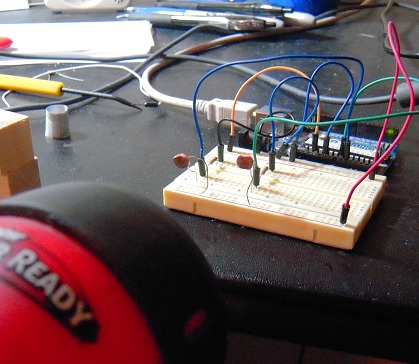
With this test rig, I plan to write a sketch for grisbot that will cause the robot to follow a flashlight beam. There will be two states, Triggered and Non-triggered. The transition to from N to T occurs at a value of 500 on the analog input port, while the transition from T to N occurs at 250.

The user will hold a flashlight up to grisbot, and if the value exceeds 500, the robot will do a brief 1/4 sec sweep side to side, then head toward the direction that has the maximum value of light. Every couple of seconds, the robot stops and does another sweep, then re-orients. This continues so long as the value remains above 250. If the value falls below 250, the robot enters the N state and stops. Every ten seconds, however, it will conduct a full circle sweep, and if it finds a value above 500, it will enter the T state and head off in the direction of maximum light.

Actually, that’s one possible mode of operation. I’m thinking of a couple more. I hope to fit them all in the same sketch with the path programs, so that everything can be activated via screen flash.

Posted in Uncategorized | Tagged , , | Leave a comment

Mic Check, some progress

mic check

On the left is a swatch of code that I wrote to read the analog input from the microphone circuit and print it to the serial monitor. On the right is the serial monitor.

Under normal circumstances, the value read at analog pin 1 hovers close to a value of 536. This constitutes ‘quietness,’ and no value is sent to the serial monitor.

Then I took a pair of wooden blocks and clacked them together a couple times over the microphone. That’s when the readings appeared on the serial monitor.

So the circuit works, though I’m not sure it works well enough to work as a room noise monitor. I hope it’s just a matter of tweaking resistor and capacitor values. Another thing, I’m testing this late at night in my apartment, so I can’t very well test it with some really loud, continuous noise lest the neighbors complain.

At any rate, I have other things to do at the moment and will have to put aside this project until next week, when I hope to test and tweak the system under ‘field’ conditions.

Posted in Uncategorized | Tagged , , | Leave a comment

Noise Meter Challenge

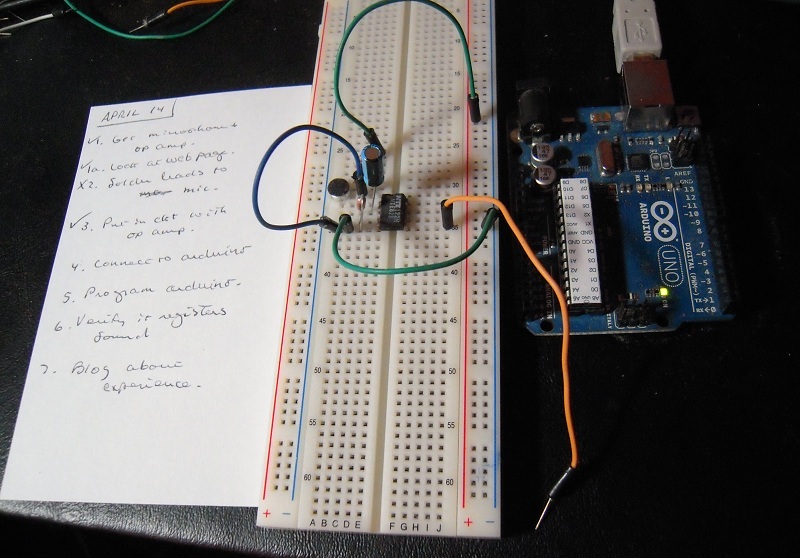
The Big Brained Superheroes Club has issued a challenge to build a noise meter, and so I thought I would give it a try. Hence I looked up a web page at the arduino site for building a noise meter. Note the schematic on the page, which I tried to implement here:

DSCN2298

As you can see from the checklist and the circuit itself, I’m about halfway finished and need to connect to the Arduino board, load in the sketch from the web page, and away we go.

— One tiny little problem, though. The aforementioned circuit diagram uses an LMV324 op amp, and the only one I could get on short notice was an NTE823. So I may have to tweak things a bit. That won’t break anything, will it?

Posted in Uncategorized | Tagged , | Leave a comment

Lessons Learned This Past Week

1. Cut the capacitor leads short so they won’t accidentally touch the photocell leads.

The design looked cleaner in the schematic.

The design looked cleaner in the schematic.

2. Fresh batteries make a big difference.

I can quit any time.

I can quit any time.

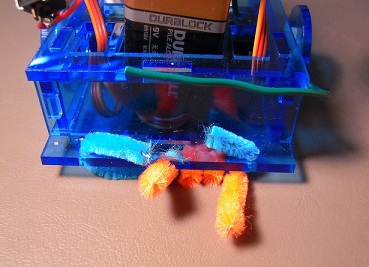
3. When masking tape is used to mark waypoints, a pipe-cleaner skid is prone to snag.

Swing your partner round and round.

Swing your partner round and round.

4. Do not make a video of a computer screen with the camera positioned on the same side and level as the mouse.

It wasn't in the way when it was adjusting the camera shot!

It wasn’t in the way when it was adjusting the camera shot!

5. Having ideas and having marketable ideas are two different things.

I got tired of paying a premium for coin batteries, that's why.

I got tired of paying a premium for coin batteries, that’s why.

6. Value the little things in life.

Oatmeal, yum!

Oatmeal, yum!

Posted in Uncategorized | Leave a comment

Programming the ATTiny45

About a year and a half ago, Matt Richardson did a video on how to ‘shrinkify’ your Arduino projects with the ATTiny chip. It was a very interesting idea that I finally got around to doing on Friday.

Here’s what the setup looks like when the Arduino is used as the ISP programmer for the ATTiny45:
DSCN2217

And yes, I tried the blink sketch, like so:

DSCN2218

So you don’t need an Arduino, or even an ATMega328, to blink an LED. You can do it with just an ATTiny, which is cheaper and doesn’t require supporting voltage regulator, capacitors, and crystal.

And here is something slightly more impressive:

Posted in Uncategorized | Leave a comment

Grisbot Hoop Capture Test

I’ve got a bad feeling about this.

DSCN2145

Before we begin, some brief technical details:

DSCN2140

The orange pipe cleaner provides friction to compensate for servo swerve.

***

DSCN2142

The catcher is just a piece of wire. Nobody likes overengineering.

***

DSCN2143

More equipment used in this highly scientific testing of the Graphical Robotic Information System. Did I mention I plan to sell kits?

***

And now the video of the test. WARNING: Not for the faint of heart!

Posted in Uncategorized | Tagged , , , | Leave a comment

Grisbot: 2-obstacle course

Starring Metric Blue:

Posted in Uncategorized | Leave a comment