GIRC Turn Codes

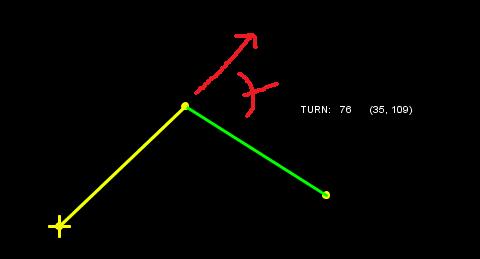
Here we make a 76 degree right turn in GIRC, and this information has to be sent over the USB/Serial cable to the microcontroller aboard the robot. This communication is done with a control code pair. As shown, the first control code specifies that the turn is to the right and less than 90 degrees. The second control code gives the amount of turn in degrees plus 33.

Why add 33? So that the ASCII value represents a printable character. I don’t want to have any hassles sending data through the serial port or reading a path data file in Notepad.

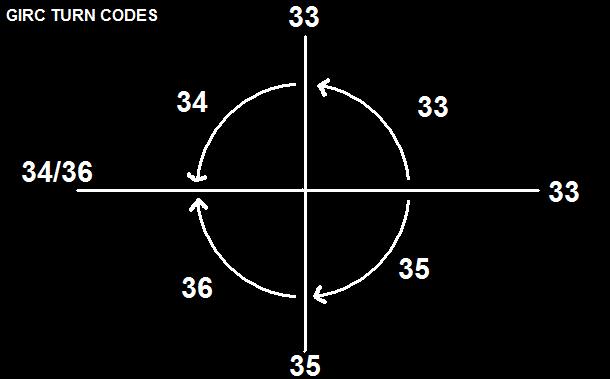
If the turn is greater than ninety degrees, the first control code changes and the second control code is the value of the turn less 90 plus 33, or less 57.

Here are the turn codes for the quadrants and axes:

Note that since left turns are negative values, the absolute value is taken and different control codes are used to distinguish from right turns.

Okay, so as seen in the first image, the numbers in the parentheses are what the robot sees for turn data. Now onto distance!

Posted in Uncategorized | Tagged , , , , , , | Leave a comment

GIRC Path Data Conversion

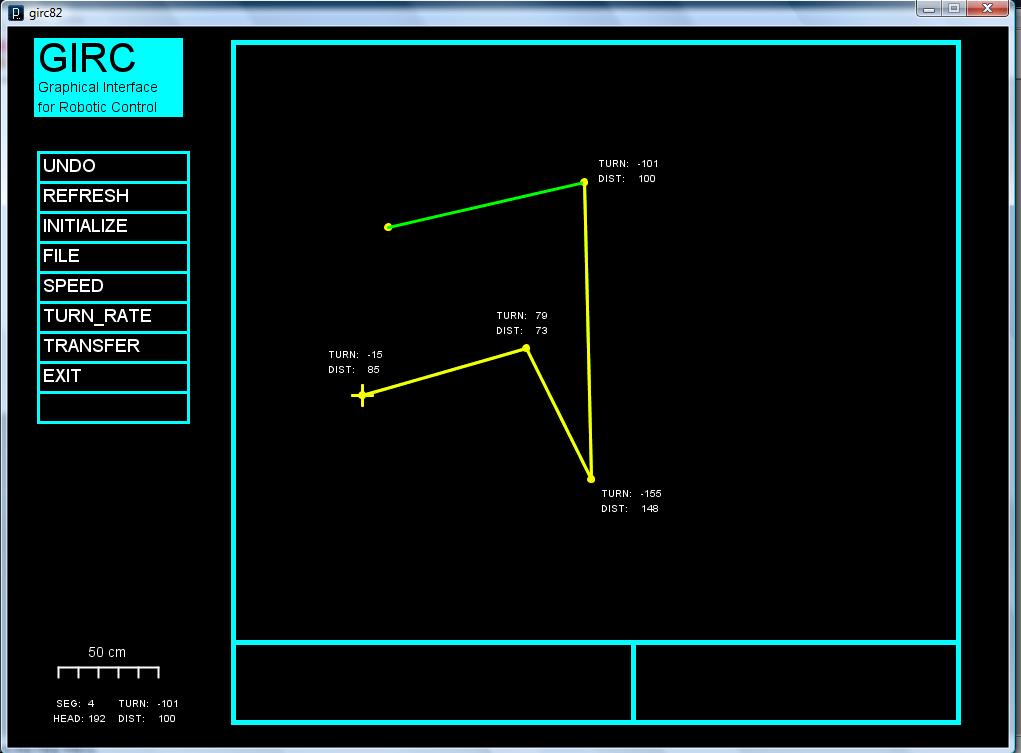
The user inputs path data to GIRC by clicking points on the screen. Processing then draws segments between the points and calculates x,y coordinate data. This data is then converted into distance and turn data which will then be sent to the arduino aboard the robot.

In the above graphic, right turns are positive and left turns are negative. No turn can have a greater absolute value than 180. Turn calculations are rounded to the nearest degree. Initial heading is assumed to be zero degrees = positive x-axis.

What does this mean for the robot in practice? As an example, for the fourth and final path segment, the robot will be instructed to turn left 101 degrees, then travel 100 centimeters.

Now I can start work on sending the converted path data as commands to the robot over the USB/serial cable.

(NOTE: Data printed next to the points on the screen is for illustration purposes only. In real use, the data only appears in the lower left corner.)

Posted in Uncategorized | Tagged , , , , | Leave a comment

Five Stages of Programmer’s Grief

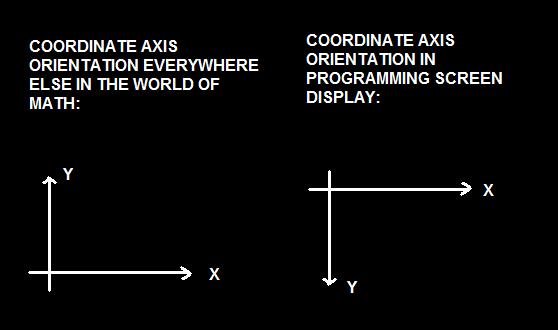
I knew this, but I forgot it yesterday when I was working on GIRC. This convention of inverting the y-axis for screen display isn’t peculiar to Processing, it’s common to many programming languages. There is a way to change the convention at the outset of a program, but I don’t know if I want to mess with that.

Anyhow, I have the GIRC heading calculations correct now. (Or . . . do I?)

This experience has caused me to reflect on the Five Stages of Programmer’s Grief:

I. Oh, this will be easy!
II. Why is this so hard?
III. This is impossible!
IV. DOH! Of course!
V. That was easy!

First I have this flash of inspiration and in my mental image I don’t see all the steps, just the end result.

Then I get into the nitty-gritty of writing the program, and I realize I have to do this and that and the other thing and it’s two steps backward for every step forward and the effort rapidly becomes frustrating.

Then I get bogged down and come to a complete stop. The cause is hopeless, whatever made me think I could do it?

Then I find that there was some trivial bug that is easily fixed and everything runs smoothly. How could I have made such a mistake, and why didn’t it jump out at me the first time I reviewed the source code listing?

Finally, I’m done with the finished product, and I forget all the hard work, and it I congratulate myself on being so clever — though in the back of my mind I wonder if I’m losing it, because it took me so long to do it.

But then I blame the universe for not being able to calculate 6 x 9 correctly, and get on with life.

Posted in Uncategorized | Tagged , , , , | Leave a comment

GIRC Path Calculations

(ATTN Google Searchers: Click here for Generation Starship Orinoco.)

The user guides the robot in GIRC by creating a path. The path is composed of segments which are created by mouse clicks. The program calculates the length (or distance traveled) for the path segment and also the heading.

“Heading relative to what?” you ask, and that’s a good question. I assumed that the positive x-axis would be zero degrees and that the angle would increase going counterclockwise. Instead, it appears in the display that the angles are calculated going clockwise from the positive x-axis. I don’t know if that’s a property of Processing’s trig functions or if I did the formulas wrong. I’ll find out.

Anyhow, the distance looks right.

(NOTE: The TURN value is currently showing the segment number.)

Posted in Uncategorized | Tagged , , , | Leave a comment

Arduino Cheapbot gets a Mini Breadboard Makeover

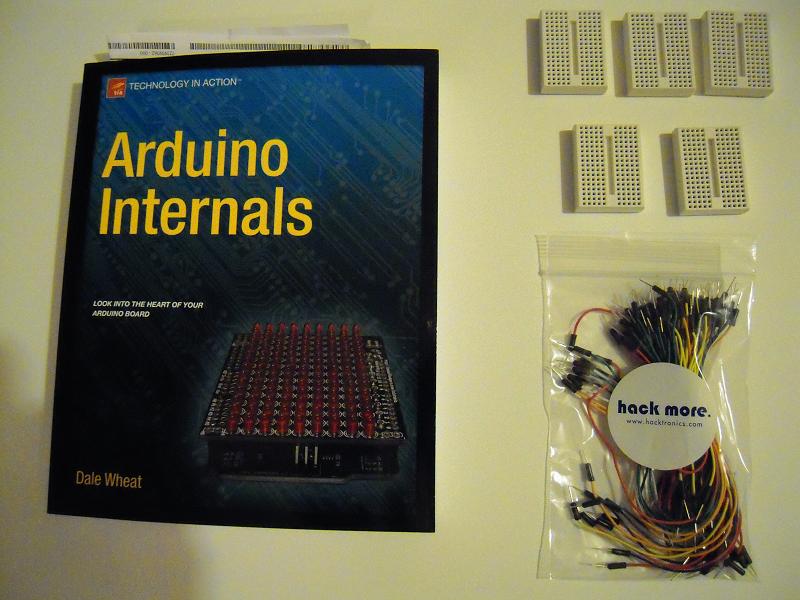
Videos of delivery guys gone wild may be viral these days, but Santa Zero was good to me and delivered these presents intact and on time. They will help in making my cheapbot kit a reality.

I’ve only just browsed the Arduino Internals book, but it looks like it contains a lot of useful information.

The mini breadboards come from Sparkfun for just $3.95 and conveniently are just the right size to fit between the headers of the Arduino. The Hacktronics flexible jumper wires cost about $10 what with shipping and handling added onto the price for a set of 100.

I’ve read that soldering requirements will cut sales of kits by 99%, so including a mini breadboard and jumpers for my robotics kit package is the way to go. Cheapbot is going to look different after this!

And so let us begin.

First, to review, here’s what the bot used to look like:

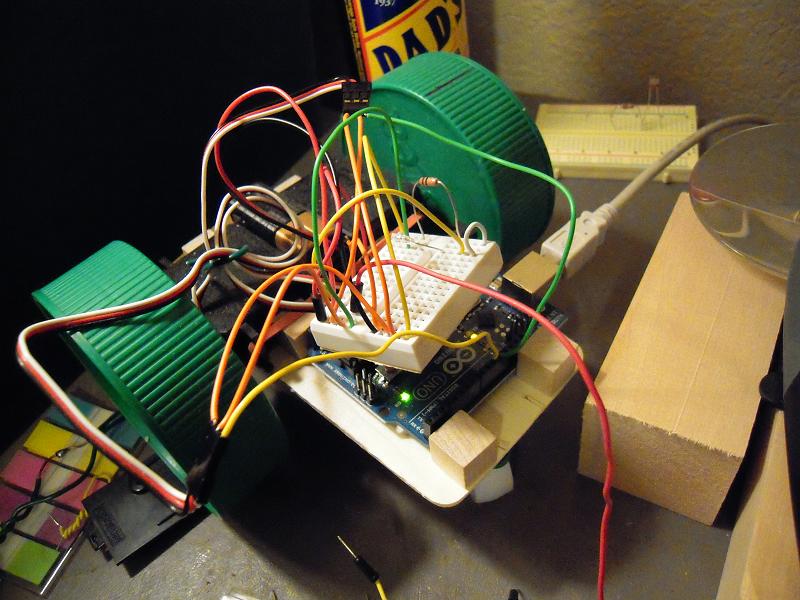
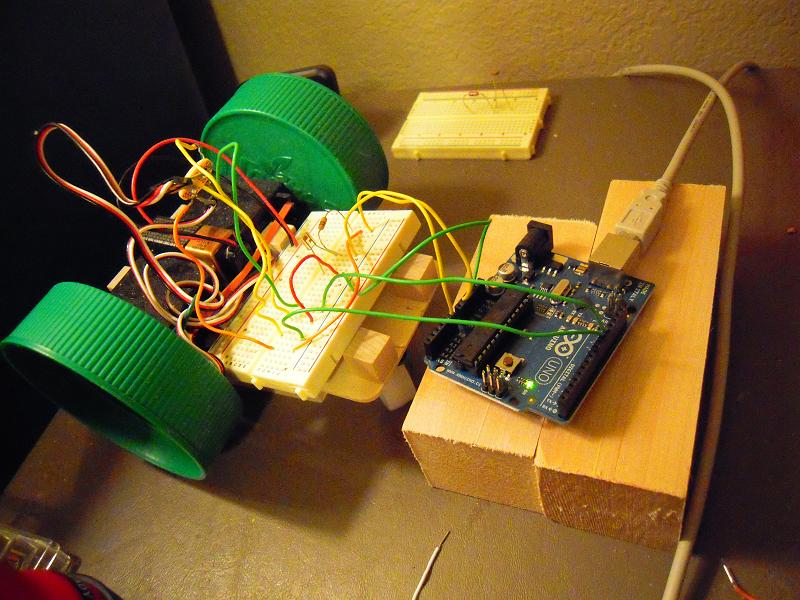
Note there wasn’t enough room to comfortably fit the breadboard and the arduino together on the robot chassis. But now . . .

I will have to make some kind of support-tray-holder for the breadboard, but for now this works fine.

And with a mini breadboard to join jumpers in a T, I no longer need this soldering kludge:

To think of all the time and trepidation I spent on dreading the task of soldering this thing! Well, now I don’t have to do any soldering for my kit, and as mentioned, 99% of potential buyers weren’t going to do it either.

BTW, I tilted the phototransistor back, and it made a HUGE difference in the responsiveness to the flashlight, as seen in this video:

(And another BTW: the loose red flexi-jumper that moves in the video is for the nine volt battery positive terminal to connect to the arduino Vin for running the robot independently on battery power. It will be connected when I run the robot on the floor, but by leaving it disconnected now I save on battery charge.)

Posted in Uncategorized | Tagged , , , , , , | Leave a comment

GIRC data display with Processing

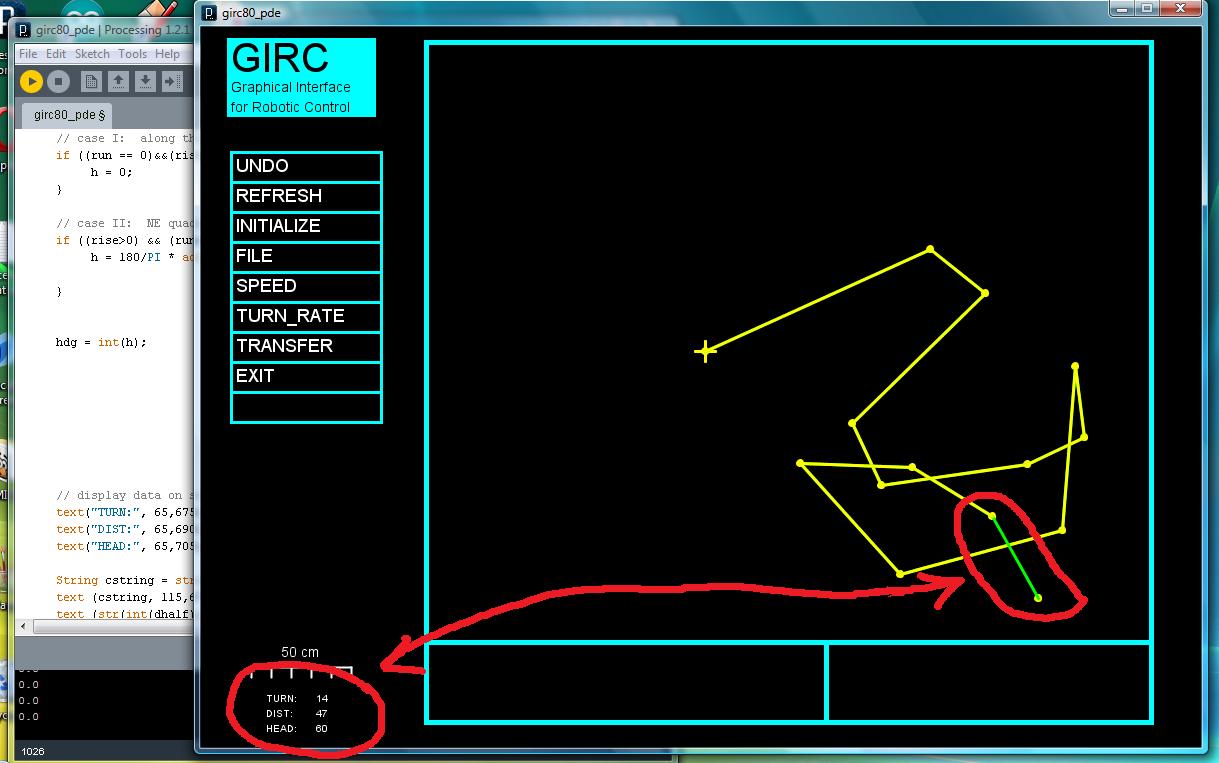
GIRC (Graphical Interface for Robotic Control) is a program (aka sketch) that is written in Processing and enables the user to graphically program my robot to follow a course. The poor little microcontroller doesn’t understand computer graphics, so I have to translate the graphical information into numbers for each path segment: length of the segment, turn in degrees from the previous segment, and the heading (arbitrarily defined as the screen’s ‘up’).

These graphics-to-numbers conversion calculations will be accomplished in the seg_calc() function, which I’m working on now. At this point, however, I’m just trying to get the function to display information on the screen, as shown above. Once I finish that, I will be able to display calculation results onscreen and verify that they agree with the graphics, and so I can go on to write/test the calculations portion of the function.

(NOTE: if you click on the picture, it will magnify. And BTW, next time I’ll probably change LENG to DIST as it seems a more logical nomenclature.)

Posted in Uncategorized | Tagged , , , | Leave a comment

Arduino robot with phototransistor mode switch (attempt #1)

I have a program (aka ‘sketch’) which steers my arduino robot (ie, cheapbot) in a square path. I revised it to use a phototransistor as a mode switch between standby and act (ie, move) modes.

Originally, I used the delay() function for the timing of the servo movements, but that meant I was sampling the analog port that the phototransistor is connected to only once every few seconds. I’m reading Beginning Arduino Programming, and it suggested that instead of the delay function, use the millis() function in a while loop because then I could continuously sample the analog port inside the loop, many many times per second.

So that I did, and it kind of works. I think the reason that it doesn’t work as well as I’d like is because of the optical equivalent of mechanical switch bounce, but we’ll see what can be done about that.

One problem that I successfully trouble-shooted is that at first I was getting very strange, random responses from the robot whenever I shone the light on the phototransistor. I finally figured out it was because I was using an int type declaration for the time variable, and I needed to make it unsigned long. This is covered at the arduino site and also in the book.

Anyhow, this is what the behavior of the phototransistor as robot mode switch looks like so far:

Posted in Uncategorized | Tagged , , , , | Leave a comment

Real, Photoshop, or Movie CGI?

Answer is here.

Posted in Uncategorized | Leave a comment

Starship Orinoco

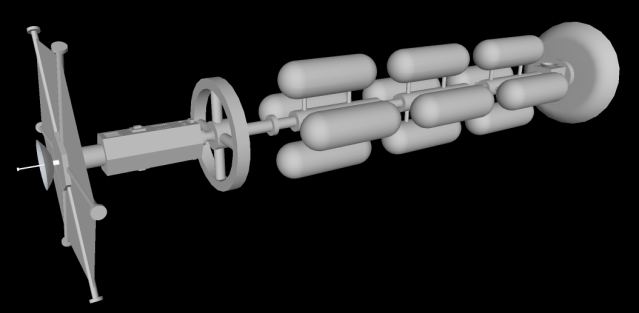
Starship Orinoco is a generation-type starship. It is fusion powered and has a cruise velocity of five to ten percent the speed of light. Hence it takes decades to travel to Alpha Centauri, the nearest star to our sun. The ship is two kilometers in length.
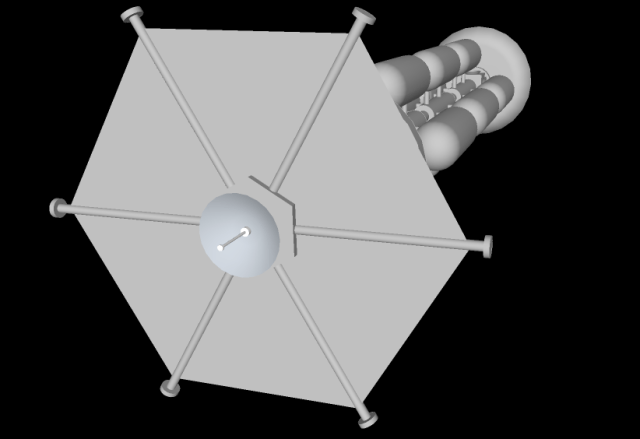
At the front of the ship is a radar to detect obstacles in the path of the ship so that they can be avoided. The hexagonal screen is charged to generate a powerful electromagnetic field around the ship to deflect the impact of micrometeorites. Side and rear radar are located at the tips of the projecting struts.
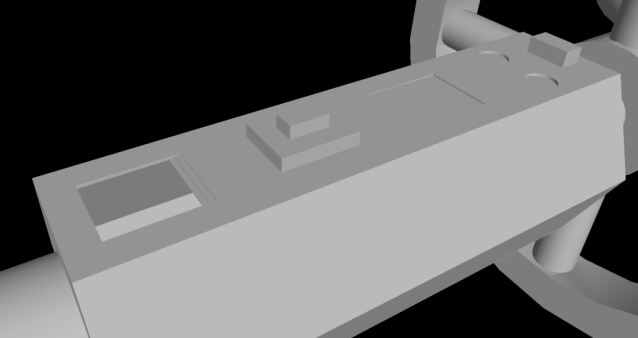
The service module contains hangers for shuttle craft used for travel between the starship when it is in orbit around the destination planet and the surface of the planet. There are also pod bays for probes, tugs, and various types of robots. Most of the module contains cargo and supplies for the colonists when they reach the destination planet.
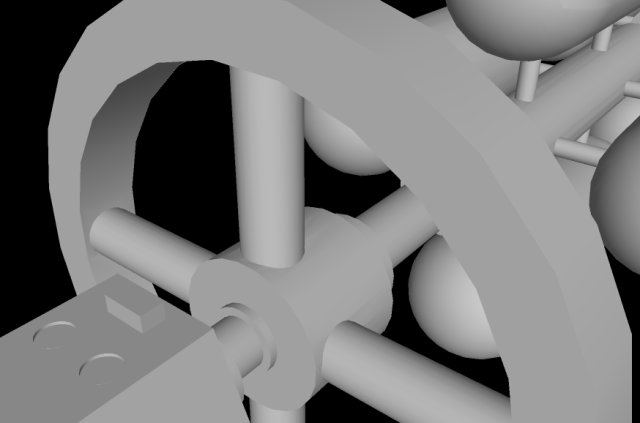
The habitat wheel is where the passengers will while away the decades in transit between star systems. It rotates to provide one-third earth gravity and is three hundred meters in radius. With multiple levels, it provides over a million square meters living space for a thousand passengers.
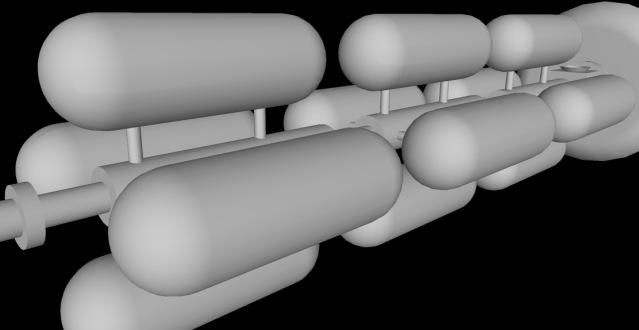
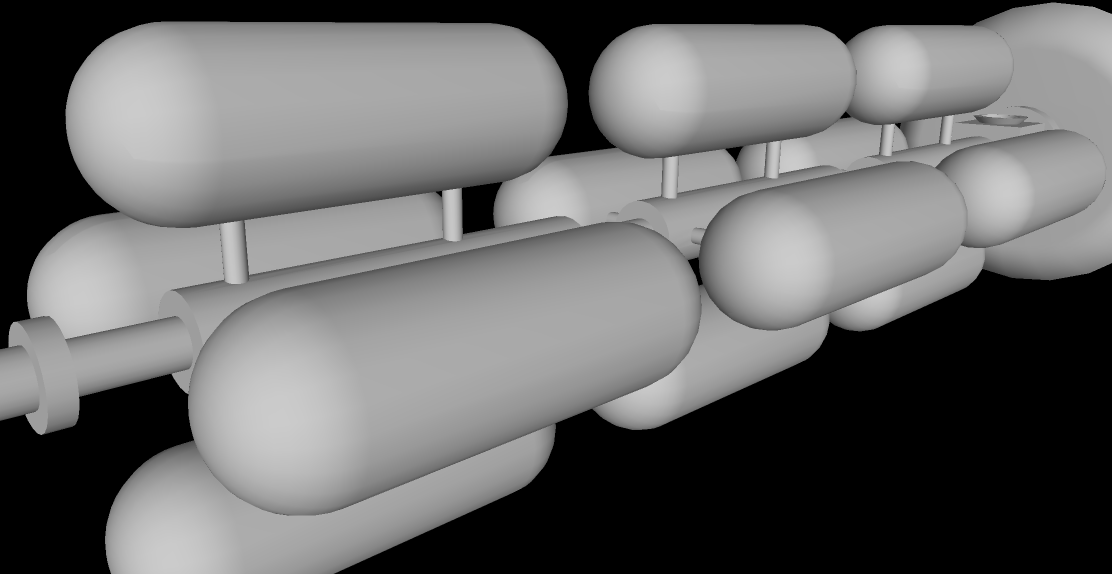
Modular fuel tanks are filled with deuterium for the fusion reaction. The long boom between the passenger wheel and the engine is reminiscent of the spaceship Discovery in the movie, 2001: A Space Odyssey.
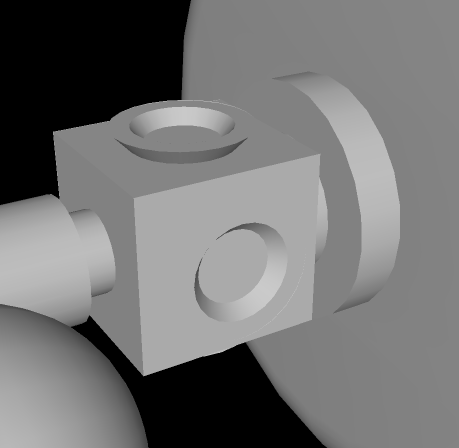
Four thrusters enable the starship to maneuver pitch and yaw for navigation purposes. The ship adjusts roll with an internal flywheel.
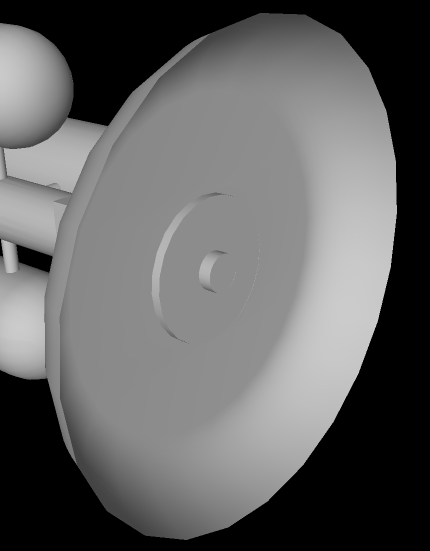
The engine has a ‘pusher-plate’ design reminiscent of Project Orion, in which deuterium pellets are launched behind the ship and fusion ignition is achieved with lasers and magnetic fields. Maximum acceleration is .01 g and it takes years to build up to cruise velocity.

Orinoco is pictured here traveling alone across the interstellar void but is likely to be part of a fleet of two or three other similar ships. It also has fleets of probes to venture millions of kilometers ahead of the ship’s path in order to detect and avoid obstacles such as asteroids and meteoroids.

Probably, such ships are the stuff of the twenty-second century, or beyond, but it’s fun to dream. And who knows, if medical science continues to extend human lifespan, people who are alive today might someday venture to the stars.


Interstellar Travel at Amazon

Posted in Uncategorized | Tagged , , , | 1 Comment

Phototransistor as robot mode switch

Here’s the thing about cheapbot: as soon as you program it, it wants to go. It really needs a mode switch with two modes: one to accept commands, and the other to execute them. Also I want to be able to make it stop without having to chase after it, pick it up, and pull out the battery high wire.

The idea of putting a phototransistor on cheapbot is that I can switch modes by merely shining a flashlight on the robot. In other words, I can attach the cable and download the commands, then place the robot on the floor, then shine a light on it and it’ll go. When I want it to stop, I just shine the light on it again, and en voila. No hassle of chasing after or pulling wires.

Shown in the photo is the breadboard setup, and once it fully works, I’ll solder stuff so that the robot can be mobile again.

Status on programming: yes, I can make the robot move when the light is on it and stop when the light is off, but what I want is to cycle modes when I shine a light. That is the next step.

Posted in Uncategorized | Tagged , , , | 1 Comment